
AltCtrlWrench
New Member
- Thread starter
- #1
I was going to type an introduction, but lets get to the fun stuff first!
https://asbuilt.altctrlwrench.com/
This is a (free) tool I have built from scratch to dive into comparing As Built files and groups, to review all the "liviniup" workbooks, and to see ALL the mods from across the community.
So first up, cross-platform Common Mods.
This is my (best) effort to capture as many of the great mods the community has developed, including the ones captured here from the Ranger community.
As of today there are over 200 mods in the catalog, over 100 unique ones, from things like Global Windows, Matrix Headlights, and disabling the seat belt chimes.


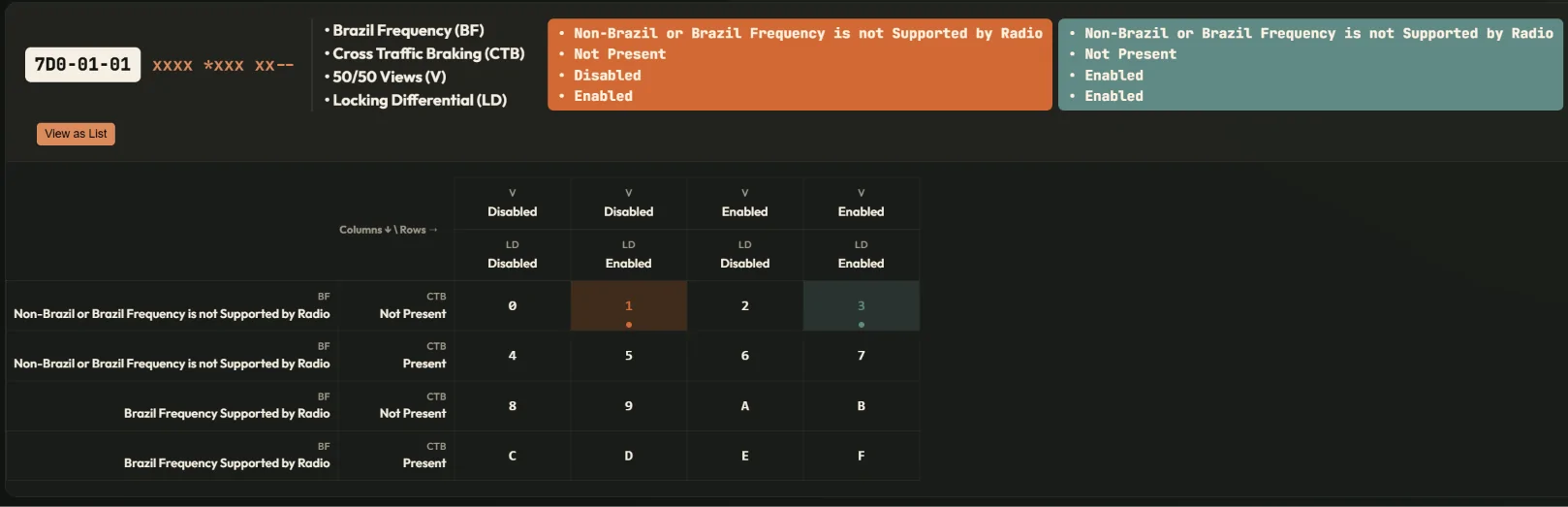
These mods have been broken down further from their "hex" value into the exact feature that is being changed. That "add 8" you see in the spreadsheet, that's because each "hex" is actually four "bits" , and depending on which bit is changed determines which feature is being set.
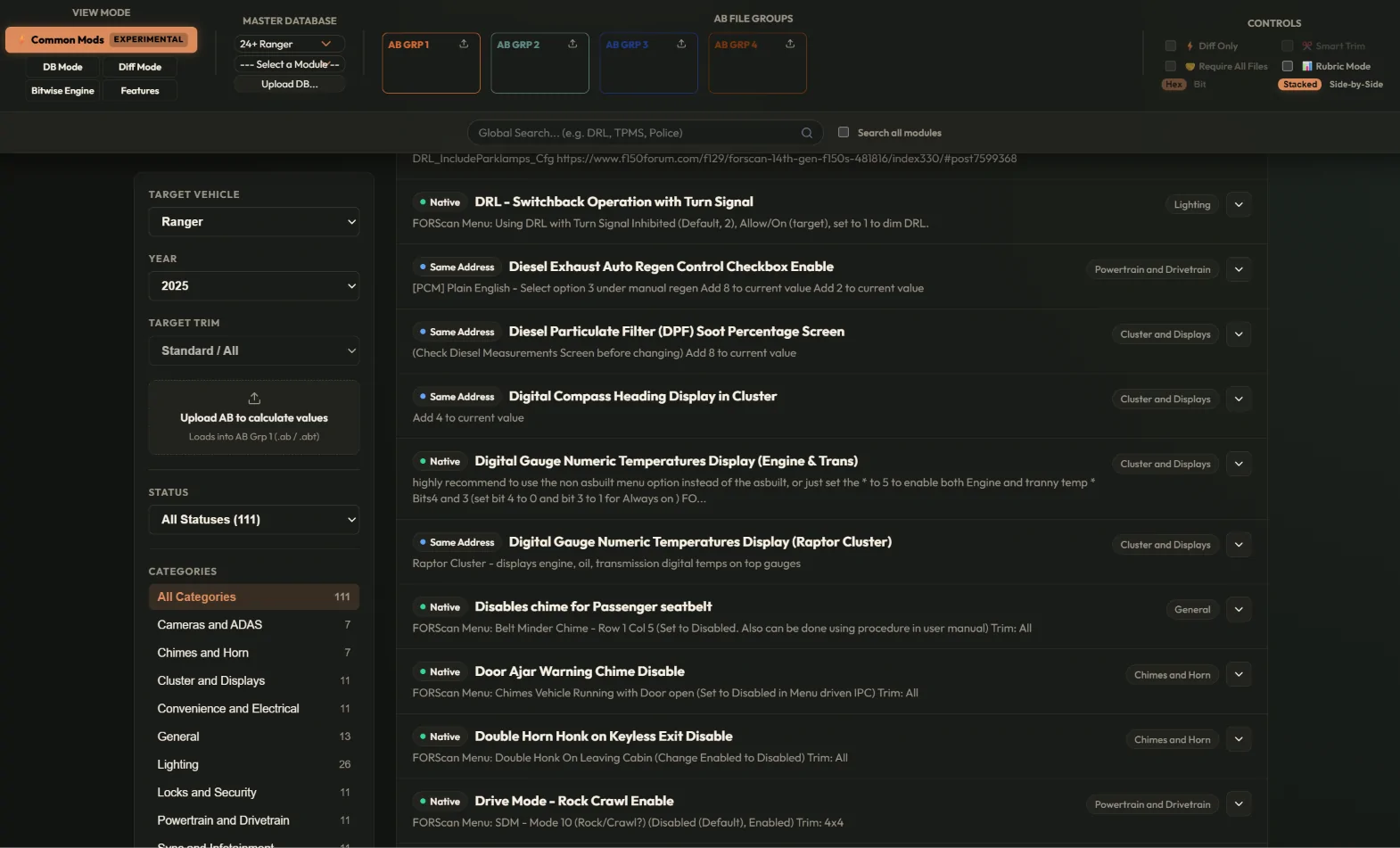
The major impact from this is we can directly calcupate the exact hex value to use, just load your As Built (.ab) file into the first group on the ribbon and the tool will do that "add 8" dynamically. The second major impact is that breaking these down into the individual bit we can start to search across the other forscan workbooks out there (F150, Super Duty, Mach-E, etc) to build cross-platform recipes. In the image above you will see native (direct Ranger mods from your workbook here, same address (the Ranger workbook shows the same feature as say a F150 mod), relocated (we found that "feature" at a different address in the module), or unsupported (I couldn't find that feature).
!! I need your help !!
Every one of these mods has been captured in what I call a "recipe", and all these recipes have been made open source at https://github.com/altctrlwrench/forscanconfigviewer/tree/main/recipes
If errors are found, the recipe can be updated. If cross-platform mods are shown to work, export the recipe directly from As Built Pro and contribute it to github as a validated and native mod. Only the community can grow this list!
The .acwrecipe files are of my design, but are open source and can be used by any tool. They are open source for a reason and hopefully we can start building capabilities that are not isolated to one forum or another.

So how are mods discovered? Well, a LOT of work! But hopefully I have some tools for that too.
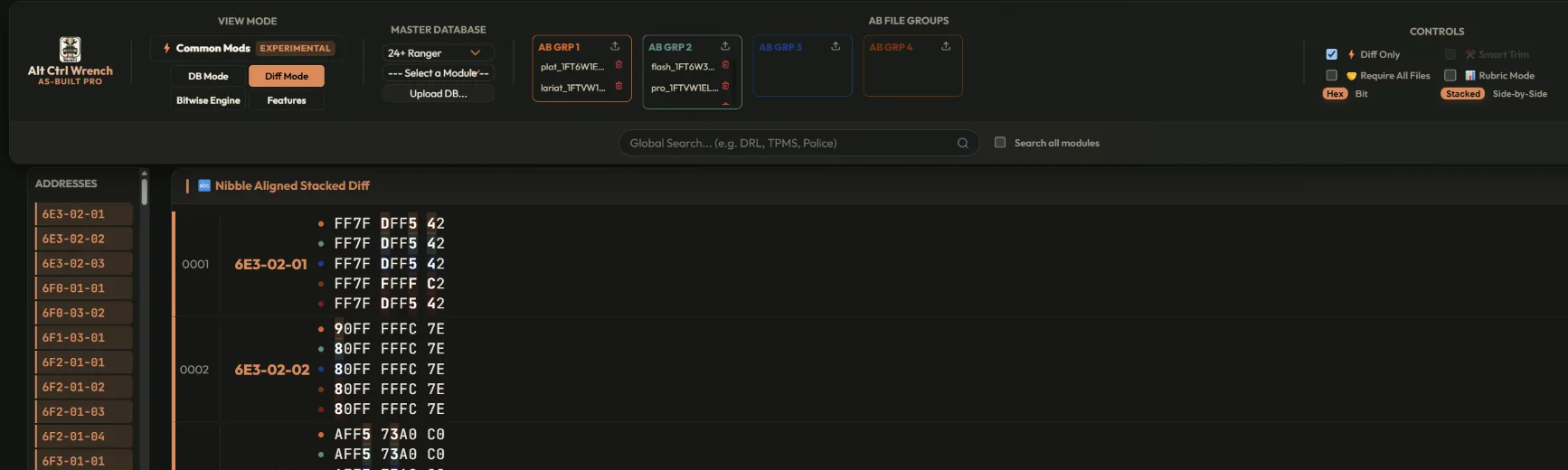
First up, diff mode and diff mode cranked to 11
Diff mode - Upload one, or up to five, AB (or forscan ABT exports) into each of the Ab Files section at top and see differences across the files (set "diff only" in the top right if you want)

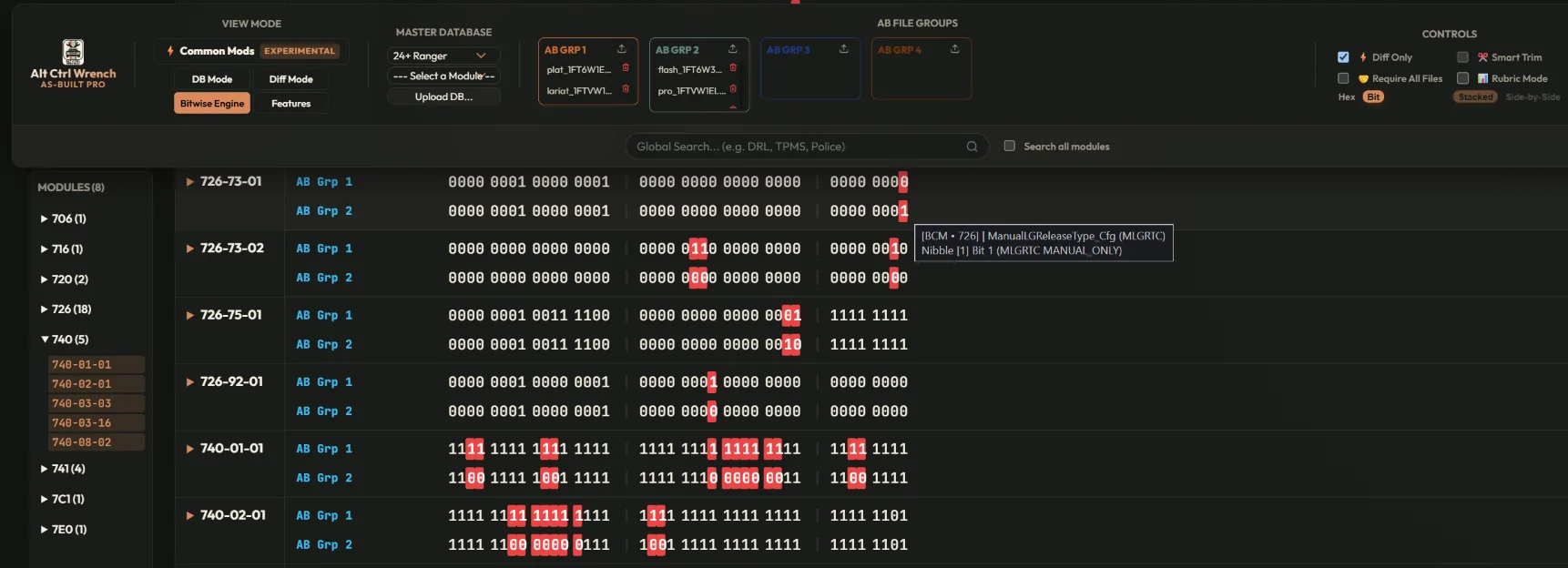
Bitwise Mode - a "diff" engine, but integrated with the community workbook (google sheets) and showing the exact BIT (set to bit mode in top right) that changes (remember, a hex code is actually four binary bits 0000 through 1111). Then hover over the individual bit to see the exact feature that is changed.
This tool takes those groups of files you uploaded previously and combines them so instead of comparing one file to another, you are comparing one group to another group. Note, inconsistencies across groups show up as a "*".

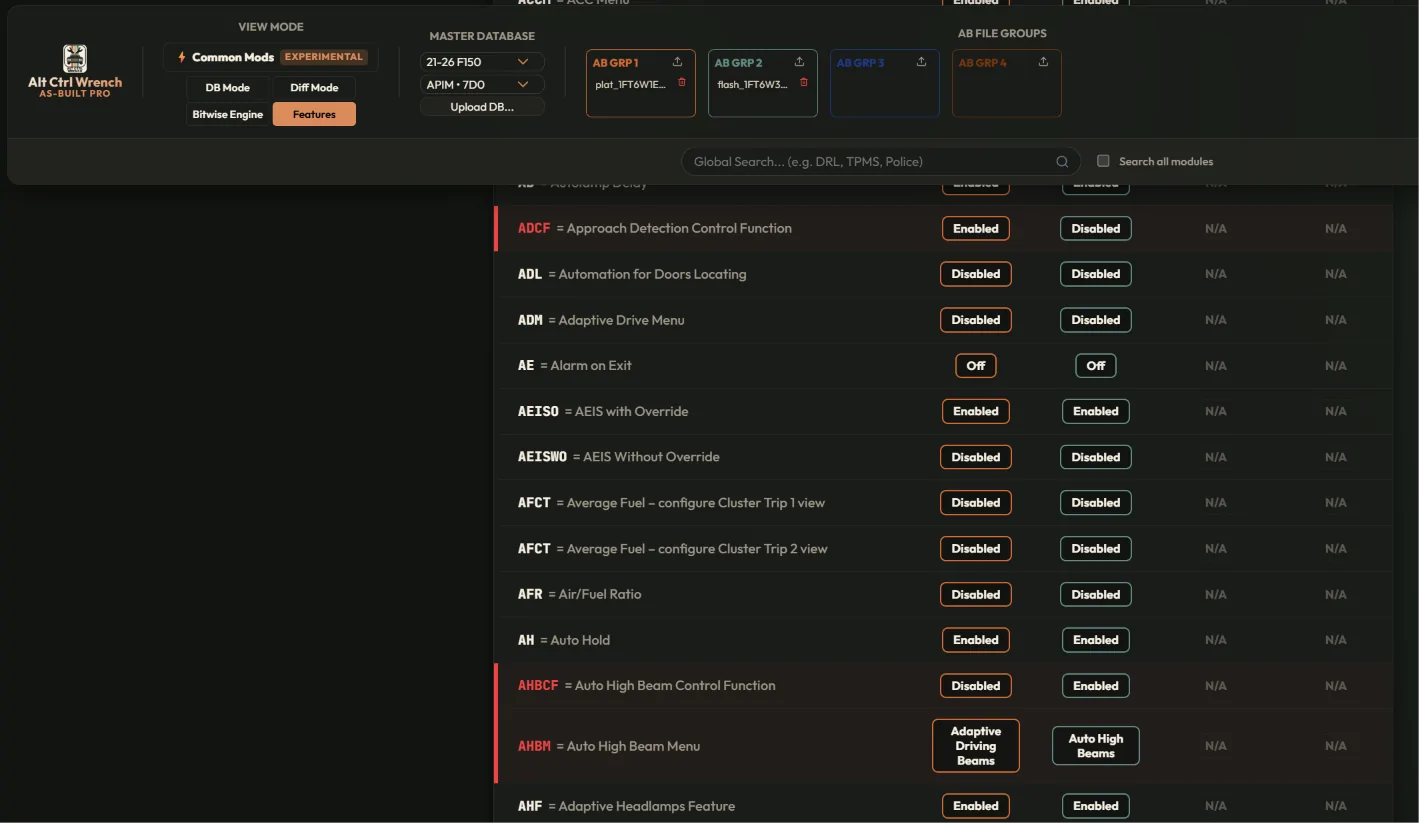
Features - A best effort acronym list from that module, and if its on or not for your file(s). You can also upload into different groups to see differences too.

Last but not least, DB mode - Really the whole reason I made this tool, I wanted to look at the awesome workbooks, but see what MY truck was set to. I wanted to see exactly what my truck was set to. This also shows differences between files

And, for the nerds, rubric mode (turn on in the top right)

Shameless plug (hosting isn't free...)

I'm just one guy making this for fun. Expect changes, I won't claim it doesn't have bugs, and truth be told the "sheets" we have are not perfect.
I will also say, CAREFULLY check mods, auto calculated hex values, and especially cross-platform mods. I can only do so much testing, and I only have a Lightning, so PLEASE let me know if there are issues.

https://asbuilt.altctrlwrench.com/
This is a (free) tool I have built from scratch to dive into comparing As Built files and groups, to review all the "liviniup" workbooks, and to see ALL the mods from across the community.
So first up, cross-platform Common Mods.
This is my (best) effort to capture as many of the great mods the community has developed, including the ones captured here from the Ranger community.
As of today there are over 200 mods in the catalog, over 100 unique ones, from things like Global Windows, Matrix Headlights, and disabling the seat belt chimes.
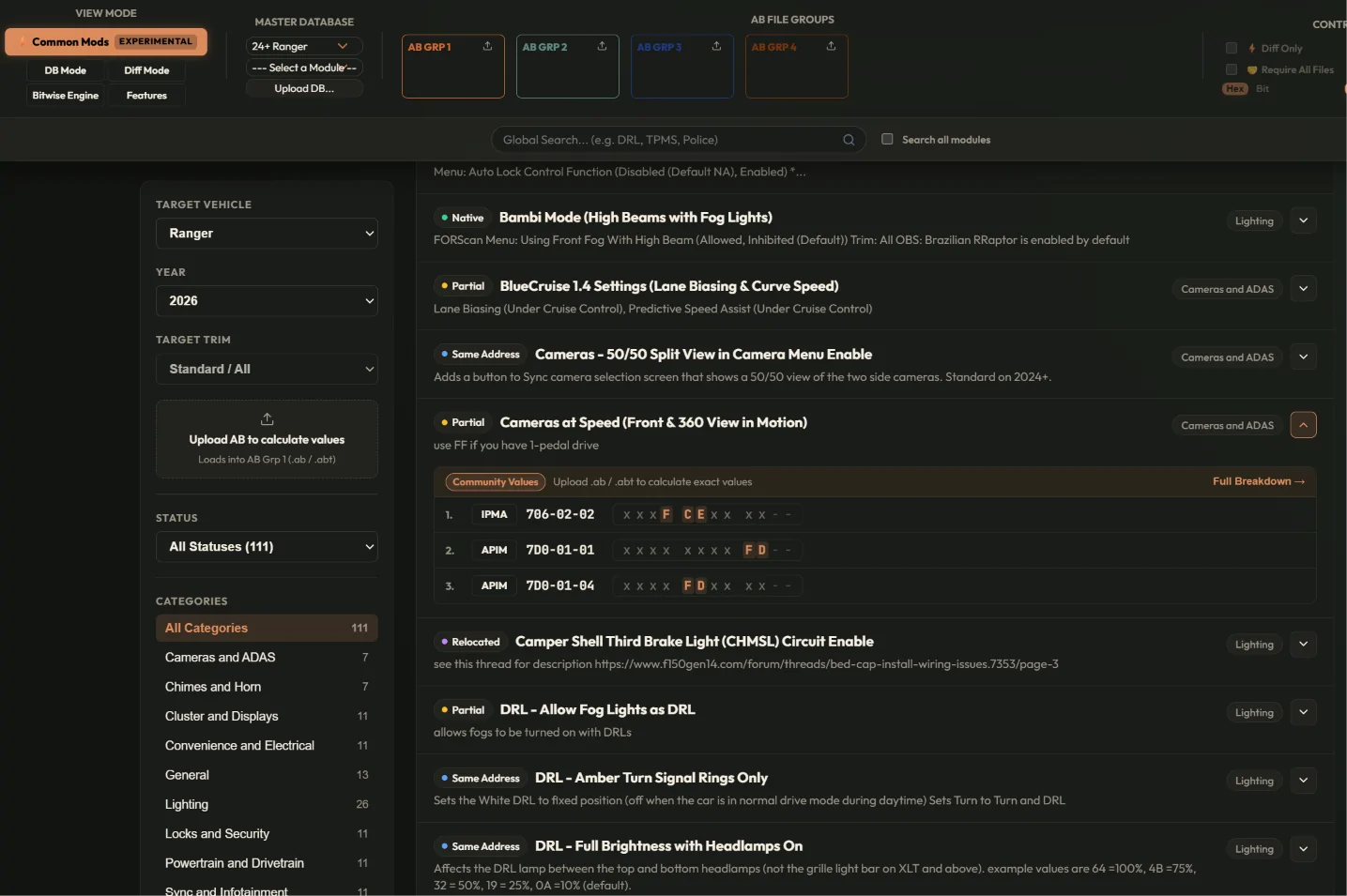
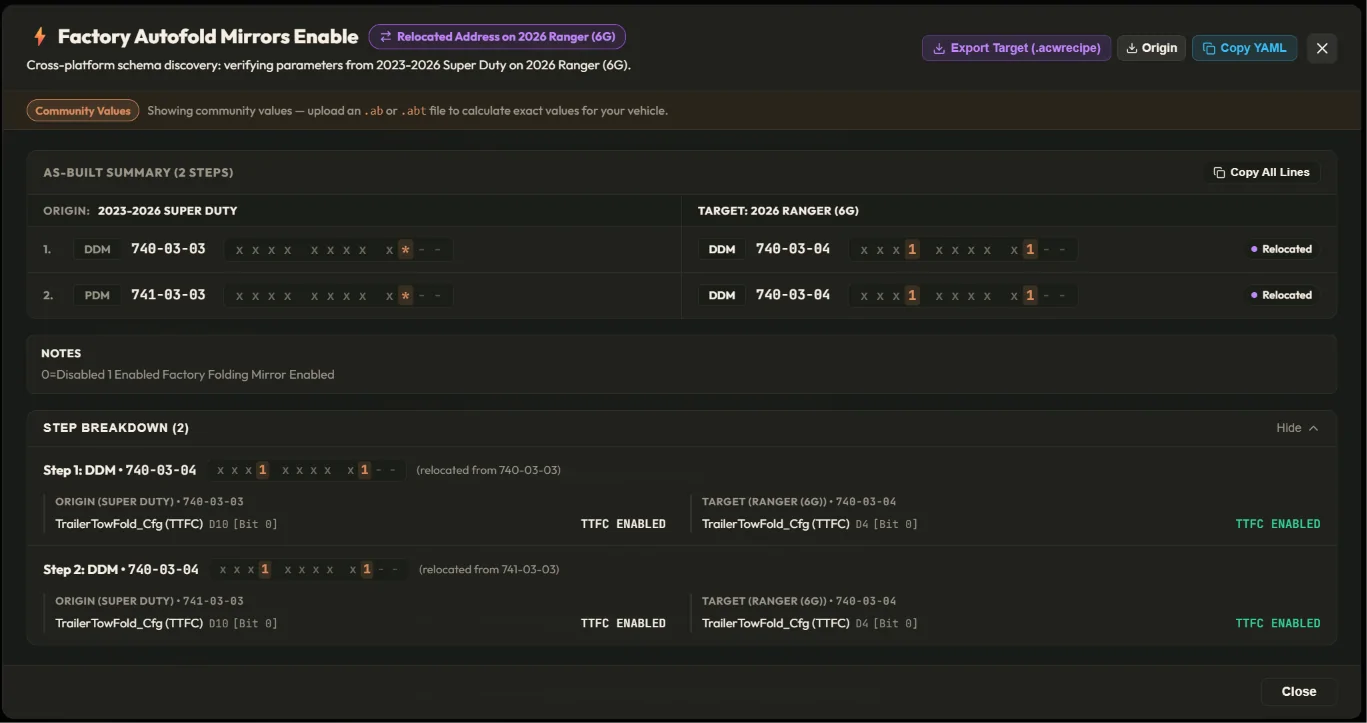
These mods have been broken down further from their "hex" value into the exact feature that is being changed. That "add 8" you see in the spreadsheet, that's because each "hex" is actually four "bits" , and depending on which bit is changed determines which feature is being set.
The major impact from this is we can directly calcupate the exact hex value to use, just load your As Built (.ab) file into the first group on the ribbon and the tool will do that "add 8" dynamically. The second major impact is that breaking these down into the individual bit we can start to search across the other forscan workbooks out there (F150, Super Duty, Mach-E, etc) to build cross-platform recipes. In the image above you will see native (direct Ranger mods from your workbook here, same address (the Ranger workbook shows the same feature as say a F150 mod), relocated (we found that "feature" at a different address in the module), or unsupported (I couldn't find that feature).
!! I need your help !!
Every one of these mods has been captured in what I call a "recipe", and all these recipes have been made open source at https://github.com/altctrlwrench/forscanconfigviewer/tree/main/recipes
If errors are found, the recipe can be updated. If cross-platform mods are shown to work, export the recipe directly from As Built Pro and contribute it to github as a validated and native mod. Only the community can grow this list!
The .acwrecipe files are of my design, but are open source and can be used by any tool. They are open source for a reason and hopefully we can start building capabilities that are not isolated to one forum or another.
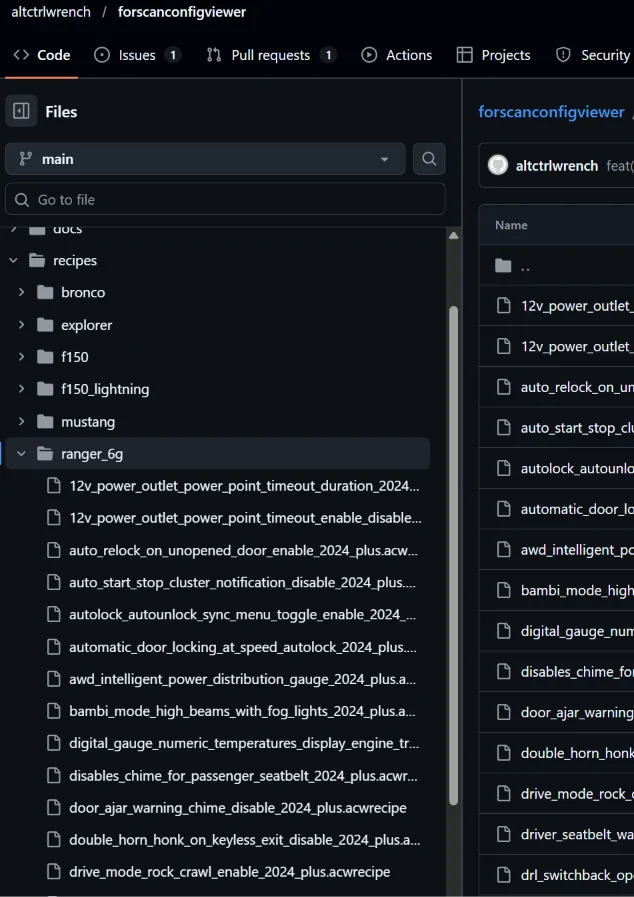
So how are mods discovered? Well, a LOT of work! But hopefully I have some tools for that too.
First up, diff mode and diff mode cranked to 11
Diff mode - Upload one, or up to five, AB (or forscan ABT exports) into each of the Ab Files section at top and see differences across the files (set "diff only" in the top right if you want)
Bitwise Mode - a "diff" engine, but integrated with the community workbook (google sheets) and showing the exact BIT (set to bit mode in top right) that changes (remember, a hex code is actually four binary bits 0000 through 1111). Then hover over the individual bit to see the exact feature that is changed.
This tool takes those groups of files you uploaded previously and combines them so instead of comparing one file to another, you are comparing one group to another group. Note, inconsistencies across groups show up as a "*".
Features - A best effort acronym list from that module, and if its on or not for your file(s). You can also upload into different groups to see differences too.
Last but not least, DB mode - Really the whole reason I made this tool, I wanted to look at the awesome workbooks, but see what MY truck was set to. I wanted to see exactly what my truck was set to. This also shows differences between files
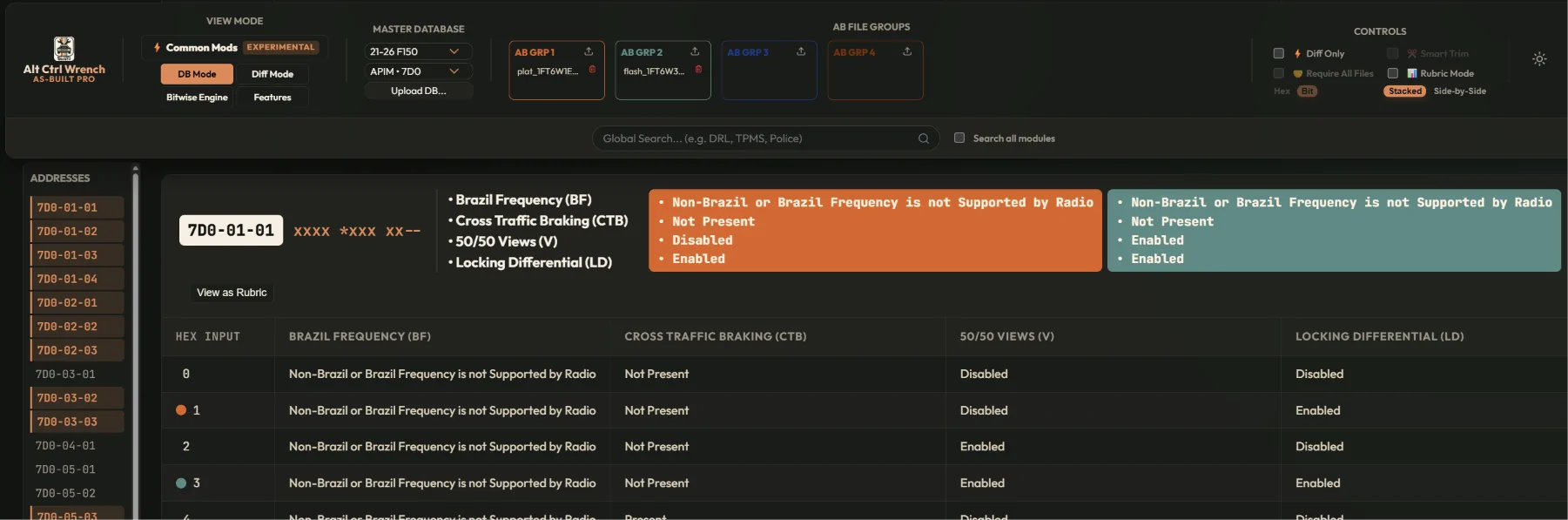
And, for the nerds, rubric mode (turn on in the top right)
Shameless plug (hosting isn't free...)
I'm just one guy making this for fun. Expect changes, I won't claim it doesn't have bugs, and truth be told the "sheets" we have are not perfect.
I will also say, CAREFULLY check mods, auto calculated hex values, and especially cross-platform mods. I can only do so much testing, and I only have a Lightning, so PLEASE let me know if there are issues.
Sponsored


