
John E Davies
Well-Known Member
- First Name
- John
- Joined
- May 26, 2024
- Threads
- 63
- Messages
- 772
- Reaction score
- 1,074
- Location
- Spokane WA USA
- Vehicle(s)
- 2024 Ranger Raptor Velocity Blue (fastest color)
- Occupation
- Retired aircraft tech
- Thread starter
- #1
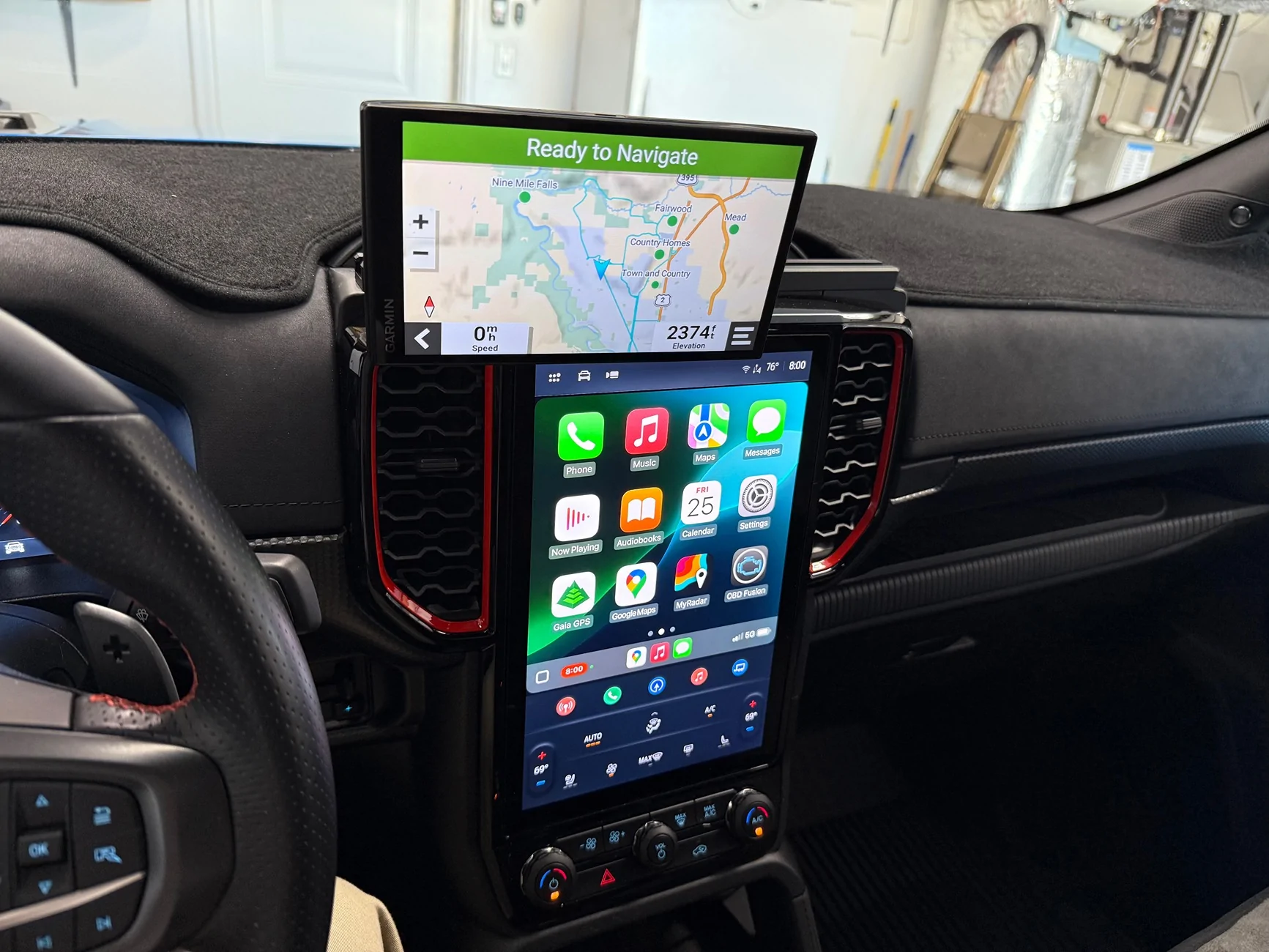
I have to keep my DriveSmart gps unplugged whenever I am not actually using it, because EVERY time I open a front door, the accessories circuits become live and that boots up the gps. Then it goes into standby mode and that mode gradually runs down its battery. I don’t understand why you would want the truck to come alive every time you open a door, can that be turned off completely?
I tried adding an inline switch cable for gps power - I am using the USB C socket under the center stack - it does solve that problem partly, but it won’t flow enough current to allow more than 40% screen brightness on the Garmin….grrr, I took it back off.
Comments are very welcome, this really pisses me off, it just doesn’t make any sense.
Thanks
John Davies
Spokane WA USA

I tried adding an inline switch cable for gps power - I am using the USB C socket under the center stack - it does solve that problem partly, but it won’t flow enough current to allow more than 40% screen brightness on the Garmin….grrr, I took it back off.
Comments are very welcome, this really pisses me off, it just doesn’t make any sense.
Thanks
John Davies
Spokane WA USA
Sponsored
Last edited: