Sponsored

Help on posting a thread.

GLW

Well-Known Member
First Name
Gary
Joined
May 26, 2024
Threads
26
Messages
475
Reaction score
533
Location
Missouri
Vehicle(s)
2024 Ranger Raptor
I know how to post a new thread and I know how to add photos to the new thread.
What I don’t know how to do is add a caption to each photo briefly explaining what the photo is.
That’s question 1.

my next question is, can I begin a new thread and pause (save) the working thread to work on later?

Third (I think this my be tied to the second question).
I tried earlier to send out a new thread where I wanted to attach six photos. It wouldn’t go. When I backed it down to three photos it worked fine.
If I want to send out 9-12 photos with a caption on each how would I do that?

I apologize for not knowing any of this and hope someone can help and/or show me a resource to get some help.

have a good one,
Gary
Sponsored
 

Jason B

Well-Known Member
First Name
Jason
Joined
Apr 27, 2023
Threads
1
Messages
1,185
Reaction score
1,264
Location
Louisiana
Vehicle(s)
2024 Ranger XLT FX4
Occupation
machinist
There's probably a limit on how much you can upload in each thread, so you may have to resize the photos to something like 800x600.
You can't add notations onto photos itself while posting, but you can add text between each photo, and maybe change the size of the text.
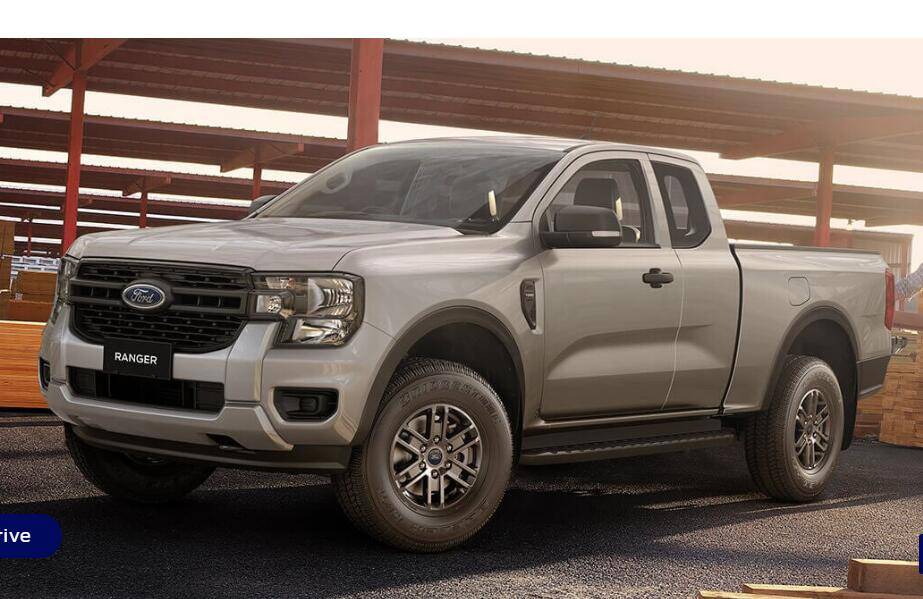
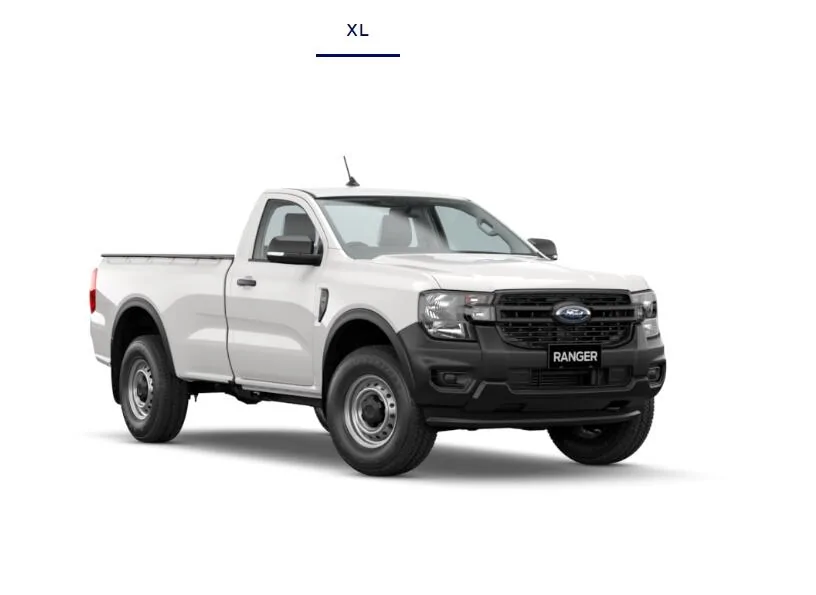
Add photos to you post, then add text between each. In the examples I changed the text to BOLD and font to 18 by using the buttons at the top of the post when entering text/phots.


Ranger Open Cab
Ford Ranger Help on posting a thread. Ranger Open Cab


Ranger Standard Cab
Ford Ranger Help on posting a thread. Ranger Standard Ca
 
OP
OP
GLW

GLW

Well-Known Member
First Name
Gary
Joined
May 26, 2024
Threads
26
Messages
475
Reaction score
533
Location
Missouri
Vehicle(s)
2024 Ranger Raptor
There's probably a limit on how much you can upload in each thread, so you may have to resize the photos to something like 800x600.
You can't add notations onto photos itself while posting, but you can add text between each photo, and maybe change the size of the text.
Add photos to you post, then add text between each. In the examples I changed the text to BOLD and font to 18 by using the buttons at the top of the post when entering text/phots.


Ranger Open Cab
Ranger Open Cab.jpg


Ranger Standard Cab
Ranger Standard Cab.jpg
This is very helpful. Thank you!!
 

Catalyst

Well-Known Member
First Name
Justin
Joined
Mar 27, 2024
Threads
1
Messages
466
Reaction score
607
Location
Bend, OR USA
Vehicle(s)
2024 Ranger Raptor
Occupation
Network Engineer
After spending a couple decades on forums, I also know that if you do plan to post enough pictures that you expect to surpass the size/count limit, you can create the thread's initial post, and then reply to it immediately with the first post (just put "saved" or similar) after saving the initial post. Then you can edit the reply post later to add additional photos/comments. If it's going to be quite lengthy you can always reserve more than the first reply as needed.
 
OP
OP
GLW

GLW

Well-Known Member
First Name
Gary
Joined
May 26, 2024
Threads
26
Messages
475
Reaction score
533
Location
Missouri
Vehicle(s)
2024 Ranger Raptor
After spending a couple decades on forums, I also know that if you do plan to post enough pictures that you expect to surpass the size/count limit, you can create the thread's initial post, and then reply to it immediately with the first post (just put "saved" or similar) after saving the initial post. Then you can edit the reply post later to add additional photos/comments. If it's going to be quite lengthy you can always reserve more than the first reply as needed.
I can see how that would work. Thank you!
 

Deleted member 9086

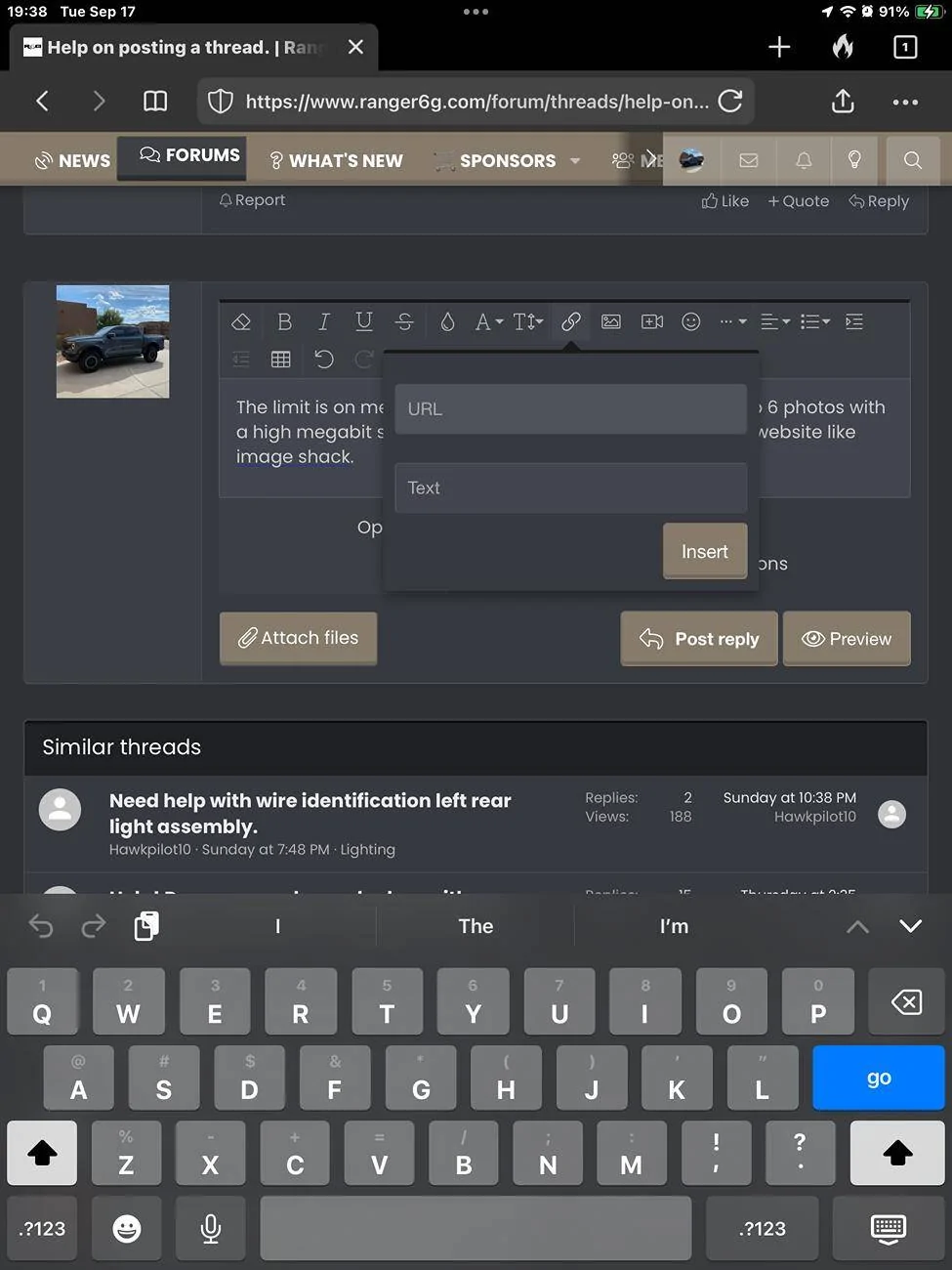
The limit is on megabits size of the photo. I’ve posted up to 6 photos with a high megabit size. You can always use a photo hosting website like image shack, they downsize the photos automatically maintaining the quality.

https://imageshack.com/about

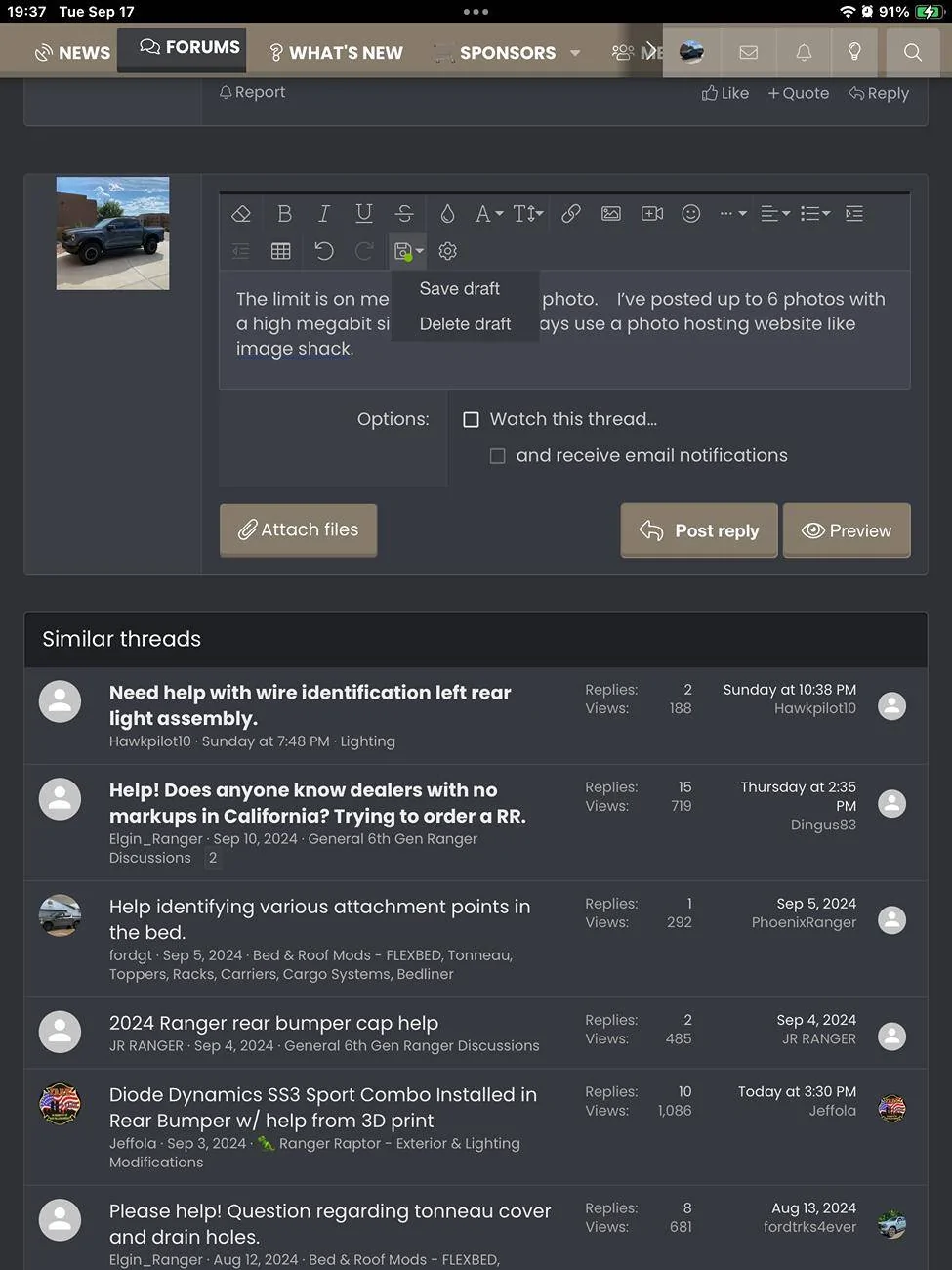
Here are a couple screen shots that may help.

Saving a draft use;
Ford Ranger Help on posting a thread. IMG_1268

Adding a caption for a photo or URL but you must use a image hosting website;
Ford Ranger Help on posting a thread. IMG_1269


Hope this helps.???
Sponsored

 
  • Like
Reactions: GLW


Top