m3iaz
Member
- Thread starter
- #1
THIS TOOL(S) IS DONE FOR PEOPLE WITH AT LEAST BASE KNOWLEDGE OF FORSCAN .
IF YOU DO NOT KNOW WHAT YOU DO JUST DON'T DO
THERE IS ALWAYS A CHANCE OF BRICK YOUR UNIT USING FORSCAN AND ASBUILT DATA
https://gofile.me/76m4D/cgdxGAXVM
All files under this link. do not worry of animation. it is not spam/scam
i am using data (with some additional data collected around here) from here:
FORScan NA Ranger 6G - Gsheet
original thread
Posts contents
1. links & The Idea - it can be bypased. I wrote to much ;-)
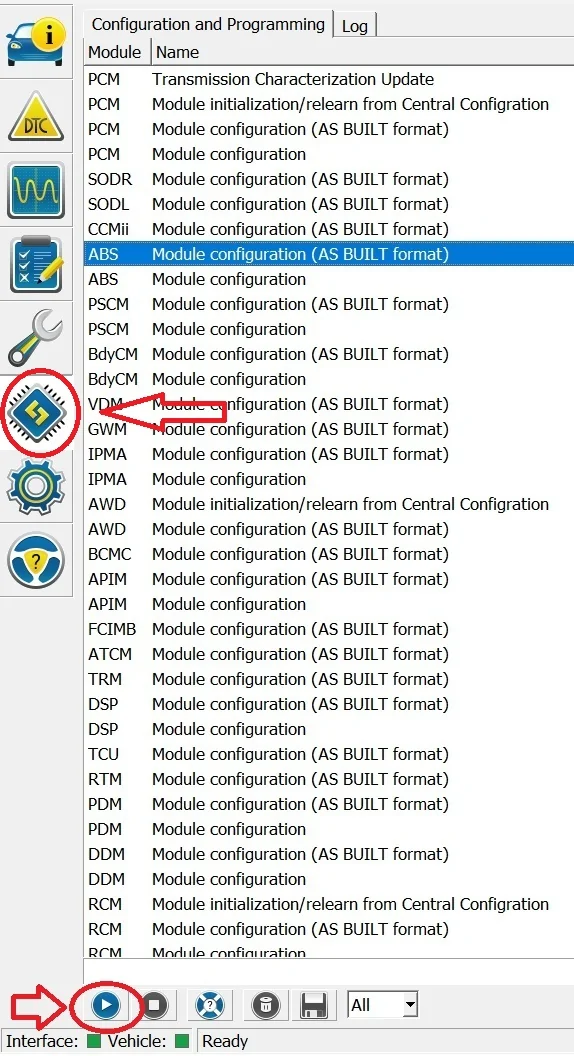
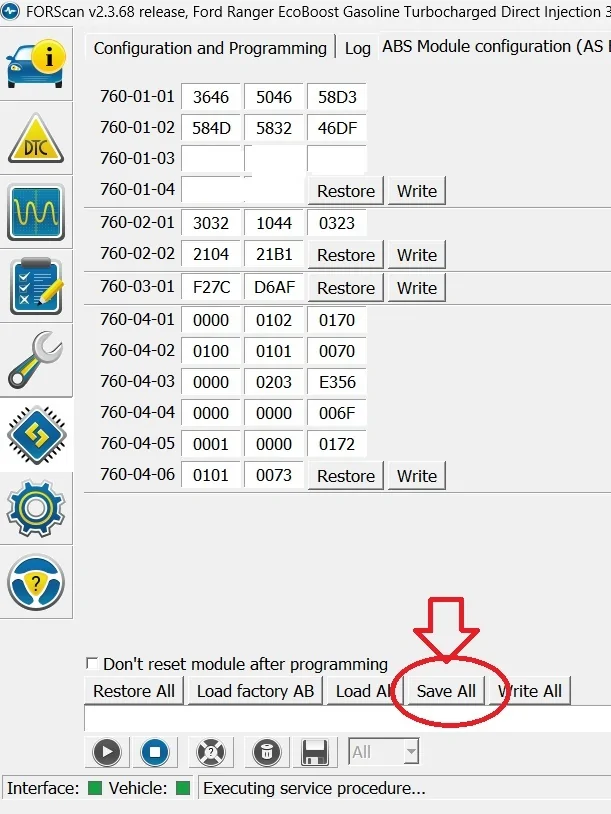
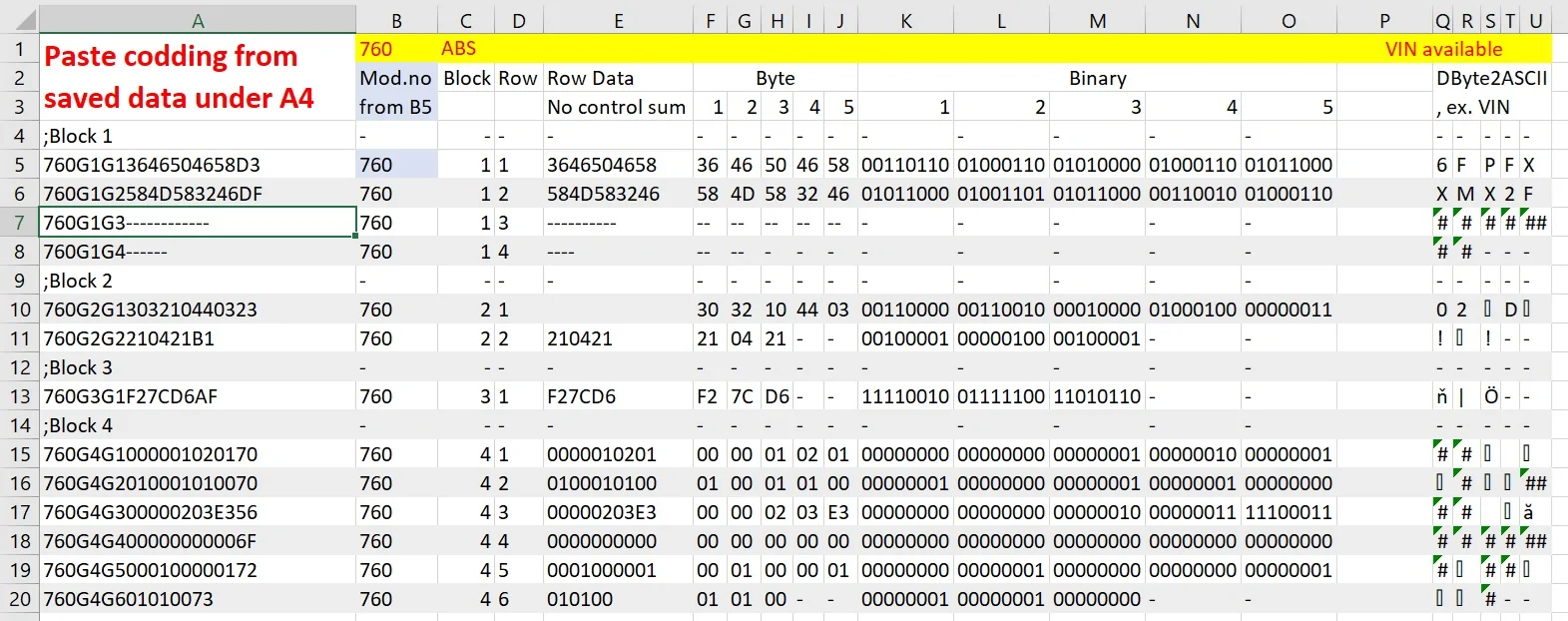
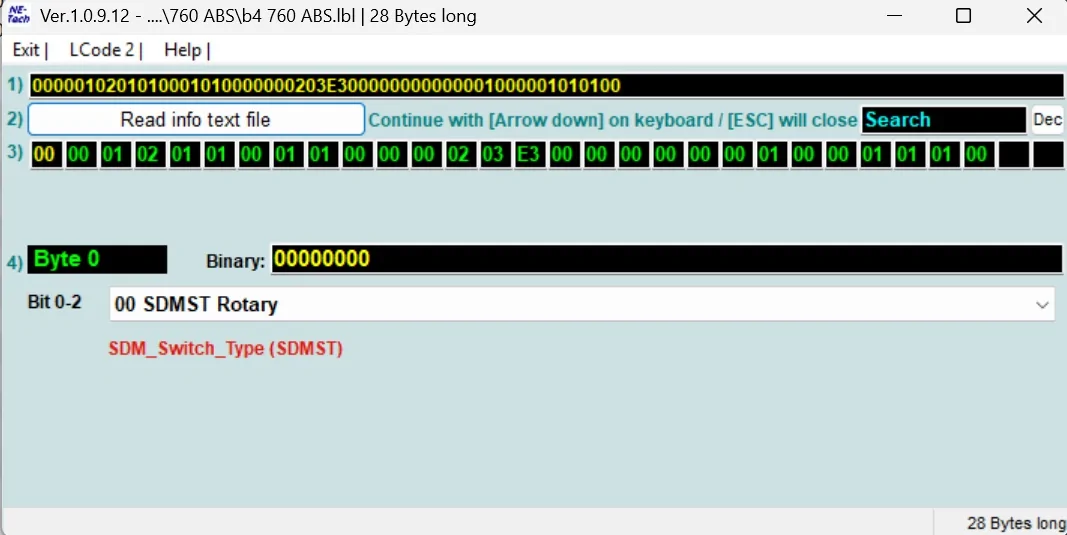
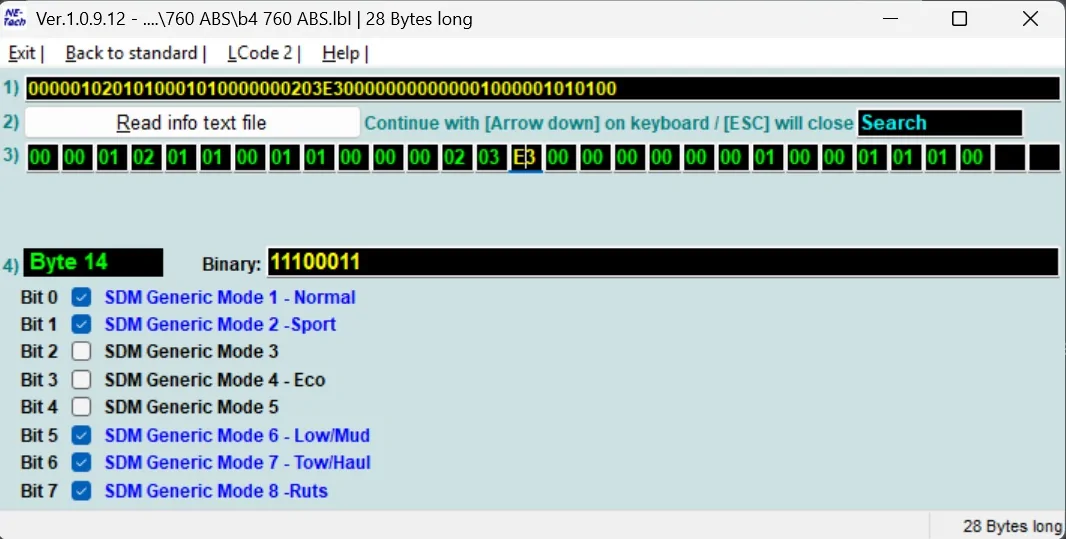
2. explanation of data collecting via FORScan, use of codding calculator, use of LCode <- CLICK
3. labels done list <-CLICK
4. explanation of label preparation for project participants - not ready yet
The Story of my life ;-)
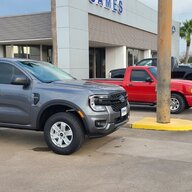
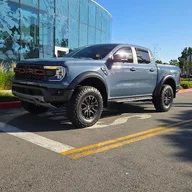
Everything starts when I decided to buy my 1st Ford. At the beginning it was suppose to be Ford Turneo Custom 2023MY for work but after 2 years waiting for production and more and more excuse made by dealer, I decided to move In a different dealer as well as my wife suggest PickUP instead of bus. I never wonted PickUp since the ride of it I found uncomfortable (size and suspension) but Range Raptor is not a standard PickUp.
Before mostly I drive VW AG vehicles and form my very 1st I bought Vag Com (later VCDS) to be able to diagnose it.
For over 20 years and many (not only mine cars) I learn the way of diagnose as well as codding purpose. I also did a lot of modification in my cars since it was mostly 2nd hand and equipment did not match my expectation but price and actual condition did.
I also made a bunch of $$ modifying cars for others.
Considering above, it was natural for me to search for proper tool.
I knew that exist dedicated tool for Ford (universal tools like LUNCH are... well... just universal) and it was easy to find FORScan over internet.
Soon after I found this forum and started to check technical content.
I found a lot of useful stuff here and a lot of skillful people sharing their successful projects as well as super detailed spread sheet linked here.
IT IS A GREAT PLACE IMO SO KEEP UP A GOOD JOB GUYS AND GIRLS
After my 1st euphoria, I started to see that data in this spread sheet is in some places complicated as well as I understood that it can be easier to read.
The Problem
After my 1st euphoria, I started to see the reality. Data in this spread sheet is in some places complicated as well as I understood that according to my experience, it can be easier to read.
For Ex. 760 ABS (yes, it is going to be my reference)
760-03-01 **xx-xx--
256 values... and there are only 5 options possible with it...
My eyes sparkled when I tried to find out what is in my configuration not mentioning finding the way to modify anything looks dangerous since high chance of error.
The Idea
At first I tried to do all in Excel for at least automatic showing my codding on the spread sheet.
I spend my free time in about 4 days.
Since I used Excel before for easy tables and simple calculation.I had to ask google every 20 minutes formula and solution with mostly no luck or bad solutions. Worth to mention that I am using 2021 PL ver and every formula was translated in PL and solutions google sometimes was a straight translation when in PL it has a bit different translation.
Then I understand that I should not look for new solution but just use one I used to.
There where LCode comes in my mind and here we are.
Calculator is ready. I need some more time for rewrite data from spread sheet in to .lbl files to be able to use it.
Just for you to understand the difference here is exemple of rewrite codding from spread sheet I mentioned above:
760-03-01 **xx-xx--
Instead of 256 lines I did 14 lines covering all options avaliable in this Byte.
and how it looks:

Hope my work will be usefull for many people here. Even if not than for sure it will be usefull for me ;-)
PS. it can be applayed to any FORD as long as proper lbl file will be prepared.
IF YOU DO NOT KNOW WHAT YOU DO JUST DON'T DO
THERE IS ALWAYS A CHANCE OF BRICK YOUR UNIT USING FORSCAN AND ASBUILT DATA
https://gofile.me/76m4D/cgdxGAXVM
All files under this link. do not worry of animation. it is not spam/scam
i am using data (with some additional data collected around here) from here:
FORScan NA Ranger 6G - Gsheet
original thread
Posts contents
1. links & The Idea - it can be bypased. I wrote to much ;-)
2. explanation of data collecting via FORScan, use of codding calculator, use of LCode <- CLICK
3. labels done list <-CLICK
4. explanation of label preparation for project participants - not ready yet
The Story of my life ;-)
Everything starts when I decided to buy my 1st Ford. At the beginning it was suppose to be Ford Turneo Custom 2023MY for work but after 2 years waiting for production and more and more excuse made by dealer, I decided to move In a different dealer as well as my wife suggest PickUP instead of bus. I never wonted PickUp since the ride of it I found uncomfortable (size and suspension) but Range Raptor is not a standard PickUp.
Before mostly I drive VW AG vehicles and form my very 1st I bought Vag Com (later VCDS) to be able to diagnose it.
For over 20 years and many (not only mine cars) I learn the way of diagnose as well as codding purpose. I also did a lot of modification in my cars since it was mostly 2nd hand and equipment did not match my expectation but price and actual condition did.
I also made a bunch of $$ modifying cars for others.
Considering above, it was natural for me to search for proper tool.
I knew that exist dedicated tool for Ford (universal tools like LUNCH are... well... just universal) and it was easy to find FORScan over internet.
Soon after I found this forum and started to check technical content.
I found a lot of useful stuff here and a lot of skillful people sharing their successful projects as well as super detailed spread sheet linked here.
IT IS A GREAT PLACE IMO SO KEEP UP A GOOD JOB GUYS AND GIRLS
After my 1st euphoria, I started to see that data in this spread sheet is in some places complicated as well as I understood that it can be easier to read.
The Problem
After my 1st euphoria, I started to see the reality. Data in this spread sheet is in some places complicated as well as I understood that according to my experience, it can be easier to read.
For Ex. 760 ABS (yes, it is going to be my reference)
760-03-01 **xx-xx--
256 values... and there are only 5 options possible with it...
My eyes sparkled when I tried to find out what is in my configuration not mentioning finding the way to modify anything looks dangerous since high chance of error.
The Idea
At first I tried to do all in Excel for at least automatic showing my codding on the spread sheet.
I spend my free time in about 4 days.
Since I used Excel before for easy tables and simple calculation.I had to ask google every 20 minutes formula and solution with mostly no luck or bad solutions. Worth to mention that I am using 2021 PL ver and every formula was translated in PL and solutions google sometimes was a straight translation when in PL it has a bit different translation.
Then I understand that I should not look for new solution but just use one I used to.
There where LCode comes in my mind and here we are.
Calculator is ready. I need some more time for rewrite data from spread sheet in to .lbl files to be able to use it.
Just for you to understand the difference here is exemple of rewrite codding from spread sheet I mentioned above:
760-03-01 **xx-xx--
Instead of 256 lines I did 14 lines covering all options avaliable in this Byte.
Code:
LC,00,0~1,00,No Park Assist (default)
LC,00,0~1,01,EAPA (Not used for P702)
LC,00,0~1,02,PA With FAPA -MFAL HNSAC(FAPA)-
LC,00,0~1,03,PA Not Used
LC,00,2,TBA MFAL DAXAC (PRO TRAILER BACKUP ASSIST)
LC,00,3~4,00,HDC No feature -MFAL FECAA-
LC,00,3~4,08,Descent Control -MFAL FECAB-
LC,00,3~4,10,HDC Trail Control -MFAL FECAD-
LC,00,3~4,18,HDC Trail Control w/ Trail 1 Pedal -MFAL FECAE-
LC,00,5,CMbB Always ON
LC,00,6~7,00,Without Cruise Control
LC,00,6~7,40,Cruise Control
LC,00,6~7,80,Adaptive Cruise Control
LC,00,6~7,C0,ACC Stop&Go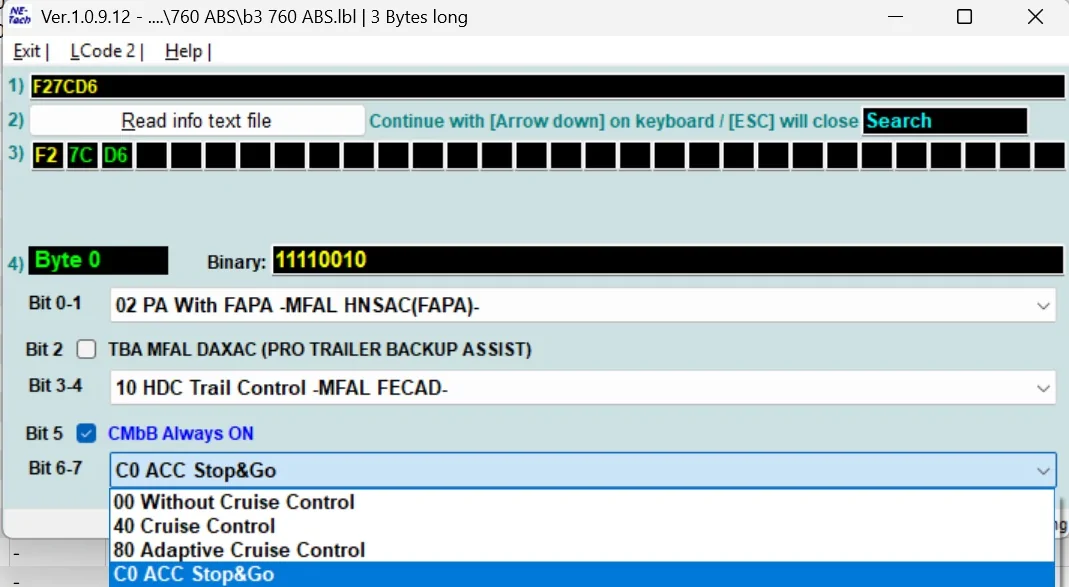
Hope my work will be usefull for many people here. Even if not than for sure it will be usefull for me ;-)
PS. it can be applayed to any FORD as long as proper lbl file will be prepared.
Sponsored
Last edited: