Sponsored

Apple IOS 26 pretty cool - we finally got CarPlay widgets (clocks, weather and more)

John E Davies

Well-Known Member
First Name
John
Joined
May 26, 2024
Threads
63
Messages
773
Reaction score
1,075
Location
Spokane WA USA
Vehicle(s)
2024 Ranger Raptor Velocity Blue (fastest color)
Occupation
Retired aircraft tech
EDIT 09/23/25 you have to FIRST update the iPhone software to IOS 26- the Widgets feature will not work on older versions. I thought it was self explanatory, but there has been a little confusion about this… JD

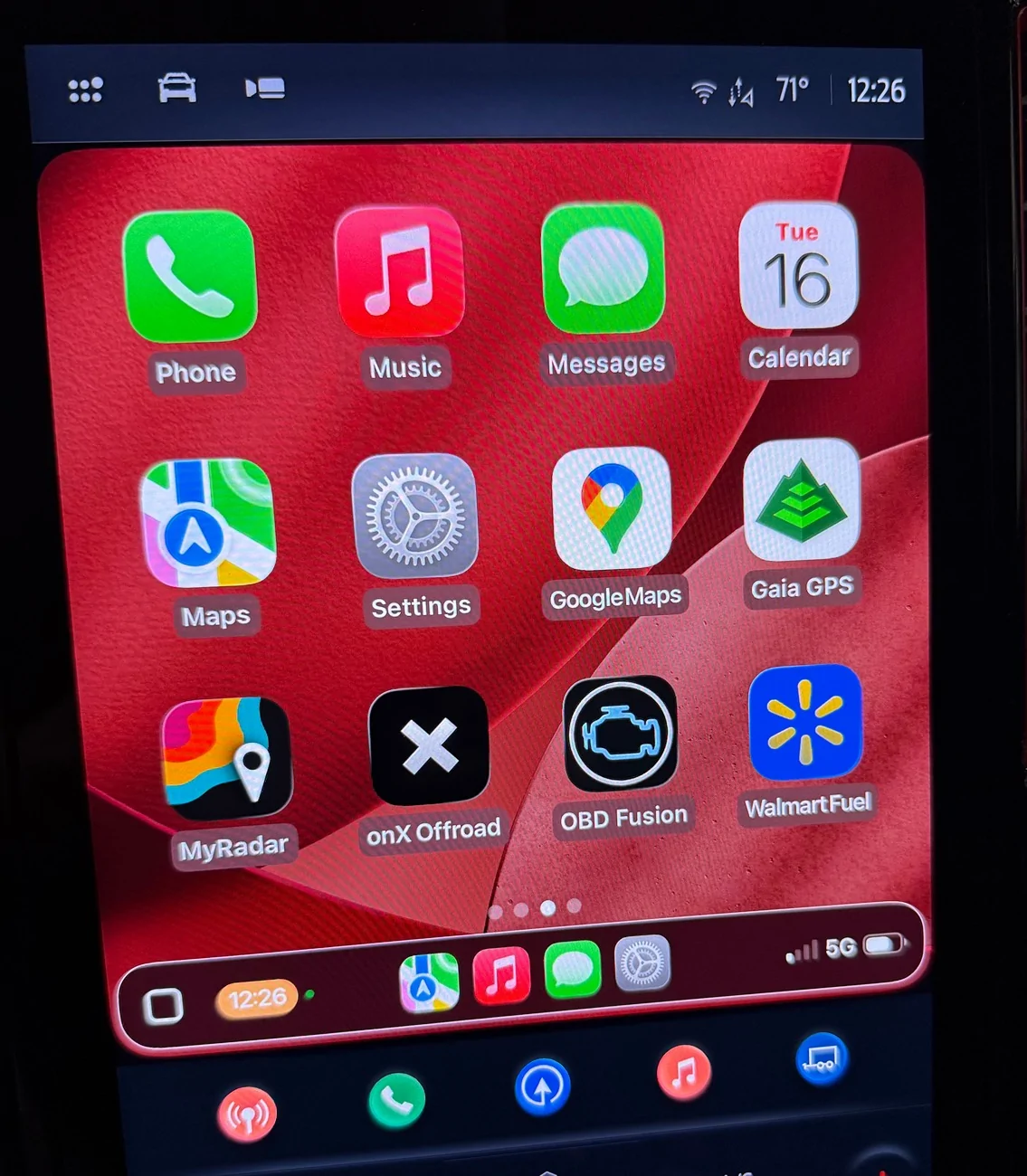
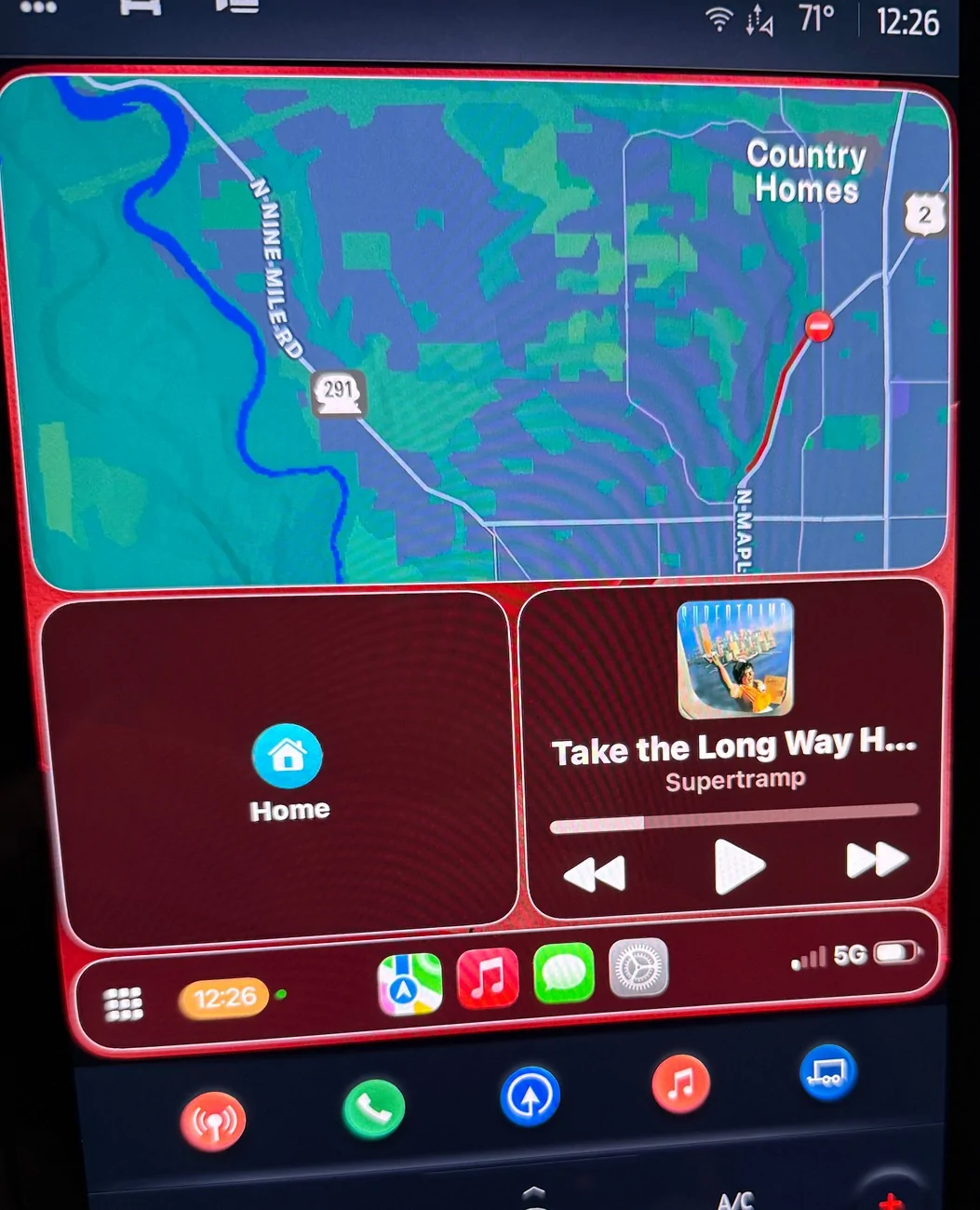
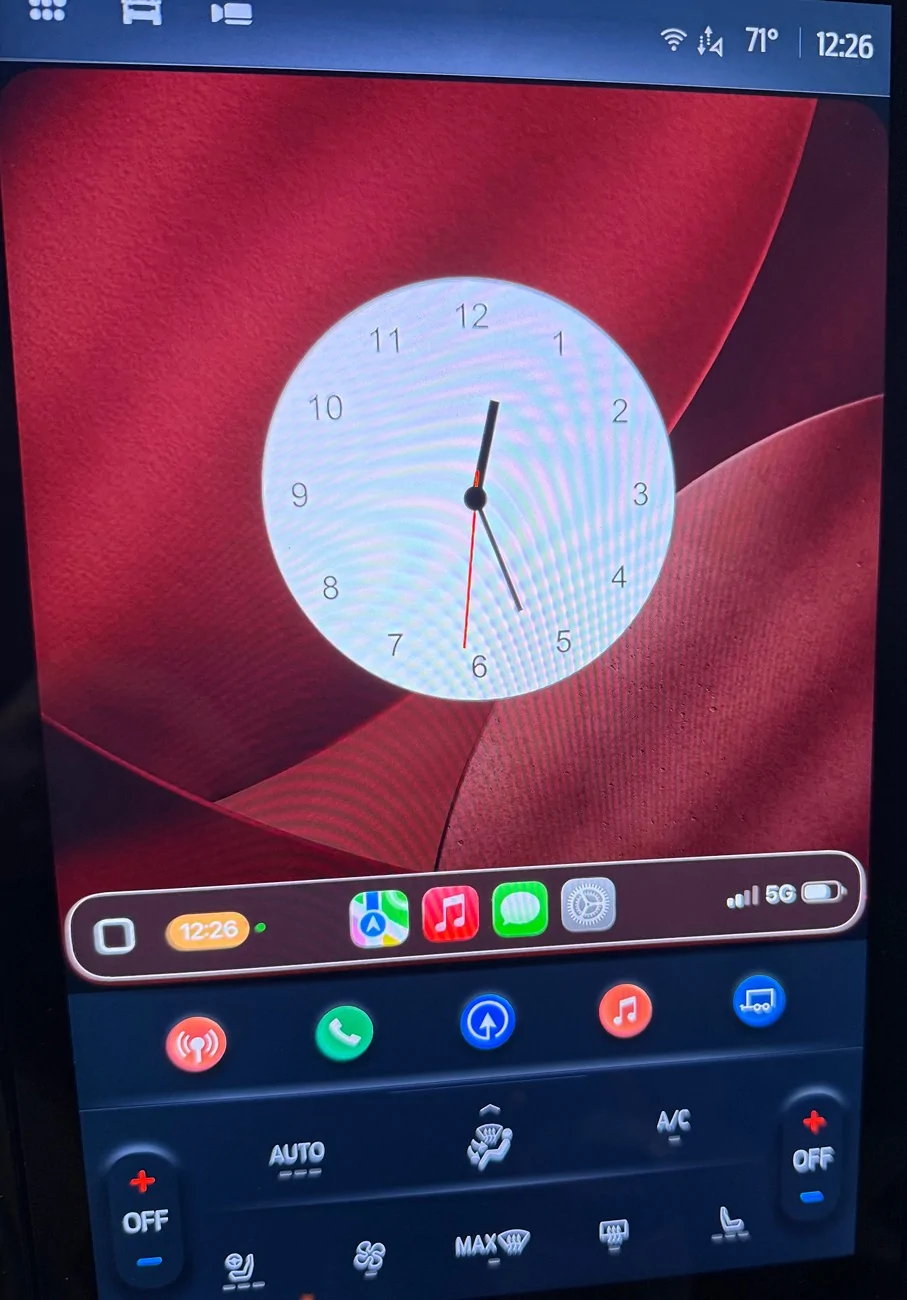
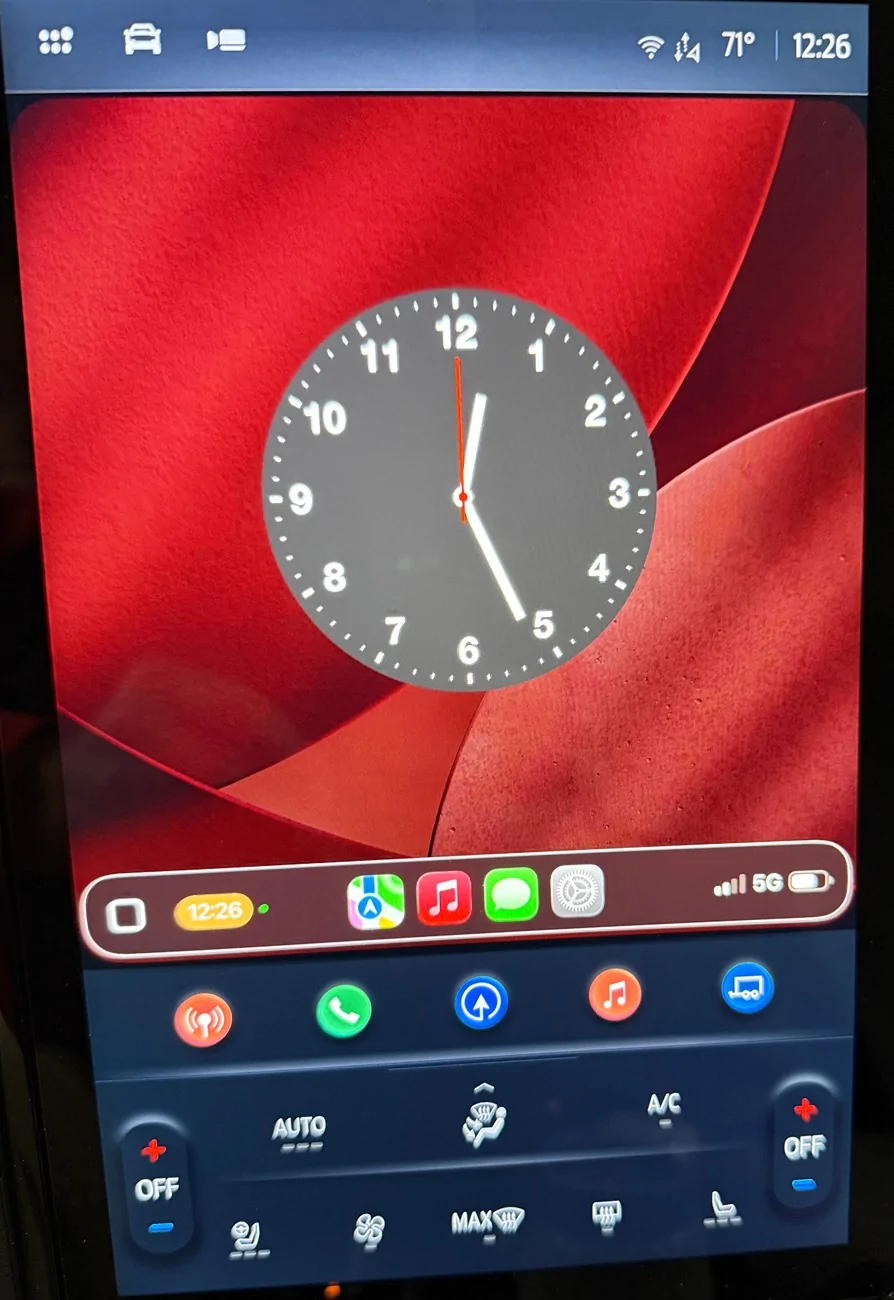
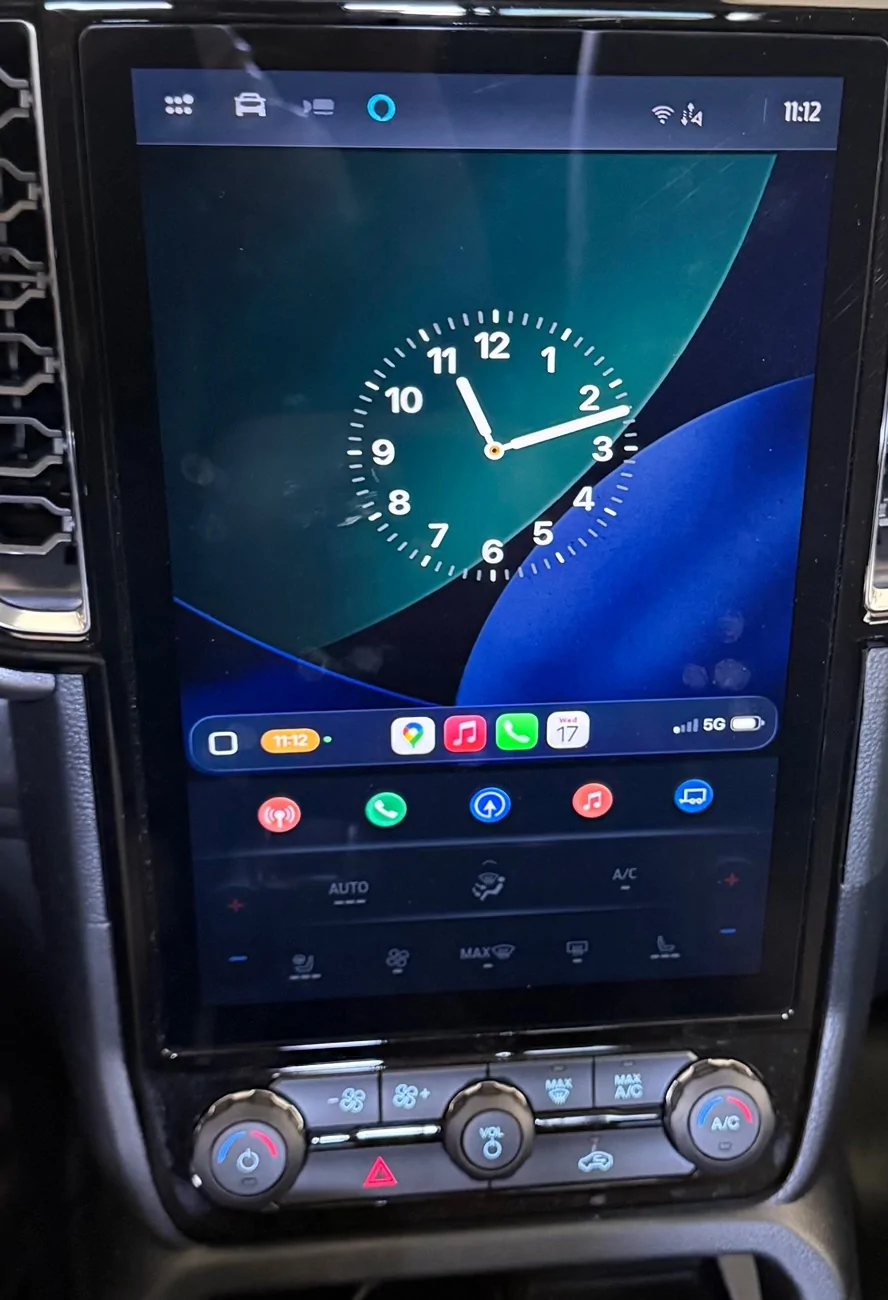
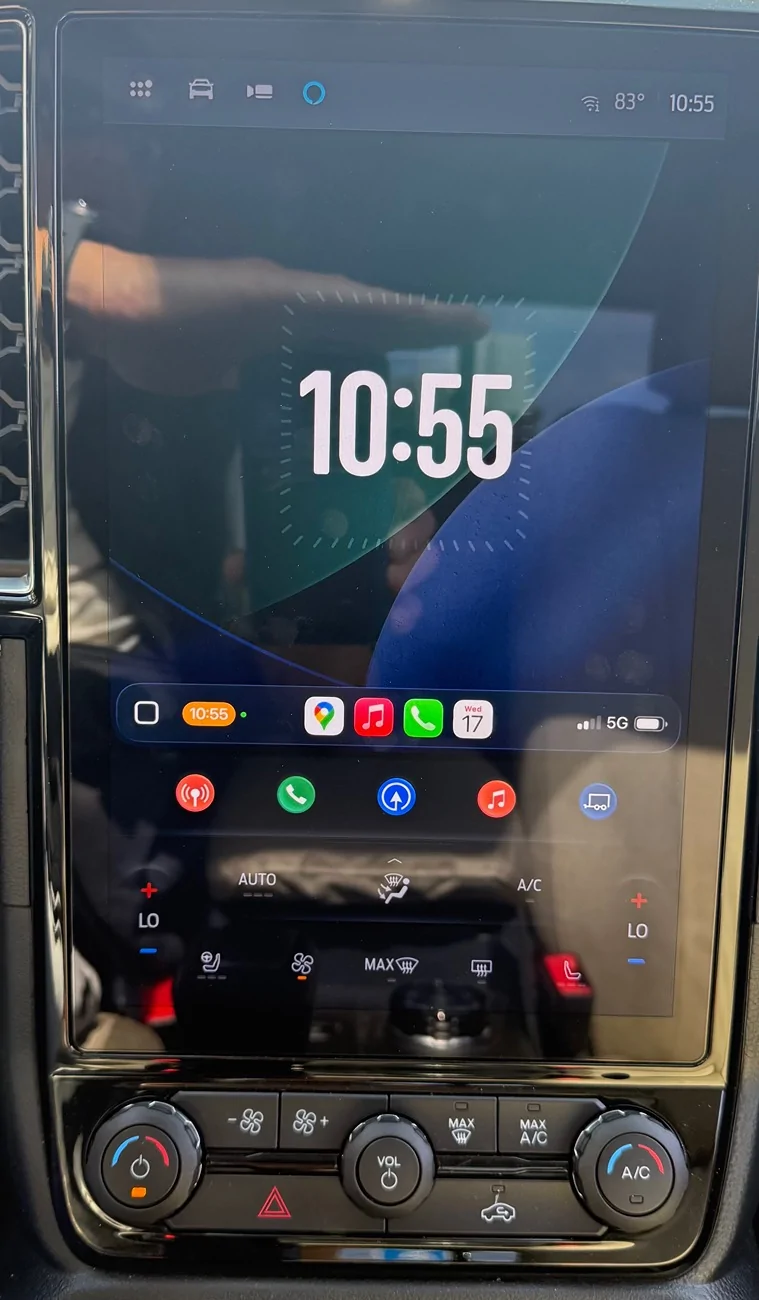
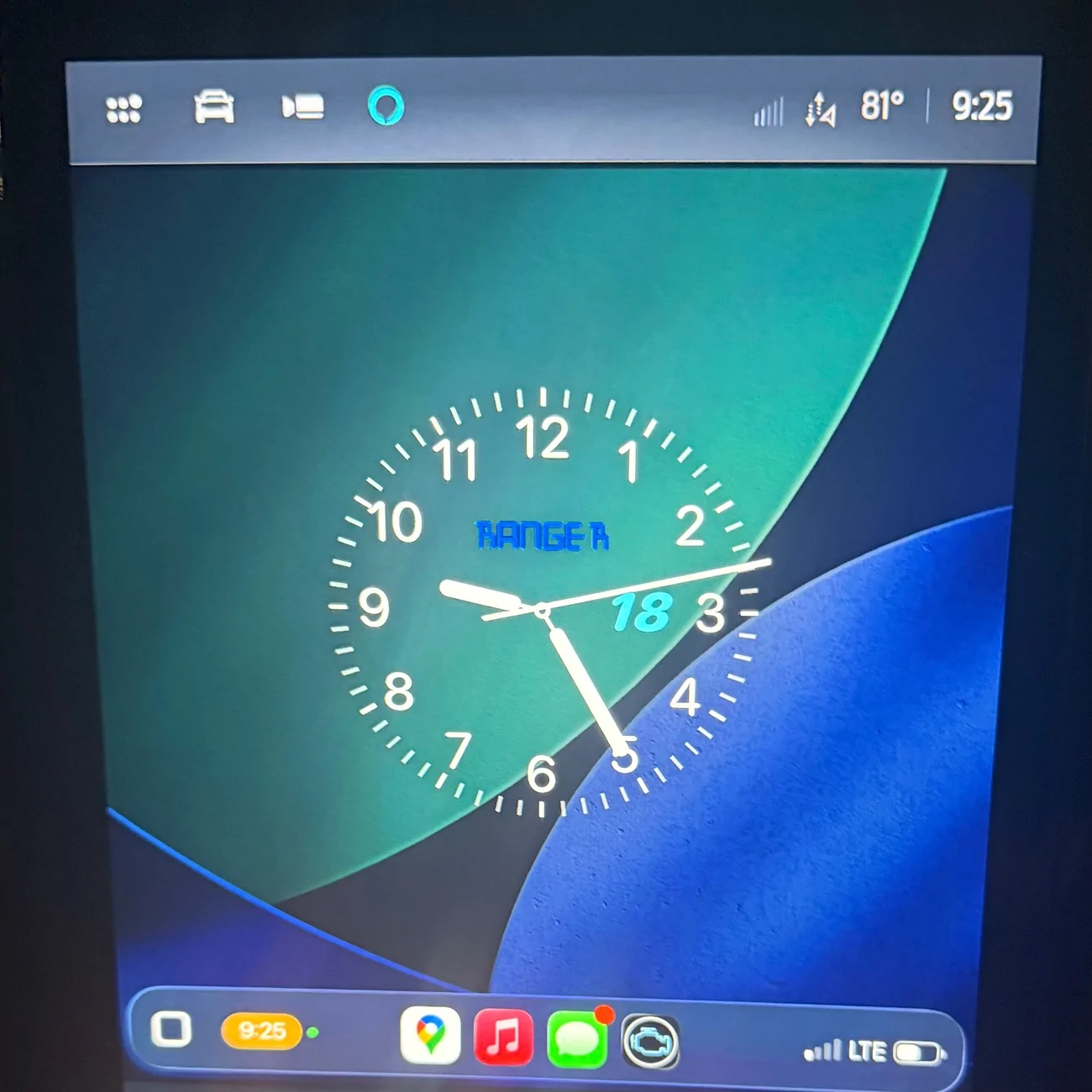
I just installed the new IOS, there are some things I really dislike, like the Liquid Glass (I turned off Transparency right away). But the new Widgets feature in CarPlay is so very cool! It is accessed by swiping right to get to a new fourth window. Once on that page, swipe up or down to see other widgets. I have been trying to get a good legible analog clock, I just can't read tiny digital ones. You can choose several Wallpapers - I chose a dark red one that went well with the RR red trim. These pics do not show the sharp quality.

Ford Ranger Apple IOS 26 pretty cool - we finally got CarPlay widgets (clocks, weather and more) IMG_1676


Ford Ranger Apple IOS 26 pretty cool - we finally got CarPlay widgets (clocks, weather and more) IMG_1677


Ford Ranger Apple IOS 26 pretty cool - we finally got CarPlay widgets (clocks, weather and more) IMG_1678


Ford Ranger Apple IOS 26 pretty cool - we finally got CarPlay widgets (clocks, weather and more) IMG_1679


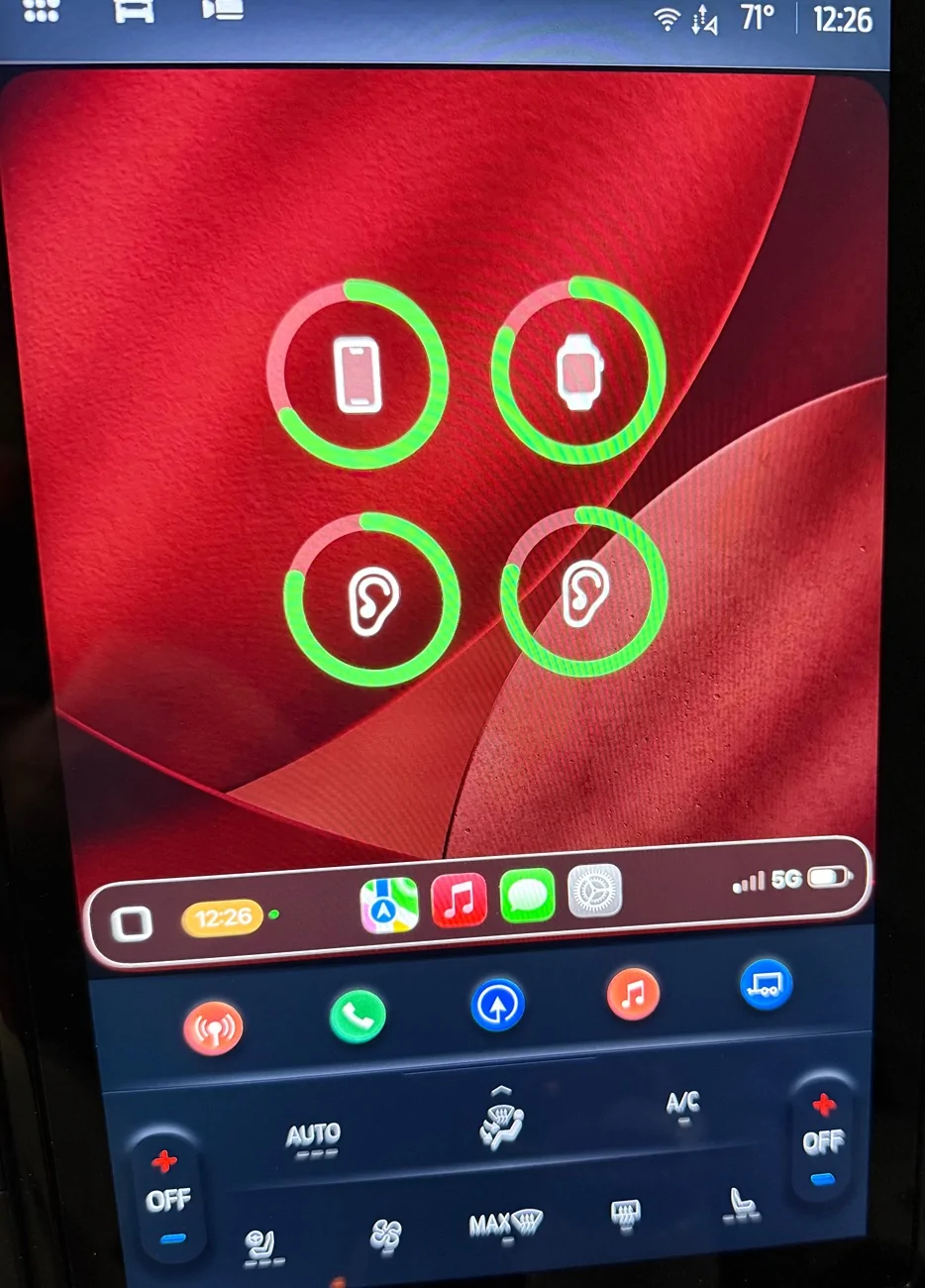
I added a Batteries widget - it shows iPhone, Apple Watch and both hearing aids:

Ford Ranger Apple IOS 26 pretty cool - we finally got CarPlay widgets (clocks, weather and more) IMG_1680


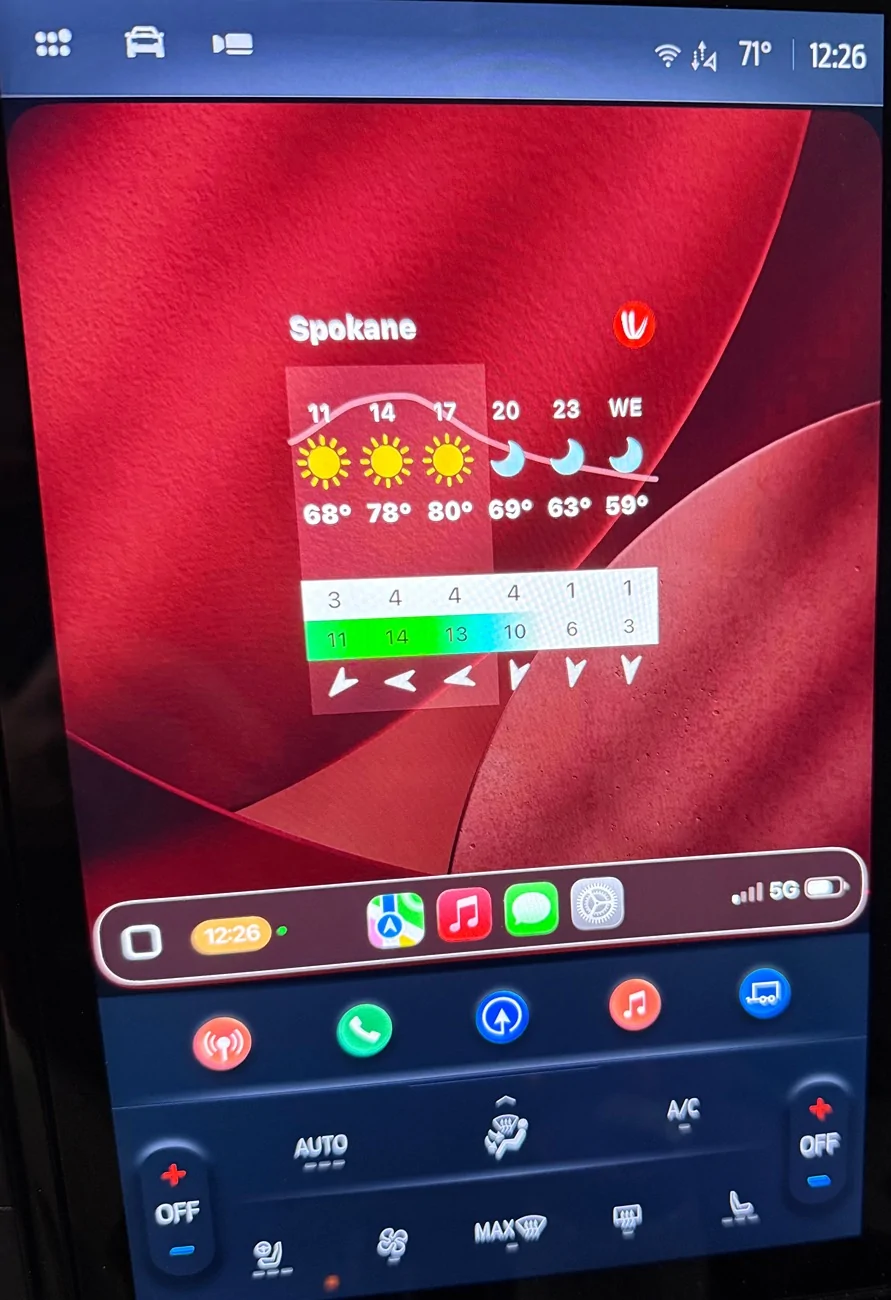
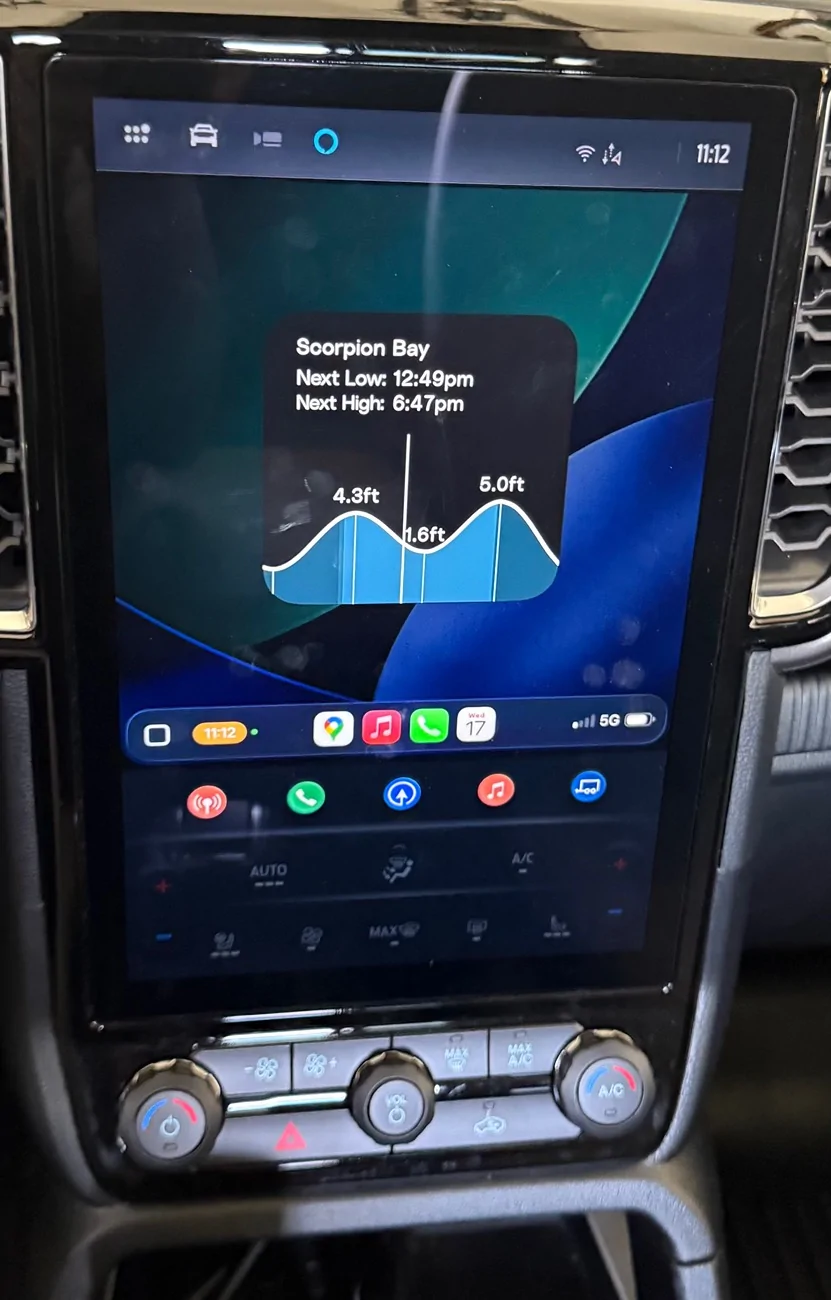
And a Windy weather widget:

Ford Ranger Apple IOS 26 pretty cool - we finally got CarPlay widgets (clocks, weather and more) IMG_1681


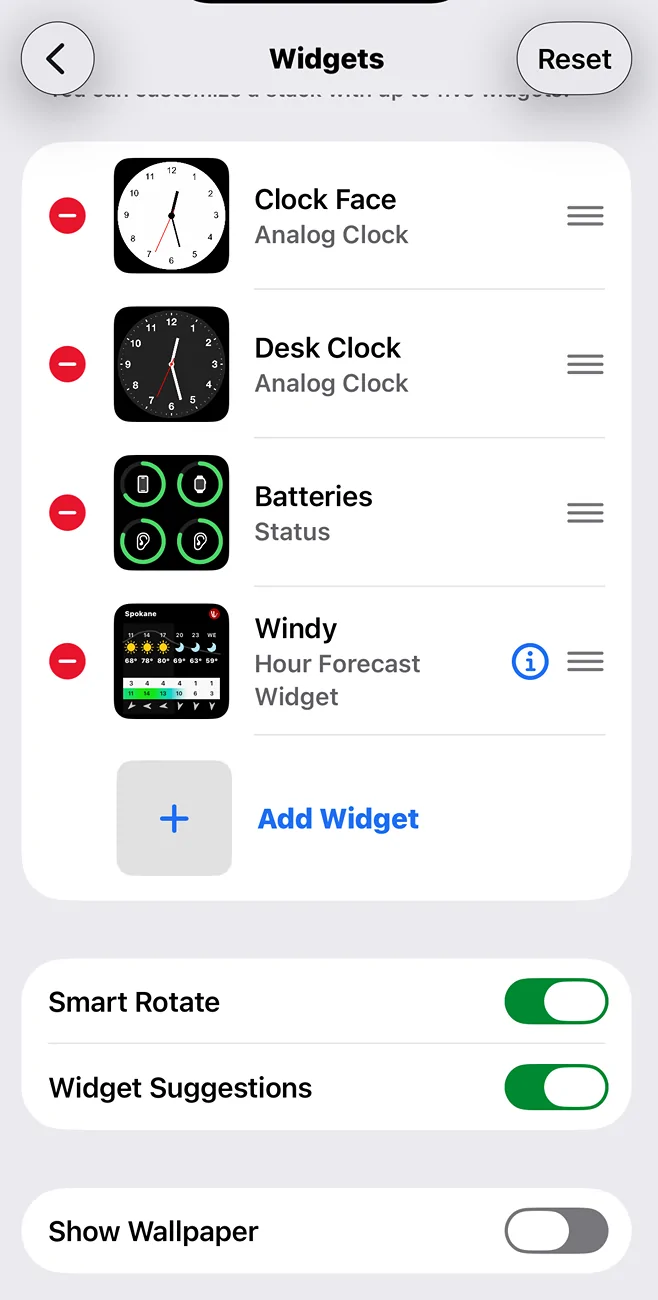
If you don't like the Wallpaper on the Widget page, you can turn OFF the slider at the very bottom. The Ford display will only accept five widgets. A wide and narrow (vertically) one can accept two columns of five.


Ford Ranger Apple IOS 26 pretty cool - we finally got CarPlay widgets (clocks, weather and more) IMG_1682


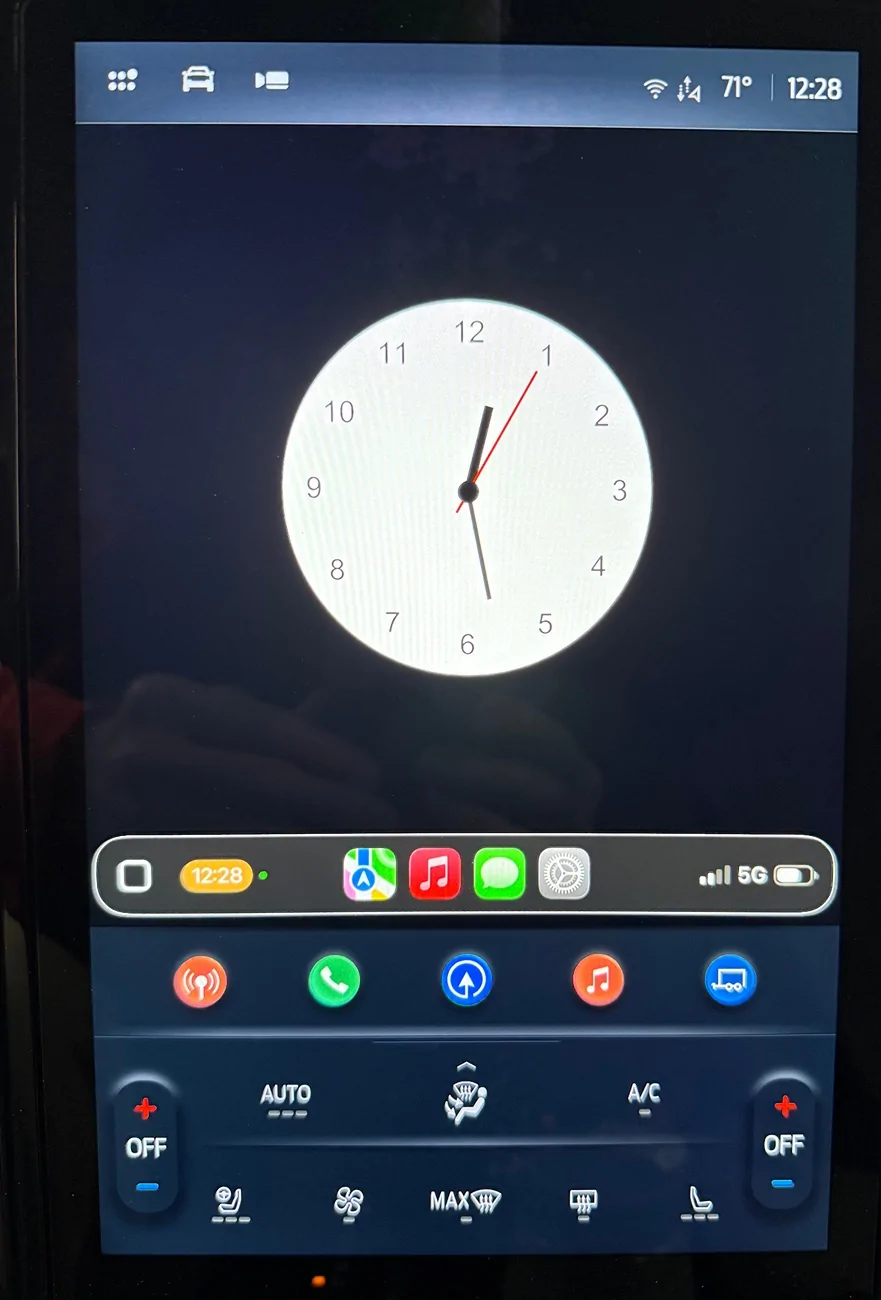
Here is a clock with a black (no) background.

Ford Ranger Apple IOS 26 pretty cool - we finally got CarPlay widgets (clocks, weather and more) IMG_1683


John Davies
Spokane WA USA
Sponsored

 
Last edited:

stemplar

Well-Known Member
Joined
Sep 7, 2023
Threads
19
Messages
680
Reaction score
959
Location
Pennsylvania
Vehicle(s)
2025 Ranger Lariat 2.7
I wonder if we can finally get an OBD reader as a widget? There are some pretty useful and/or cool "dashboards" I can display on my phone when paired with my OBDLink MX+, but I really want them on my center screen and not my phone.
 
OP
OP
John E Davies

John E Davies

Well-Known Member
First Name
John
Joined
May 26, 2024
Threads
63
Messages
773
Reaction score
1,075
Location
Spokane WA USA
Vehicle(s)
2024 Ranger Raptor Velocity Blue (fastest color)
Occupation
Retired aircraft tech
I wonder if we can finally get an OBD reader as a widget? There are some pretty useful and/or cool "dashboards" I can display on my phone when paired with my OBDLink MX+, but I really want them on my center screen and not my phone.
I can already use OBD Fusion as a CarPlay App, but it is crippled....I haven't used it in a long time, I was not impressed at that time. I don't think you can use it as a Widget, through that might come on a future OBD Fusion update. Streaming real time data accurately by wifi is not ideal.

https://apps.apple.com/us/app/obd-fusion/id650684932

As an aside - onX Offroad nav with pre-downloaded maps is STELLAR in a Ranger. I love it.

John Davies
Spokane WA USA
 

LordRaptor

Member
First Name
Jared
Joined
Feb 24, 2025
Threads
0
Messages
19
Reaction score
9
Location
Van Buren, AR
Vehicle(s)
2024 Ranger Raptor
CarPlay 26 should allow us to airplay video from your iPhone to it (YouTube, etc.), but I saw somewhere that the car company has to allow it. Anyone else have more information on that? Would be nice to do this without needing any mods.
 

Sauce

Well-Known Member
Joined
Apr 30, 2025
Threads
46
Messages
508
Reaction score
427
Location
Northeast
Vehicle(s)
2025 Ranger XLT FX4
I just installed the new IOS, there are some things I really dislike, like the Liquid Glass (I turned off Transparency right away). But the new Widgets feature in CarPlay is so very cool! It is accessed by swiping right to get to a new fourth window. Once on that page, swipe up or down to see other widgets. I have been trying to get a good legible analog clock, I just can't read tiny digital ones. You can choose several Wallpapers - I chose a dark red one that went well with the RR red trim. These pics do not show the sharp quality.

IMG_1676.webp


IMG_1677.webp


IMG_1678.webp


IMG_1679.webp


I added a Batteries widget - it shows iPhone, Apple Watch and both hearing aids:

IMG_1680.webp


And a Windy weather widget:

IMG_1681.webp


If you don't like the Wallpaper on the Widget page, you can turn OFF the slider at the very bottom. The Ford display will only accept five widgets. A wide and narrow (vertically) one can accept two columns of five.


IMG_1682.webp


Here is a clock with a black (no) background.

IMG_1683.webp


John Davies
Spokane WA USA
Windy widget on my truck screen?!?! sick! Now I just need ikite and surfline.
 

Sponsored

SubZombie

Well-Known Member
Joined
May 12, 2025
Threads
5
Messages
120
Reaction score
172
Location
Virginia
Vehicle(s)
2024 Ranger Raptor
Been using it for a few months. The widgets are a letdown for me as I don't like one screen with a smaller Apple Watch widget in the middle. I wish you could change the bottom left widget on the Home Screen to whatever you wanted. My favorite parts of it are the larger maps (CarPlay now scales correctly to any resolution/aspect ratio, it didn't used to) and customizing the look of the icons.

I also really wish they would update our screens to allow us to hide the HVAC controls or compress them down to the bottom so we could use more of the touchscreen. I know some people like them handy but realistically for me I set it to auto and never touch it and if I do want to there are physical controls.
 
Last edited:

LordRaptor

Member
First Name
Jared
Joined
Feb 24, 2025
Threads
0
Messages
19
Reaction score
9
Location
Van Buren, AR
Vehicle(s)
2024 Ranger Raptor
Been using it for a few months. The widgets are a letdown for me as I don't like one screen with a smaller Apple Watch widget in the middle. I wish you could change the bottom left widget on the Home Screen to whatever you wanted. My favorite parts of it are the larger maps (CarPlay now scales correctly to any resolution/aspect ratio, it didn't used to) and customizing the look of the icons.

I also really wish they would update our screens to allow us to hide the HVAC controls or compress them down to the bottom so we could use more of the touchscreen. I know some people like them handy but realistically for me I set it to auto and never touch it and if I do want to there are physical controls.
I wonder if it’s because the regular Ranger users don’t have the physical knobs, and they don’t feel like diverging the software revisions into two separate updates for regular and RR…
 

skinnyjimmy

Well-Known Member
Joined
Apr 4, 2025
Threads
4
Messages
72
Reaction score
105
Location
Michigan
Vehicle(s)
2025 Ford Ranger Lariat
Super cool stuff! Love CarPlay and hope Apple continues to make improvements like this.
I do agree that the Liquid Glass UI is horrible. The contrast is horrible and makes things hard to read at times. I also turned off transparency as soon as I could 😂
 

KDub

Active Member
Joined
Jun 5, 2025
Threads
1
Messages
42
Reaction score
74
Location
USA
Vehicle(s)
2025 Ford Ranger
Need widget to display full screen image for nosey motorists like “WTF are you looking at?” etc.
 

Sponsored

purdyd

Well-Known Member
Joined
Apr 28, 2025
Threads
30
Messages
922
Reaction score
1,254
Location
california
Vehicle(s)
2025 Ford Ranger Lariat
Anyone got any idea what the resolution of the carplay Screen is?

and there is this app called clockology where you can create your own clock face CarPlay widget.

and you can make a clock pretty easily from default parameters but it appears the real hot designers create images for the hands and face.

Ford Ranger Apple IOS 26 pretty cool - we finally got CarPlay widgets (clocks, weather and more) IMG_0886
 

AMGRAPTOR

Well-Known Member
Joined
Sep 13, 2024
Threads
8
Messages
139
Reaction score
149
Location
FL
Vehicle(s)
2024 Raptor Ranger
CarPlay 26 should allow us to airplay video from your iPhone to it (YouTube, etc.), but I saw somewhere that the car company has to allow it. Anyone else have more information on that? Would be nice to do this without needing any mods.
This is what I’ve read as well. Ford will need to make a software update for us to use AirPlay while in park. The widgets are broke. I have grok and chat gpt as widgets but when I press to speak nothing happens. We should also be able to stack 3-4 widgets with our screen size also not working.
 

BriSco

Well-Known Member
First Name
Brian
Joined
Mar 25, 2024
Threads
8
Messages
266
Reaction score
272
Location
Kansas
Vehicle(s)
'24 Ranger XLT, 2.7L V6
Occupation
Retired
I wonder if it’s because the regular Ranger users don’t have the physical knobs, and they don’t feel like diverging the software revisions into two separate updates for regular and RR…
My "regular" Ranger has knobs. I believe every model has them.
 

BriSco

Well-Known Member
First Name
Brian
Joined
Mar 25, 2024
Threads
8
Messages
266
Reaction score
272
Location
Kansas
Vehicle(s)
'24 Ranger XLT, 2.7L V6
Occupation
Retired
Really? I thought they didn’t have certain controls like AC, and was done all through touch-screen
There are large and small screens, I have the 12" display.
Sponsored


Top