Sponsored

How_Dooo

Member
First Name
Samuel
Joined
Dec 7, 2025
Threads
1
Messages
7
Reaction score
1
Location
quebec
Vehicle(s)
Ranger lariat 2025
Ooh ! I thought you were asking about the offroad driving modes selection without a physical button! I already have this menu !
But with no driving modes selector button I can’t activate sport or crawling mode


1765269077801-sj.webp
How did you get that menu? Is it by enabling the APIM offroad menu?

thanks
Sponsored


Sponsored

Tuna

Member
Joined
Dec 14, 2025
Threads
1
Messages
12
Reaction score
30
Location
Germany
Vehicle(s)
Ranger Raptor (EU)
Occupation
Aeronautical Engineer
Hi,

I set the "Heated Steering Wheel Auto Shutoff Time" to 1 (10 minutes) and it shuts off after 10 minutes but the control light in the on screen menu remains "On" after the shutoff.

I also set the shutoff time for the heated front seats to 10 minutes. Same result, shutoff after 10 minutes but control lights remain illuminated in the on screen menu.

Any idea what am I missing?
My guess is that for some reason the shutoff of the actual heating does not affect the indication - could this be triggered in another module?

BTW: Mine is a Ranger Raptor 2024 (EU).

Thanks, in advance!
Tuna
 

ShadowDragon24

Well-Known Member
First Name
Tyler
Joined
Apr 20, 2025
Threads
6
Messages
569
Reaction score
527
Location
Newfoundland and Labrador, Canada
Vehicle(s)
2025 Ranger XLT Fx4
Occupation
Heavy Equipment Operator

ShadowDragon24

Well-Known Member
First Name
Tyler
Joined
Apr 20, 2025
Threads
6
Messages
569
Reaction score
527
Location
Newfoundland and Labrador, Canada
Vehicle(s)
2025 Ranger XLT Fx4
Occupation
Heavy Equipment Operator
Thanks
Do you actually have a front cam but it doesn’t show up in the menu or you simply don’t have a front cam?
the front cam they are refering to is the 360° camera in the grill. the windshield is the lane keep assist/forward emergency braking assist/automatic highbeam camera.
 

Sequoia

Well-Known Member
First Name
Dan
Joined
Nov 30, 2024
Threads
0
Messages
123
Reaction score
32
Location
Germany
Vehicle(s)
Ranger Wildtrak 2023
Maybe I missed it, but what exactly do I need to set and where to have the rear LED lights always on together with the DRLs?
 

Sponsored

purdyd

Well-Known Member
Joined
Apr 28, 2025
Threads
30
Messages
923
Reaction score
1,254
Location
california
Vehicle(s)
2025 Ford Ranger Lariat
the front cam they are refering to is the 360° camera in the grill. the windshield is the lane keep assist/forward emergency braking assist/automatic highbeam camera.
the front camera is a standalone camera

The 360 degree camera is the back, two side mirror cameras and front camera fused together into a single image

if you have the tailgate open and or door open you get a really funky 360 image.
 

ShadowDragon24

Well-Known Member
First Name
Tyler
Joined
Apr 20, 2025
Threads
6
Messages
569
Reaction score
527
Location
Newfoundland and Labrador, Canada
Vehicle(s)
2025 Ranger XLT Fx4
Occupation
Heavy Equipment Operator
the front camera is a standalone camera

The 360 degree camera is the back, two side mirror cameras and front camera fused together into a single image

if you have the tailgate open and or door open you get a really funky 360 image.
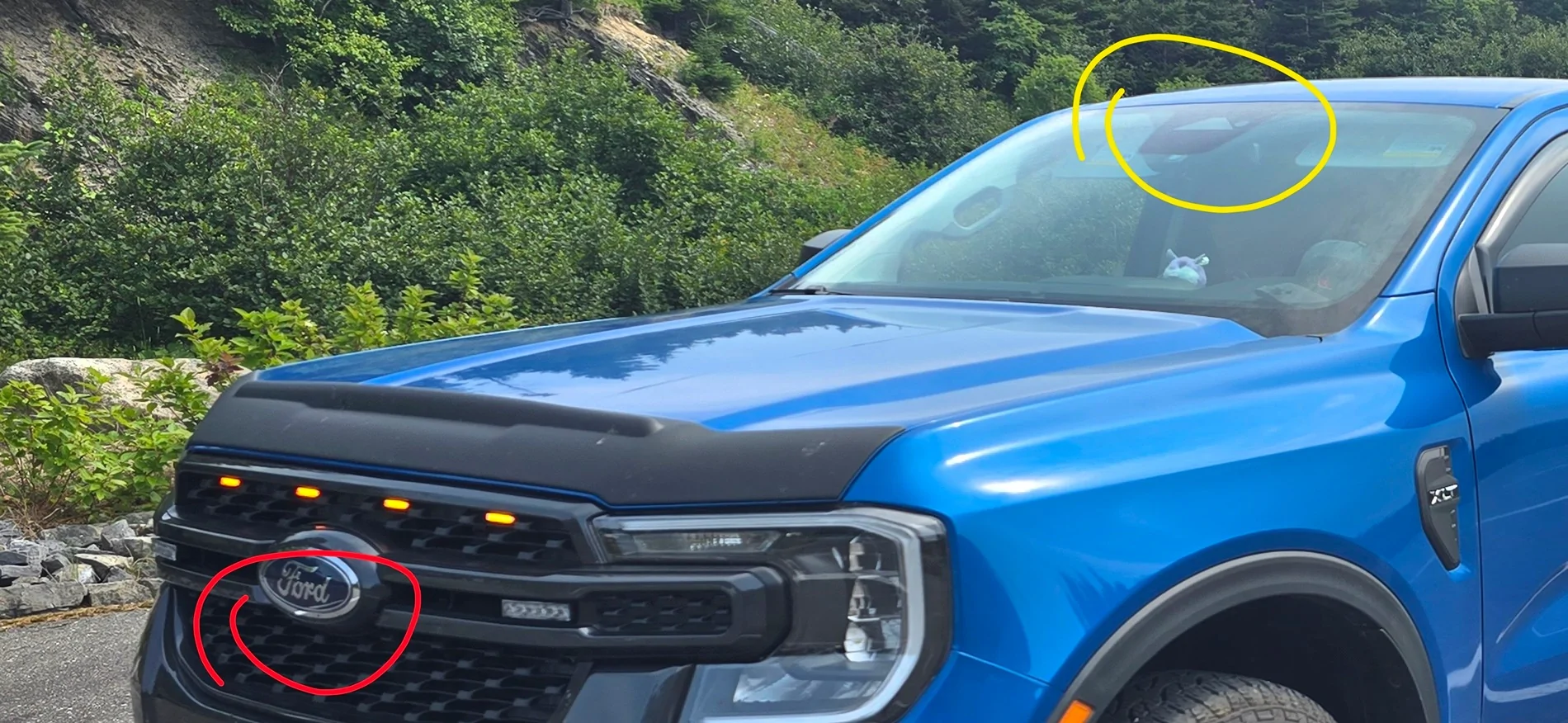
in order to get the front camera in the grill you need the 360° camera in the technology package. my xlt does not have the grill camera(red), but does have the forward collision avoidance/lane keep assist/automatic high beam camera at the top of the windshield(yellow). tailgate camera is standard on all rangers(in canada anyways as its mandatory)

Ford Ranger FORScan NA Ranger 6th Gen (2024+) Crowdsourced Spreadsheet Screenshot_20251217_132102_Gallery
 

m3iaz

Member
First Name
Michal
Joined
Oct 4, 2024
Threads
3
Messages
17
Reaction score
26
Location
Poland
Vehicle(s)
EU RR '24.5 3.0 BlueLighting 422HP
Hi All.

My car is EU RR 2024.5

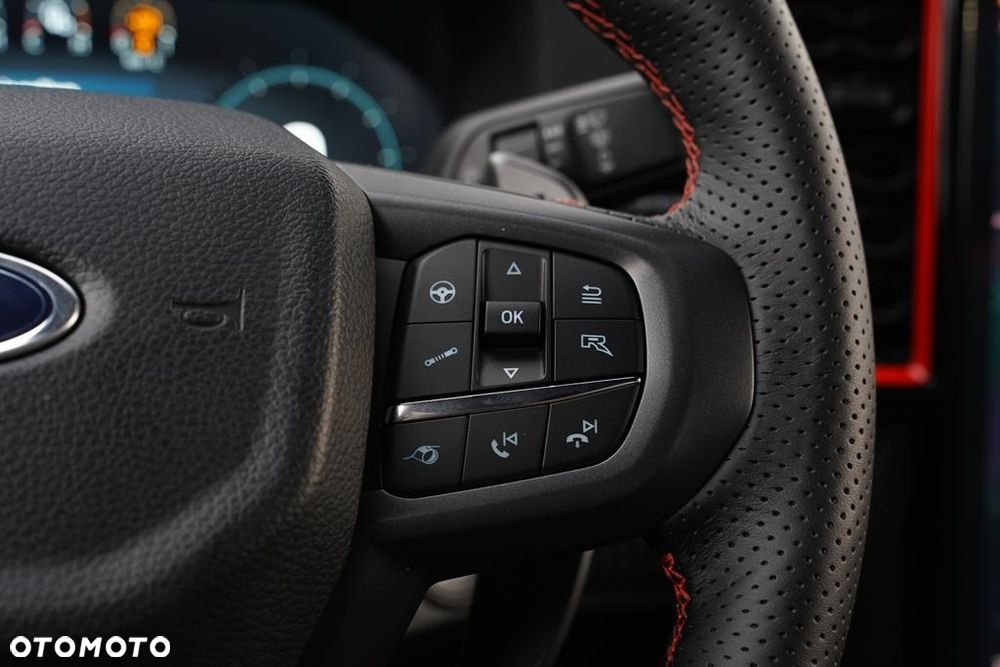
I have a big issue (most annoying just after miss of memory seats...) with mobile phone operation. I believe every owner of RR knows that receiving is no problem via [OK] but to drop it after call finish is pain in the ash...

Then suddenly i saw this:
Ford Ranger FORScan NA Ranger 6th Gen (2024+) Crowdsourced Spreadsheet image;s=5120x0;q=100


It is 2025.25 EU model (not fake since i saw it on some other pictures as well).

I believe it is just a matter of codding and/or SCCM software.
I do not believe those switches need to be changed to get functionality.

So if anyone get on it with Forscan in hands, please check codding for
SCCM SW/FW ver
724-03-01 xxx* xxxx

PS. Eng is not my native...
 

daytoncarter

Well-Known Member
First Name
Dayton
Joined
Sep 26, 2025
Threads
9
Messages
397
Reaction score
562
Location
USA
Vehicle(s)
2021 Genesis G70 SP 3.3T, 2025 Ranger Lariat
In the spreadsheet, under disabling all seatbelt warnings and chimes in IPC (zero all values), it states use at own risk, unsure if airbags are disabled. Has it been confirmed that it does/does not disable airbags yet (preferably in USA)?
I had the same concern, so I modified the values to preserve the seatbelt light and chime, but remove the screen popping up on each startup.

2025 Ranger: Remove Seatbelt Status Startup Screen
This modification removes the "Seatbelt Status" popup on the cluster startup by disabling the monitoring logic for the rear seats. It preserves the safety chimes and warnings for the Front Driver and Passenger.

Block 1: Front Seats (Driver & Passenger)
  • Address: 720-13-01
  • Mask: xxxx-xxx*-*x-- (Digits 8 & 9)
  • Action: Verify values are set to 1 ("Minder").
  • Example:
    • Factory Value: F1 00 00 01 00 (Driver is 1, Passenger is 0).
    • Modified Value: NO CHANGE REQUIRED (typically).
  • Explanation: A value of 1 enables the "Minder" (Chime/Light) but disables the "Monitor" (Screen). A value of 2 enables the Screen. Most 2025 Rangers come with the Driver set to 1 from the factory. Do not set this to 0, or you will lose the safety chime for the driver.
Block 2: Rear Outer Seats (Left & Right)
  • Address: 720-13-02
  • Mask: xx**-*xxx-xx-- (Digits 3, 4, & 5)
  • Action: Change values to 0 ("Disabled").
  • Example:
    • Factory Value: 01 20 20 (The 2s indicate "Monitor" is enabled for rear outer seats).
    • Modified Value: 01 00 00
  • Explanation: Setting these positions to 0 tells the cluster that the Rear Left and Rear Right seats do not exist. This prevents them from triggering the startup popup. The leading 01 (Passenger) should be left alone. This being enabled or disabled will not impact airbag deployment strategies since those are determined by front seat occupancy. One caveat is some cars don't deploy the passenger side curtain airbag if no one is on the passenger side. That does leave the question of what would happen for a situation with no front passenger, but a rear passenger.
Block 3: Rear Center Seat (No Sensor Seat)
  • Address: 720-14-01
  • Mask: *xxx-xxxx-xx-- (Digit 1)
  • Action: Change value to 0 ("Disabled").
  • Example:
    • Factory Value: 20 00 00 00 00 (The 2 indicates "Monitor" is enabled for the center seat).
    • Modified Value: 00 00 00 00 00
  • Explanation: This position controls the Rear Center seat. Even if your physical seat is empty, a value of 2 here will trigger the startup screen. Changing it to 0 removes the trigger.
Block 4: Phantom Third Row
  • Address: 720-14-02
  • Action: Ensure all values are 0.
  • Example:
    • Factory Value: 00 00 00
    • Modified Value: 00 00 00
  • Explanation: Ensures no "ghost" seat data remains to trigger the system.
Sponsored


Top