jrRaptor
Well-Known Member
- Thread starter
- #1
In this thread I will attempt to post install instructions and give my personal opinions and experiences of @WOLFBOX CAR LIFE's Wolfbox G900 TriPro Mirror Dash Cam.
*Full transparency - @Wolfbox contacted me asking if I would post an install and review of this camera. I was provided with the camera and everything needed to install. This is not a paid promotion - I will post the Pros and Cons that I have discovered, and over time will share any findings I think Ranger6G users may find interesting or annoying when it comes to this particular dash cam.
Please feel free to ask any questions you may have and/or even post suggestions or experiences. If you've installed this dash cam or similar dash cam mirrors, I’d like to hear your personal experiences and opinions as well!
What is the Wolfbox G900 TriPro?
I won't bore you with detailed specs, their website is better at listing all that mumbo-jumbo. Simply put, it is a 3-channel camera with the main channel being a 4K camera inserted into a monitor in the form of a rear-view mirror. The other 2 channels are a 2.5K Rear View camera and a 1080P "Bumper" camera. The intent for the rear-view camera is of course to view what is behind you and the bumper camera is to view down from the front bumper at obstacles for off-roading. The Ranger Raptor already has these two views, but they are not recorded, and the video quality is not quite the best. The Wolfbox enters the chat as a 3-channel dash cam that attempts to fill in the gaps of what's missing in an off-road camera.
What does this thing look like and what is included?
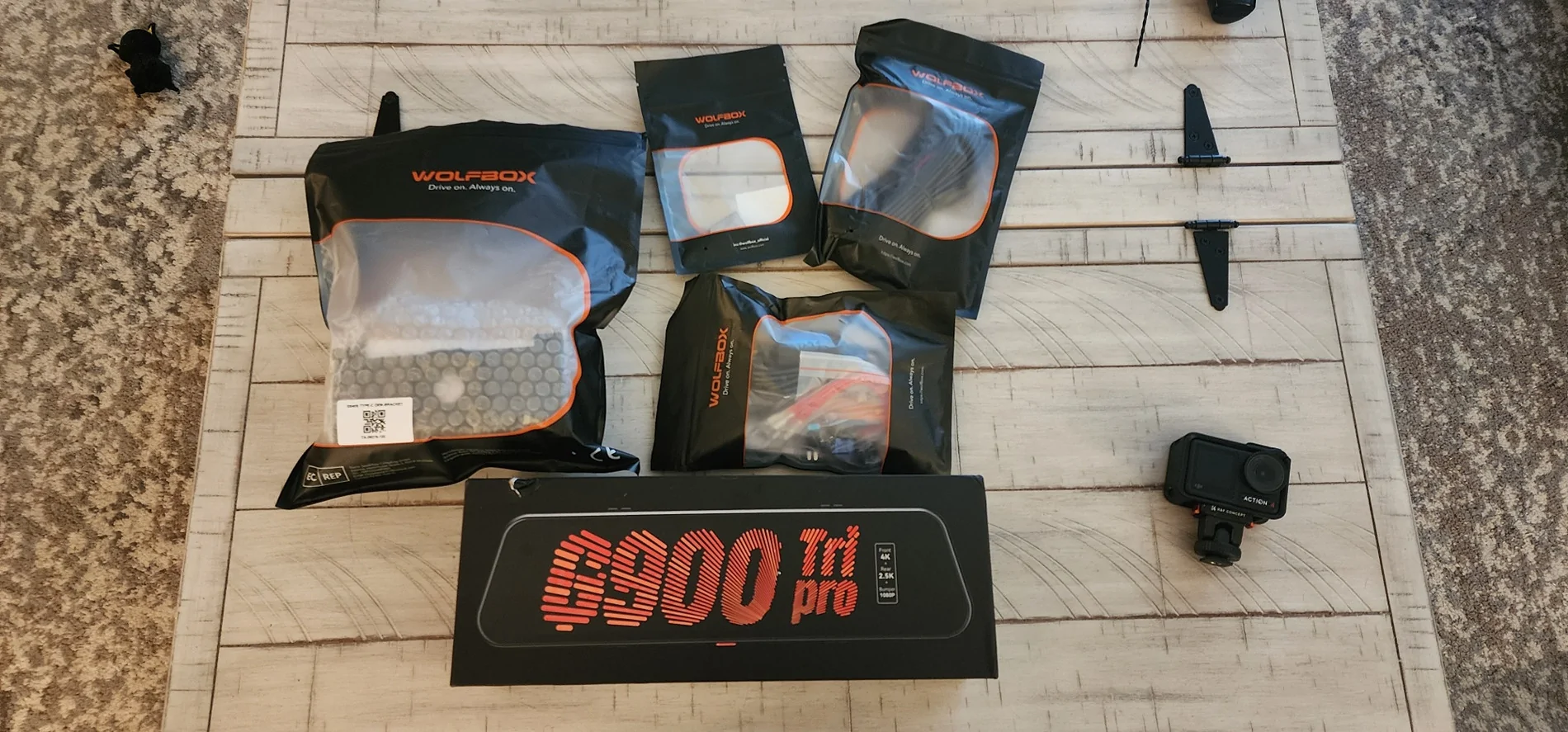
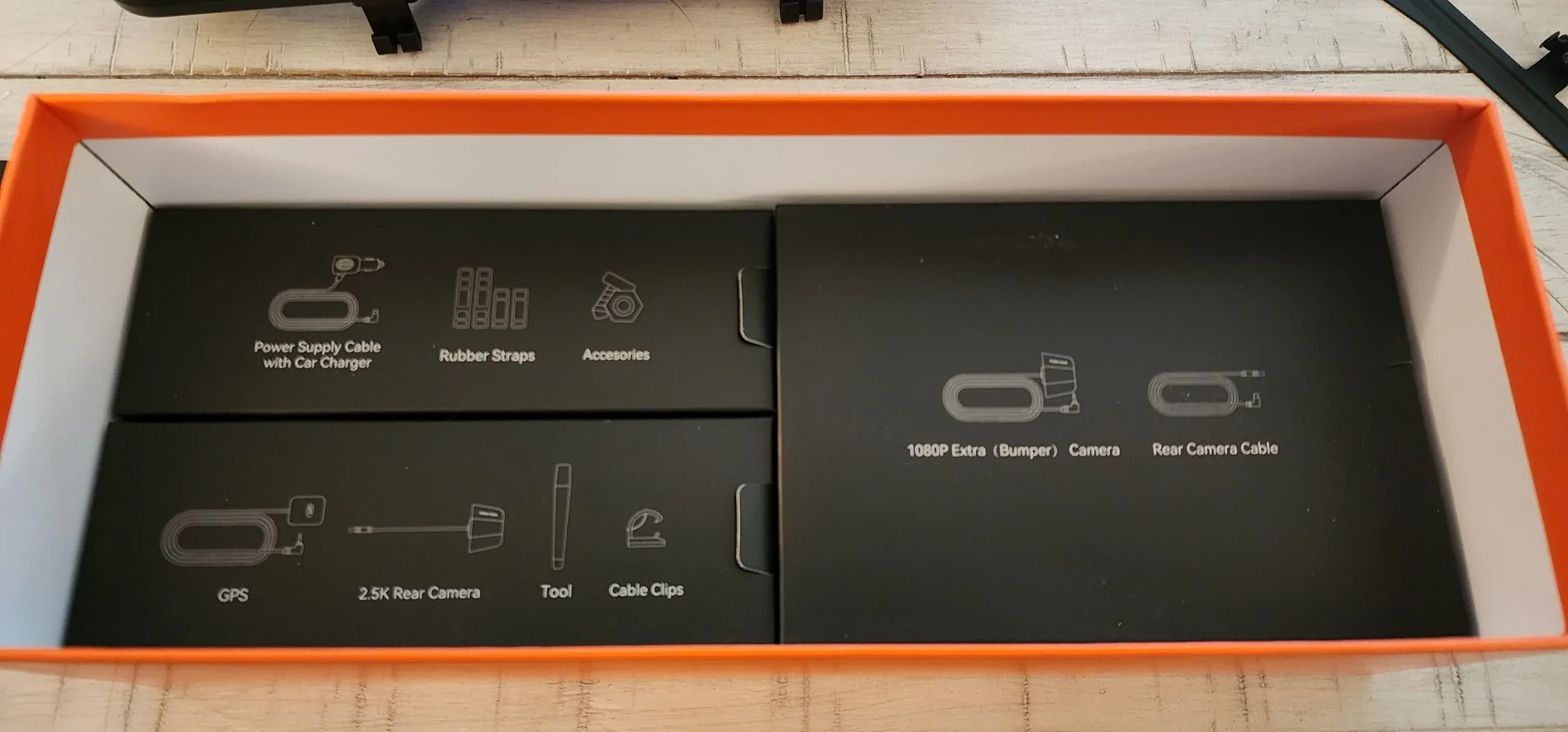
It’s very well packaged and nicely built. Unboxing the unit, you will be greeted with an insert with a diagram of the mirror and all its connections – very helpful. Also, all internal boxes are nicely labeled with graphics showing what’s in each box.

The mirror/main unit looks and feels like a quality product. The mirror is slightly larger than the stock Ranger rear-view mirror. The camera lens is able to pivot slightly to help fine tune your video capture.
Included with the mirror is the rear camera, rear camera cable, bumper camera with long cable, GPS receiver, Aux power supply, rubber straps for attaching around existing mirror, cable clips, and assorted other accessories you may need. Wolfbox supplied me with extra camera wire, but it is not really needed for the Ranger’s length. What it would be useful for is if pulling a trailer, the camera can be mounted at the end of the trailer giving you a better unobstructed view. This is something I will definitely utilize in the future, although I don’t haul a trailer much these days. Wolfbox also supplied a hardwire kit allowing you to tap into the Ranger’s fuse box using ACC for running the camera while driving, as well as constant power if you want to run park mode. The fuse tap leads are very nice, and have female connectors to attach to the hardwires, so no crimping is needed, a very welcome detail! They also include a variety of different fuse taps and sizes.
Wolfbox did not have the triple fuse taps that a lot of the 6G Ranger owners use for typical dash cam installations, so I made do with what was included. There is also a trim tool to help tuck the wires, but I recommend a full trim removal kit when dealing with trim removal and plastic rivets – it makes things a lot easier. Wolfbox also provided a mirror mount stalk to swap out the stock rear-view mirror and replace with the Wolfbox unit. This did not work in my case, more on that later.
How is the installation?
There are quite a few options for installing the rear-view mirror as a regular mirror, but you could potentially custom mount the mirror and use it as a monitor in an alternate location and retain your stock rear-view mirror unobstructed. The easiest option is to mount the Wolfbox over the stock mirror using the included rubber straps. The back of the Wolfbox mirror has some rubber pads to help protect the stock mirror. Long term, I do not know how well the stock mirror will be protected as dirt and dust could find its way between the rubber pads and mirror glass. I would suggest adding another protective barrier, like a custom screen protector over the stock mirror if you are worried. From the driver’s seat, it completely covers the mirror, and you’d be hard pressed to notice, but from the passenger seat, you can see part of the Ranger’s stock mirror protruding from behind.
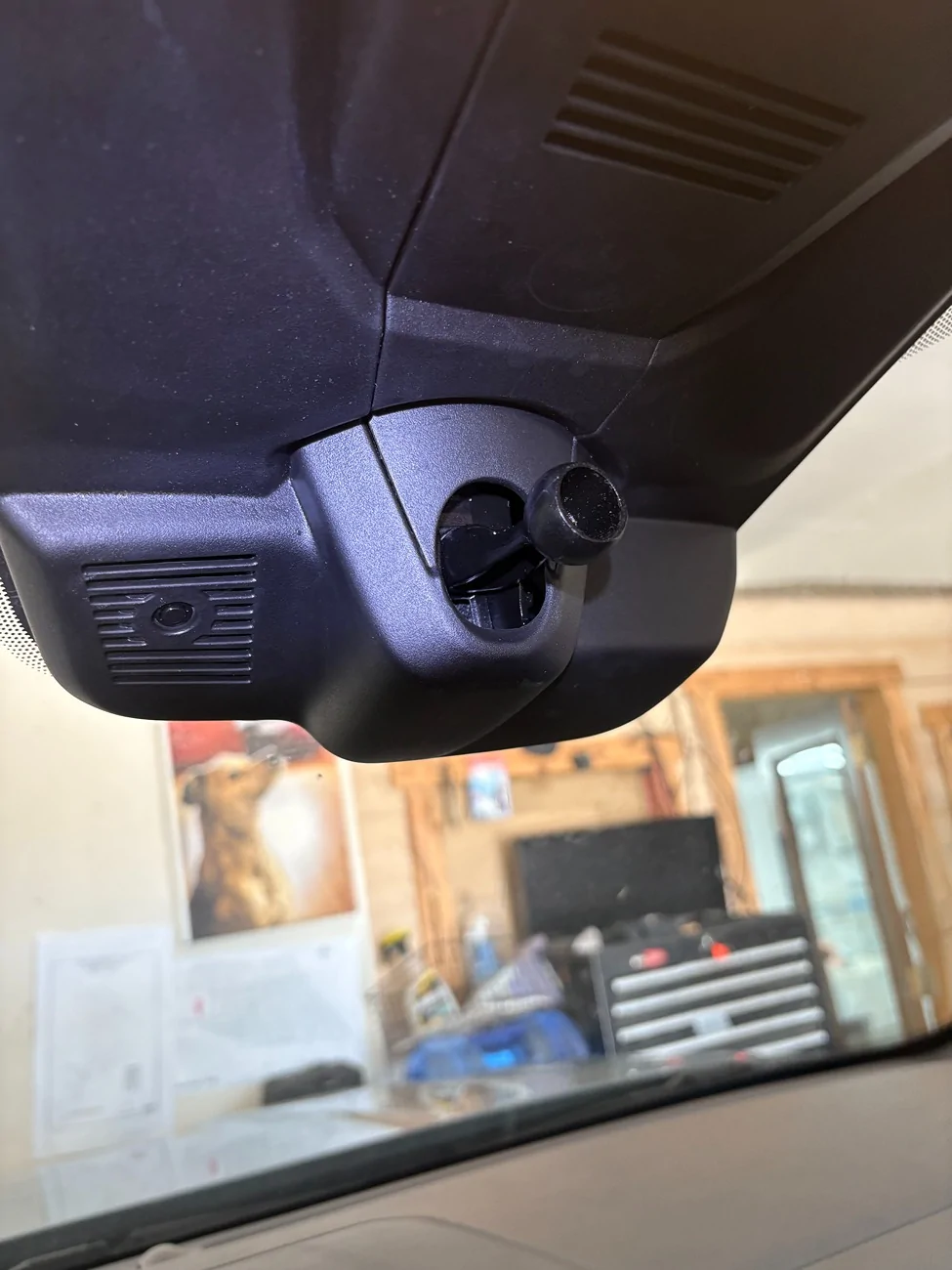
As for the 4k main camera view, there is a slight area of view blocked by the rain sensing portion. You can aim and position the camera in such a way to minimize the loss, but without mounting the camera lower, this will always be an issue.
With a proper factory style window mount, I believe the stock mirror could be swapped, provided the arm is long enough to place the mirror beneath the blacked-out rain sensor area. Wolfbox supplied me with a mount to replace the Ranger mirror but unfortunately it is for windshields without any of the rain sensing tech. Currently it does not appear Wolfbox has the correct mounting solution to swap mirrors for the 6G Ranger.
The optional mirror stalk dies not fit the 6G Ranger.
There is another Wolfbox thread where someone found the correct aftermarket mirror mount so I believe it can be done. I will look into trying that method to see if I can reduce the blocked view in the camera. One alternative method I am considering is to use the dash mount for action cameras. The Wolfbox could theoretically be mounted on the dash while the stock mirror is retained. This would make the Wolfbox a better off-road cam as well as a dash cam with alternate views.
The two cameras provided look identical but one is 2.5K and the other is 1080. They are both weather/water resistant. They have specific plugs for plugging into the main unit. The 2.5K is for rear-view, and the 1080 camera is for front bumper view. Routing the wires for the rear camera isn't too much of a chore. There are multiple rubber feed plugs in the back of the rear cab that are easily accessible once you remove enough trim to gain access.
I initially mounted the rear-view camera on my license plate utilizing the provided plate bracket. However, the tailgate ends up contacting and moving the camera as there is not enough clearance. I even flipped the camera but there is still not enough clearance.
So, if placed in the very rear of the Ranger, an alternate mounting method will be needed. I am considering placing the camera inside the cab at the top of the rear window, much like you would in a car. It is where I have my Blackvue rear camera and it gives a broader view, but anything directly behind the tailgate is hidden from view. The advantage here is the higher broader view, and obviously not having clearance issues from the tailgate.
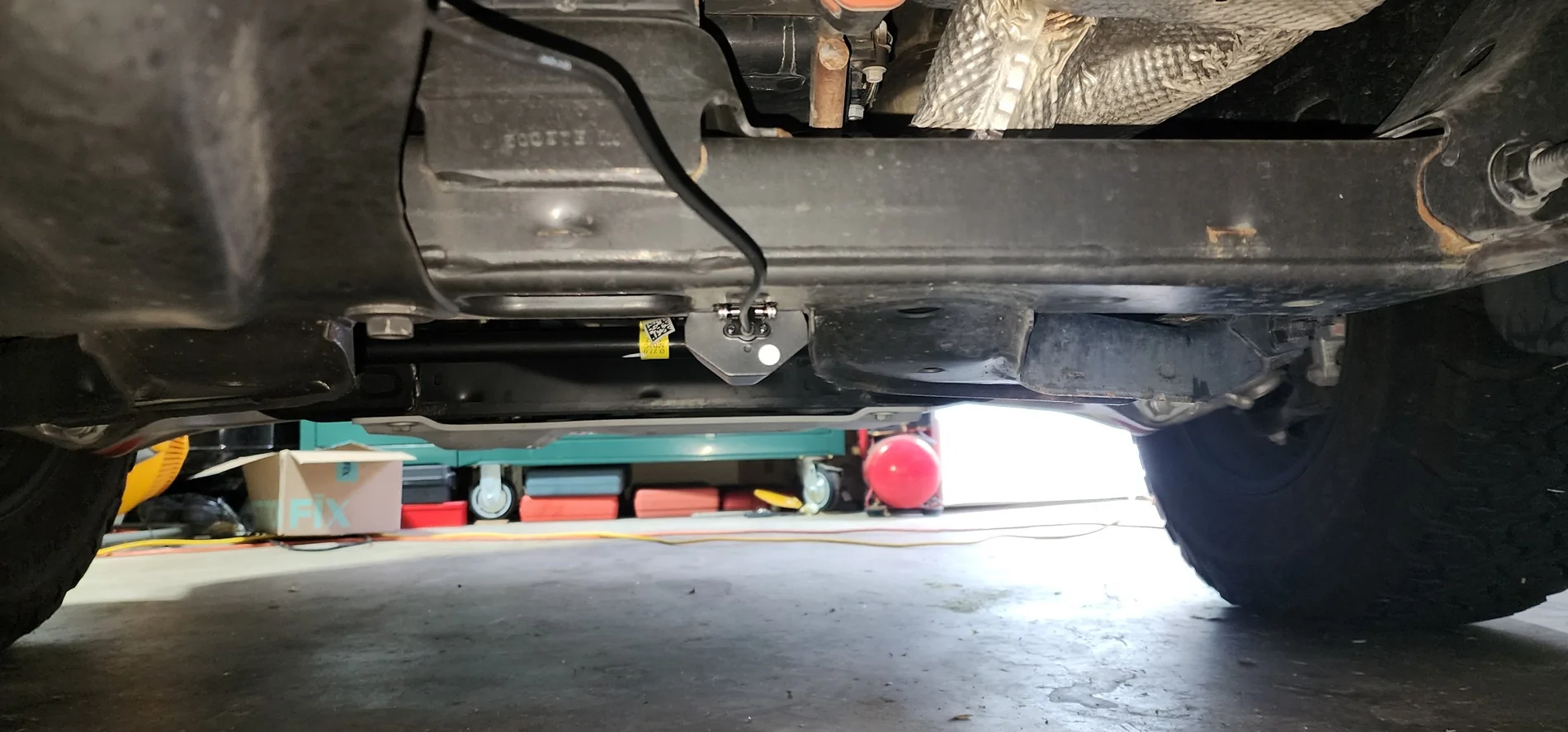
The bumper camera is intended for viewing down to see the trail in front of you. I initially placed the bumper camera inside the FORD lettering of the front grille. However, I didn't see much of gain as I feel the Ranger’s front camera already does a decent job for this view. What the Ranger lacks is an under-body camera. So, I felt this was the perfect opportunity for the Wolfbox to fill that gap. There’s not a lot of great places underneath, especially if you want to protect the camera from obstacles you’d likely encounter on the trails. You also need to decide what view you want to capture – either forward facing to get a better view of tire placement, or a rearward facing view to get a better view of where your rear tires are going. Forward facing has the added benefit of being able to see your tire placement and having better control of your steering, but at the cost of exposing the lens to road debris. Rearward facing allows you to view and control your rear tire placement and better protects the lens from debris coming in from the front. A major consideration for any under-body camera is of course placement with the best amount of protection from any rock bashes and slides. The more protected the camera likely means the more obstructed the view so there’s a delicate balance needed. I currently have the camera pointed towards the front as I feel like front tire placement without the need for a spotter will be a bit more important. The awesome thing about this entire setup in general though is that it can be changed fairly easily if you change your mind.
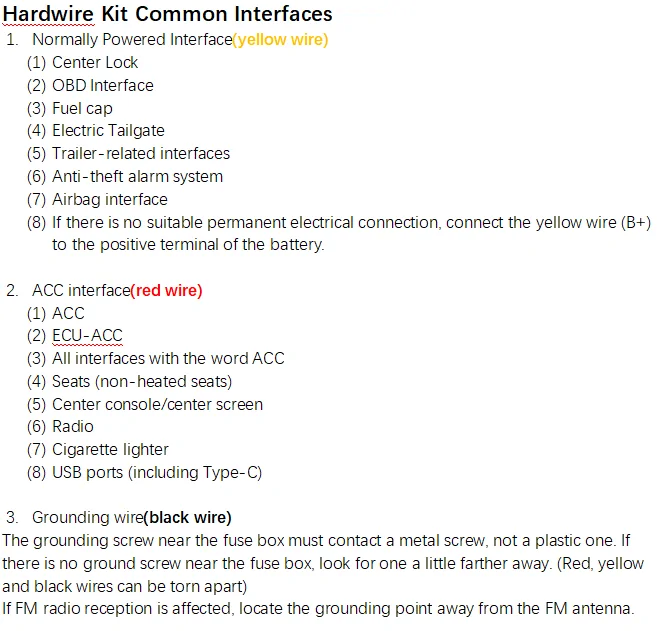
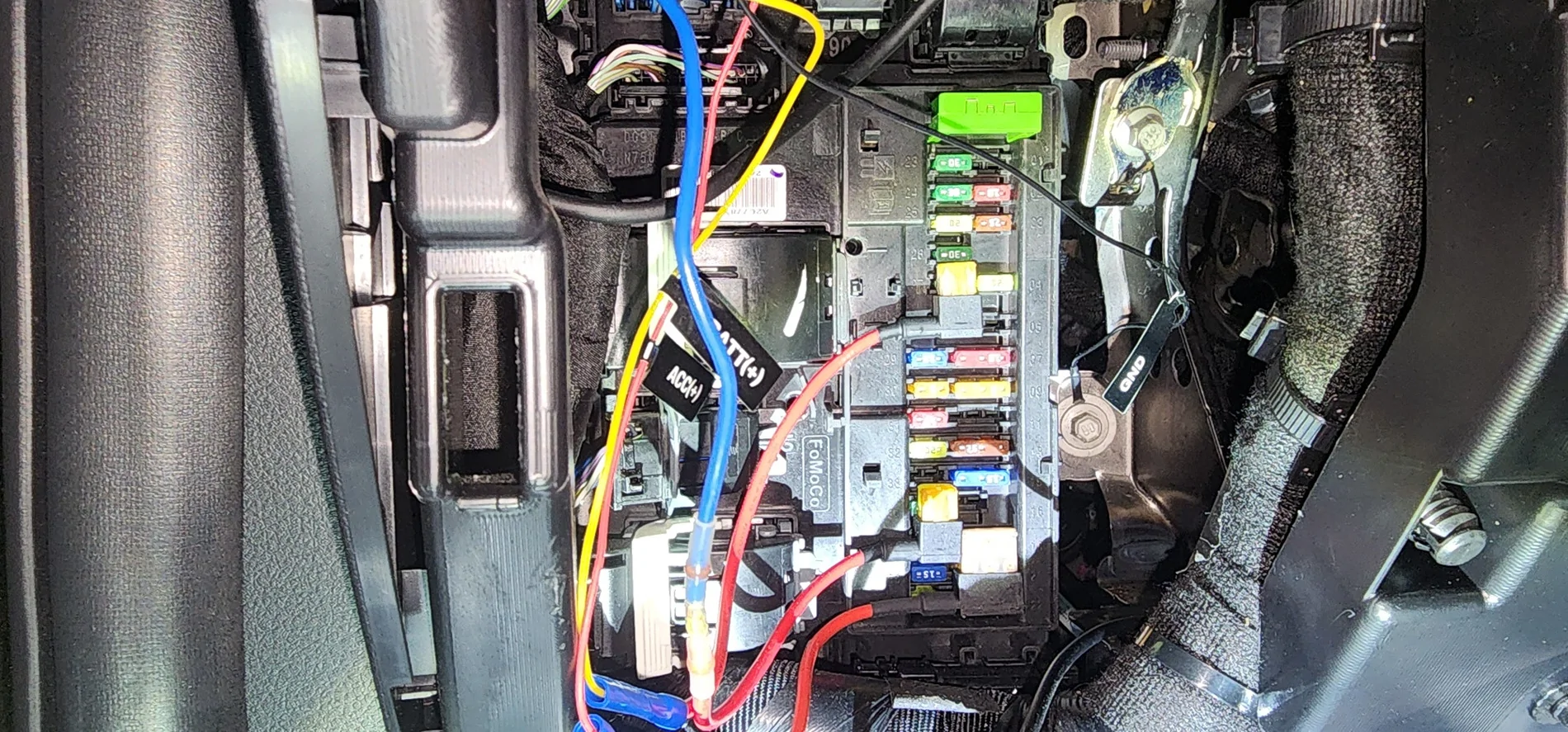
Wiring power is pretty standard and straight forward. There is a DC plug you can plug into the center console. But I used the optional hard wire kit and tapped into the fuse box. The provided fuse tap pig tails have female connectors and the long wires that plug into the dash cam main unit have male connectors so everything is pretty much plug and play. I used fuse #28 for constant BATT and fuse #35 for switched ACC. The ground wire is ran to the right side of the fuse panel and held in place by a structural bracket and bolt. All wires are then ran up the A-pillar trim and above the headliner and to the mirror.
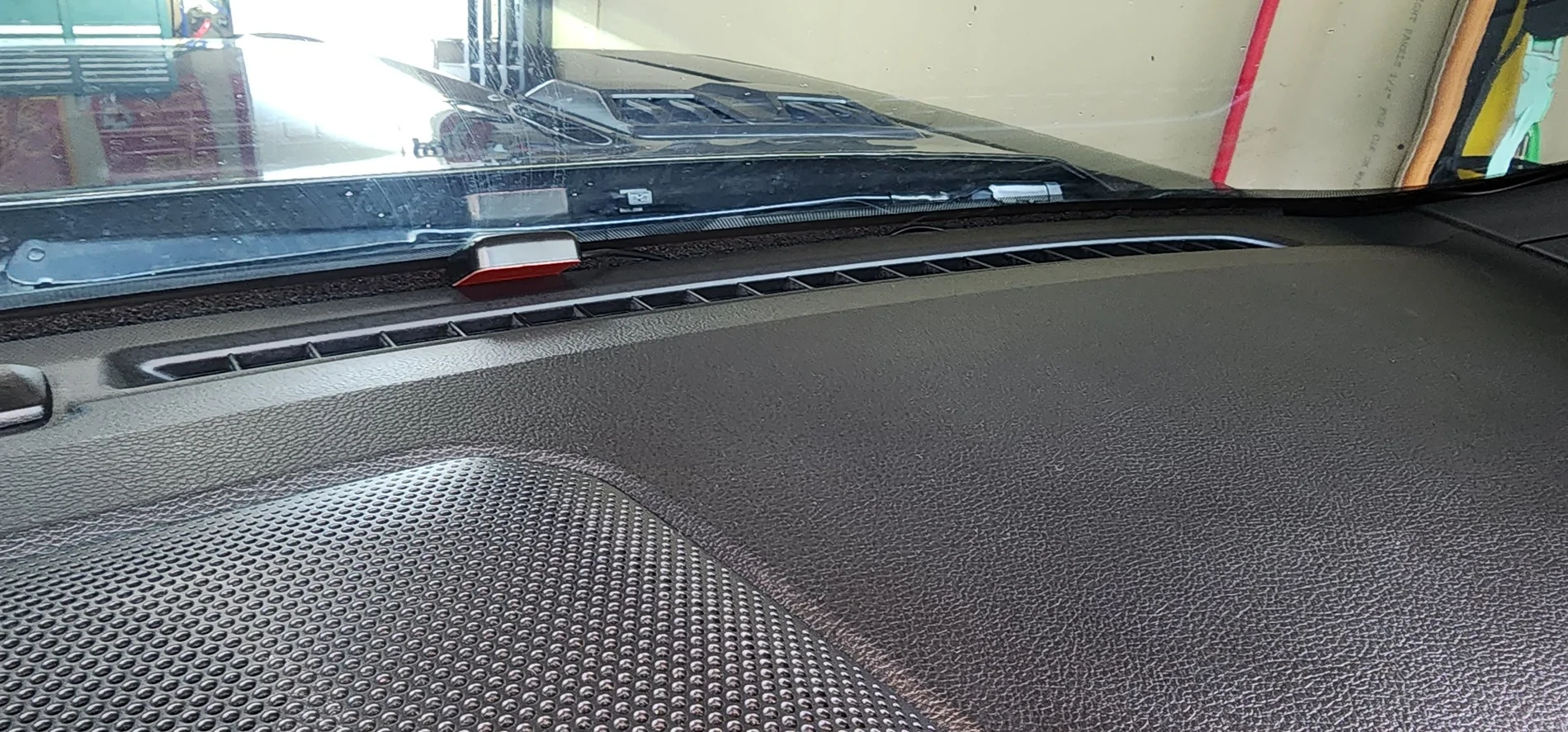
The GPS was really easy to run. I just wedged mine in between the windshield and dash and ran up the A-pillar to the main unit. Instructions are to use adhesive strips to mount to dash but this method seems to work just fine. I don't like to make anything too permanent, I mean even my wedding ring isn't glued to my finger (kidding honey)!
How is the G900 TriPro as a dash cam?
The dash cam portion works very well and captures forward video in decent 4K clarity. The rear-view camera also captures decent video. And utilizing the rear-view camera's reverse view feature by tapping into revers lights force the camera to show the back up view and superimposes the parking aid lines.

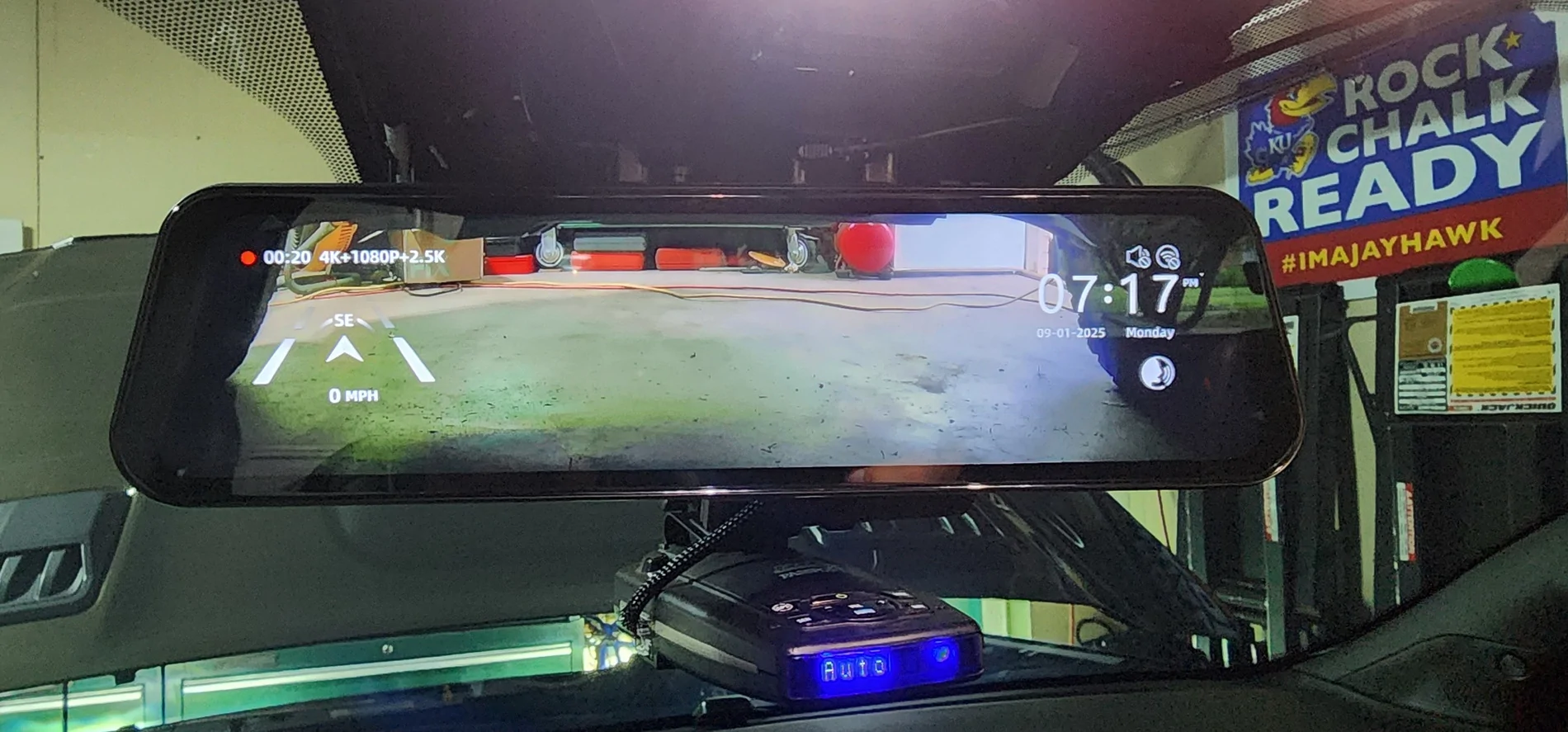
Video playback in day and night are pretty clear due to the Sony Starvis sensors, and it is comparable to the Blackvue dash cam I also use. There are situations in which each is superior to the other. Admittedly, it has taken some getting used to adapting to a camera fed rear-view mirror. A lot of newer SUV’s and trucks and even cars like the c8 Corvette are starting to use rear-view mirrors with video feed, and the concept is not new for the aftermarket. Be that as it may, I am not used to it, and I am not sure I like it. I also noticed the rear-view video feed shows a more zoomed out view, so the cars look much further away than the stock rear view. It seems like the video feed should state “VEHICLES IN MIRROR ARE MUCH CLOSER THAN THEY APPEAR”. So, I turned it off and use the mirror’s glossy screen for live rear view. But the mirror does not have the typical stock chrome backing and results in a much darker view, almost like you have a dark window tint over the mirror. The rear-view function does take it a step further by allowing you to tap into a reverse signal to force the rear-view mirror to display the rear camera with parking lane lines. This is helpful for backing up, although the parking lane lines don’t feel as integrated as the stock back up camera. You can change the lines in only 3 positions – high, mid, and low. I think Wolfbox could make these lines more adjustable, perhaps with the ability to adjust width and more height adjustment, to make the parking lines more helpful and in sync with the vehicle. The Wolfbox camera feed is superior in clarity to the stock backup video feed but with a much narrower view. I tapped the trailer harness reverse light wire, and this worked perfectly for signaling the reverse feed. As stated earlier, the front camera does suffer from a slightly obstructed view because of the rain sensor. This is because the stock mirror is mounted directly over this spot, and you don’t need to see through it. Luckily, in a truck that sits higher, the obstructed portion is likely not critical, but it is something to be aware of. The rear camera has decent 2K quality video feed and a lot will depend on where the camera is mounted. For both views, I would personally like a wider field of view, but these cameras do what is intended and get enough of the picture (or video) should you need it. The one positive about not having a wider field of view is less distortion, especially at the edge of frame. The bumper camera has decent quality 1080 feed, and that’s what you’d normally get for a typical rear-view camera. So, for bumper feed, I think it’s perfect.
As soon and I've gotten a decent amount of run time and save some video files, I'll insert some video feeds and see if I can set up the Blackvue to get some side by side videos. Or at least upload some videos of each camera showing the same times at day and night for some good comparsons. You'll have to forgive me on the lack of video, I've been pretty busy latey. I'll get them as soon as I can!
How is the G900 TriPro as an off-road camera?
I’ve found it quite useful so far. The Ranger Raptor already has quite a few cameras for the trails, but the video quality is not the best and there are views that are a bit lacking. The GS900 TriPro fills a few gaps nicely, especially the bumper camera with flexible placement. With specific camera placement getting the correct views, it can ease the need for a spotter on some of the more challenging trail lines. The neat thing is the ability to display all 3 views at once.
I haven't yet found myself off-raoding in anything that requires a spotter or the underbody view but I think it will make an excellent off-road camera solution, perhaps much better than a dash camera. But the G900 Tripro is an all-in-one solution that does everything pretty good with some limitations. If you have a Ranger without any of the camera’s then this is a camera to consider!
Can you turn the camera off and just use the Wolfbox as a regular mirror?
Yes, and it’s quite easy to do, just press the orange button on the bottom of the mirror and the video screen turns off – but… as I pointed out earlier, the backing behind the glass is not a typical chrome finish. It is glossy but very dark; your view will be much darker – much like an auto dimming mirror when lights are shined at you. So even in sunlight, the view is quite dark. The view is likely much worse if you have dark tinted windows like I do. The intent is to use the rear-view camera video feed as your rear-view mirror. But I found that the gloss finish ends up with a reflection that makes the video feed difficult to see without cranking up the brightness. What I may try is a matte screen protector overlay that reduces glare, much like what I used for my infotainment screen. The glare, reflections, and fingerprints on the stock screen were pretty bad, and the matte overlay made things so much better, so I think this would make the video feed on the Wolfbox much better.
Pros
I was very eager to try out a different dash camera, especially with the recent troubles I’ve had with my Blackview. I wanted to stay with a 2-channel setup with 4K front camera. I also needed something easy to mount. With a tinted front windshield, a window adhesive mount isn’t an option for me. I have LTE for live view on my Blackvue but don’t find the need to use it as much as I had hoped. Plus, a subscription is needed to really reap any true benefit. So, I found no need for LTE in my next camera. I dislike the Blackvue app, especially when it comes to changing any of the dash cam settings and trying to view videos. It can be a long and tedious ordeal, and I wanted something simpler. The Wolfbox G900 TriPro checked all the boxes and gave a few extras I was not looking for. It has 4K and gave me an extra channel I could use for off-roading. It allowed me to mount over the stock mirror (for now) making it a simple install. Settings can be done on the mirror’s touchscreen, and I found the user interface to be exceptional. The dash cam video is excellent, and I think it will work just fine for any insurance disputes or CYA situations. I will say I’m not fond of the video feed vs a regular rear-view mirror, but the option of turning the camera off works for me. I don’t think I would like that feature in any of the new vehicles that provide it in an OEM feature. I do like the back up camera feed but wish it had a wider field of view. The added bumper camera gives me a view under the truck I think will help in any off-roading endeavors making the Raptor even more off-road capable. The biggest drawbacks I find are the zoomed-out view making cars behind me harder to see, and the glare from the glossy screen. The other shortcomings are minuscule and easier to work around. I plan to try different mountings and placements to get the best out of this dash cam.
Let me know what you think or if you have any questions or general statements. I know there are things I am forgetting and certainly some things I wanted to include so I'll try to continually update this thread as I get anything worthy to update. I do plan to try some different mounting methods and views when time allows.
*Full transparency - @Wolfbox contacted me asking if I would post an install and review of this camera. I was provided with the camera and everything needed to install. This is not a paid promotion - I will post the Pros and Cons that I have discovered, and over time will share any findings I think Ranger6G users may find interesting or annoying when it comes to this particular dash cam.
Please feel free to ask any questions you may have and/or even post suggestions or experiences. If you've installed this dash cam or similar dash cam mirrors, I’d like to hear your personal experiences and opinions as well!
What is the Wolfbox G900 TriPro?
I won't bore you with detailed specs, their website is better at listing all that mumbo-jumbo. Simply put, it is a 3-channel camera with the main channel being a 4K camera inserted into a monitor in the form of a rear-view mirror. The other 2 channels are a 2.5K Rear View camera and a 1080P "Bumper" camera. The intent for the rear-view camera is of course to view what is behind you and the bumper camera is to view down from the front bumper at obstacles for off-roading. The Ranger Raptor already has these two views, but they are not recorded, and the video quality is not quite the best. The Wolfbox enters the chat as a 3-channel dash cam that attempts to fill in the gaps of what's missing in an off-road camera.
What does this thing look like and what is included?
It’s very well packaged and nicely built. Unboxing the unit, you will be greeted with an insert with a diagram of the mirror and all its connections – very helpful. Also, all internal boxes are nicely labeled with graphics showing what’s in each box.
The mirror/main unit looks and feels like a quality product. The mirror is slightly larger than the stock Ranger rear-view mirror. The camera lens is able to pivot slightly to help fine tune your video capture.
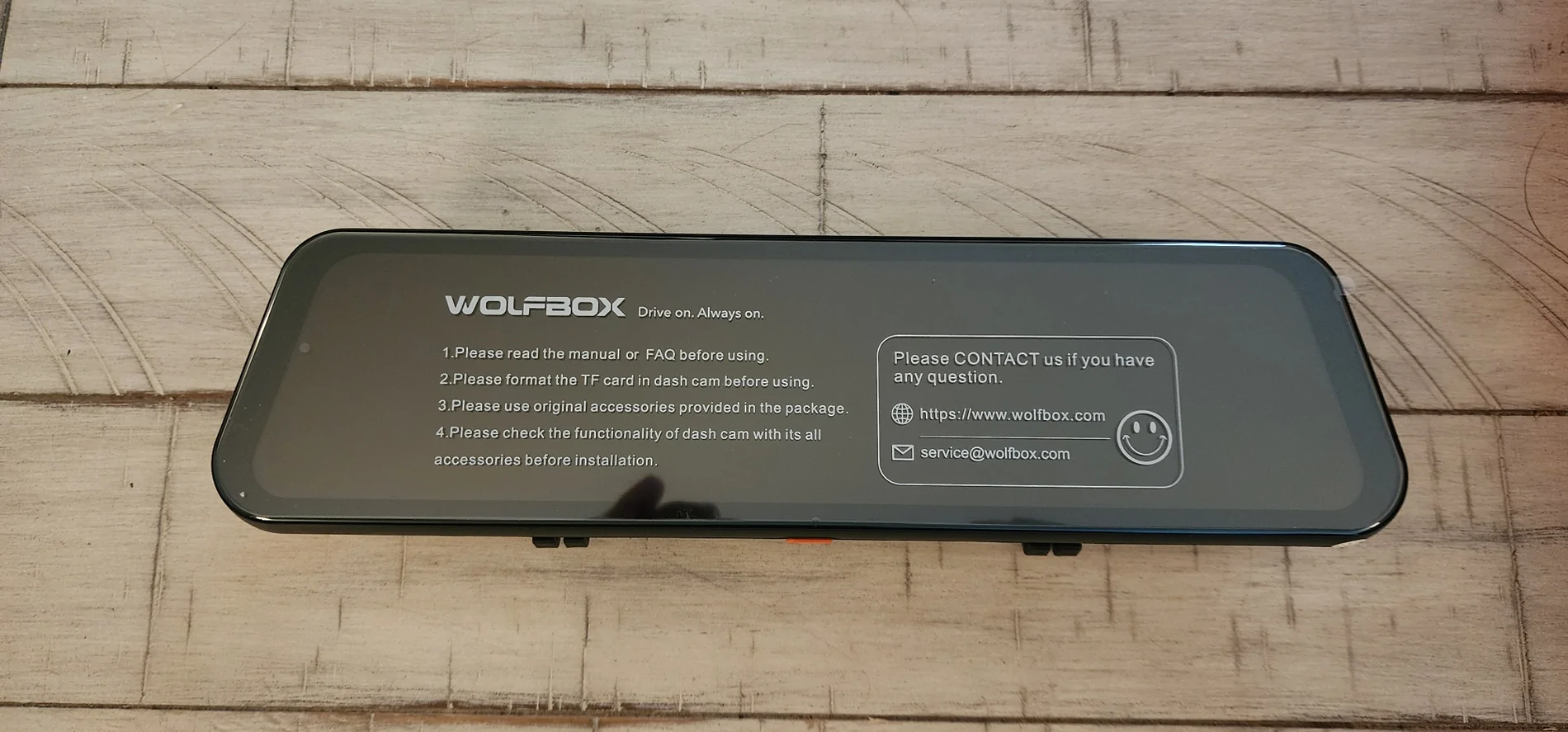
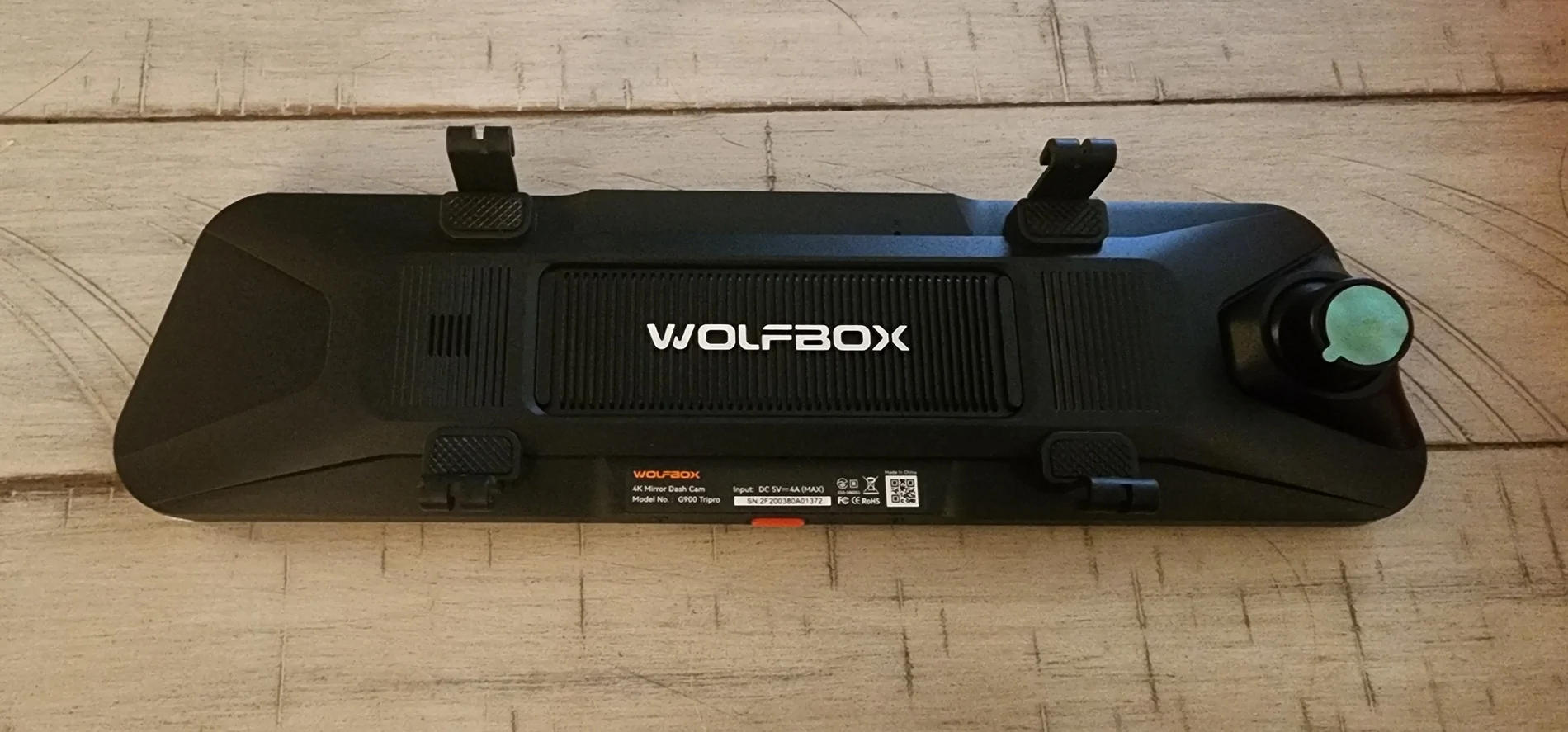
Included with the mirror is the rear camera, rear camera cable, bumper camera with long cable, GPS receiver, Aux power supply, rubber straps for attaching around existing mirror, cable clips, and assorted other accessories you may need. Wolfbox supplied me with extra camera wire, but it is not really needed for the Ranger’s length. What it would be useful for is if pulling a trailer, the camera can be mounted at the end of the trailer giving you a better unobstructed view. This is something I will definitely utilize in the future, although I don’t haul a trailer much these days. Wolfbox also supplied a hardwire kit allowing you to tap into the Ranger’s fuse box using ACC for running the camera while driving, as well as constant power if you want to run park mode. The fuse tap leads are very nice, and have female connectors to attach to the hardwires, so no crimping is needed, a very welcome detail! They also include a variety of different fuse taps and sizes.
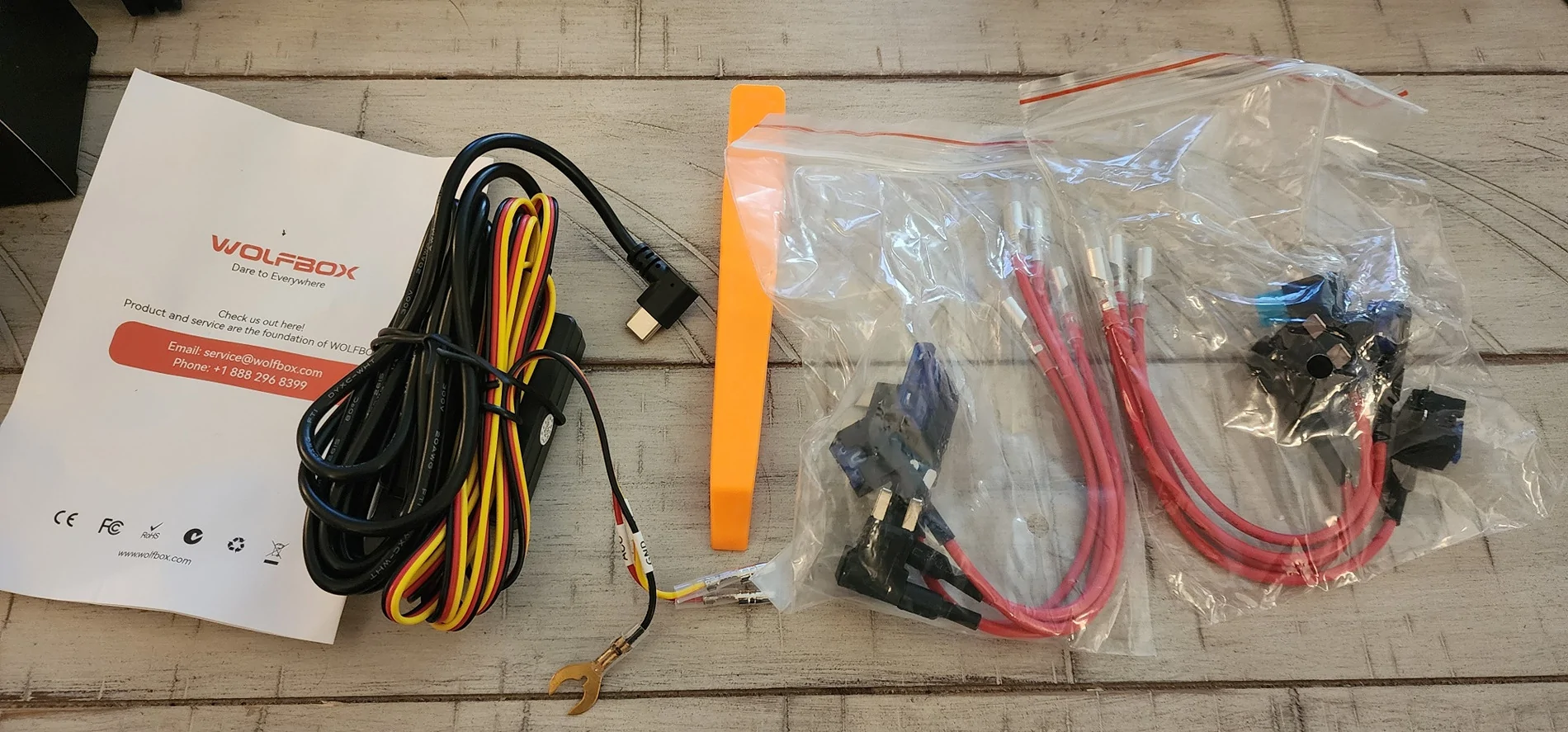
Wolfbox did not have the triple fuse taps that a lot of the 6G Ranger owners use for typical dash cam installations, so I made do with what was included. There is also a trim tool to help tuck the wires, but I recommend a full trim removal kit when dealing with trim removal and plastic rivets – it makes things a lot easier. Wolfbox also provided a mirror mount stalk to swap out the stock rear-view mirror and replace with the Wolfbox unit. This did not work in my case, more on that later.
How is the installation?
There are quite a few options for installing the rear-view mirror as a regular mirror, but you could potentially custom mount the mirror and use it as a monitor in an alternate location and retain your stock rear-view mirror unobstructed. The easiest option is to mount the Wolfbox over the stock mirror using the included rubber straps. The back of the Wolfbox mirror has some rubber pads to help protect the stock mirror. Long term, I do not know how well the stock mirror will be protected as dirt and dust could find its way between the rubber pads and mirror glass. I would suggest adding another protective barrier, like a custom screen protector over the stock mirror if you are worried. From the driver’s seat, it completely covers the mirror, and you’d be hard pressed to notice, but from the passenger seat, you can see part of the Ranger’s stock mirror protruding from behind.
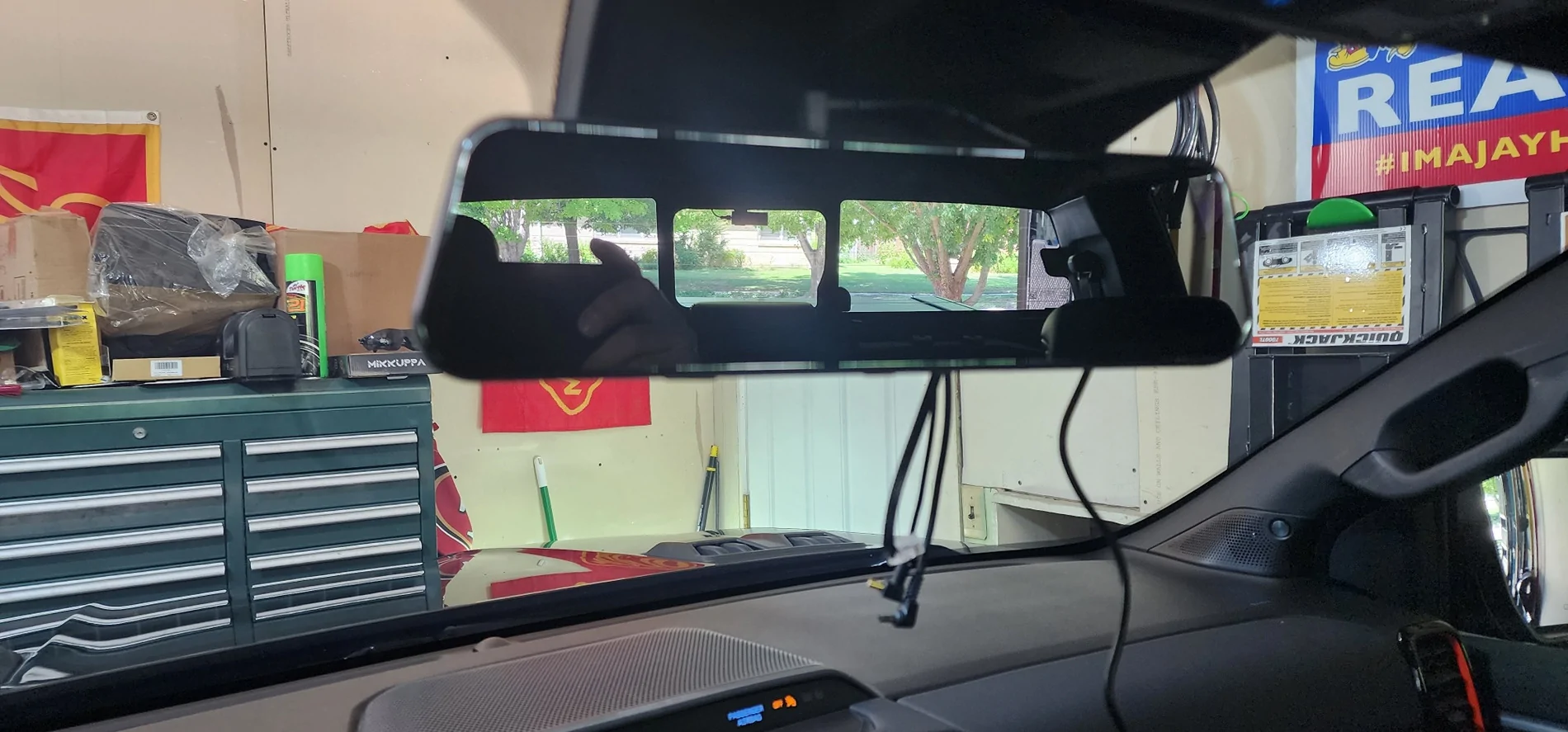
As for the 4k main camera view, there is a slight area of view blocked by the rain sensing portion. You can aim and position the camera in such a way to minimize the loss, but without mounting the camera lower, this will always be an issue.
With a proper factory style window mount, I believe the stock mirror could be swapped, provided the arm is long enough to place the mirror beneath the blacked-out rain sensor area. Wolfbox supplied me with a mount to replace the Ranger mirror but unfortunately it is for windshields without any of the rain sensing tech. Currently it does not appear Wolfbox has the correct mounting solution to swap mirrors for the 6G Ranger.
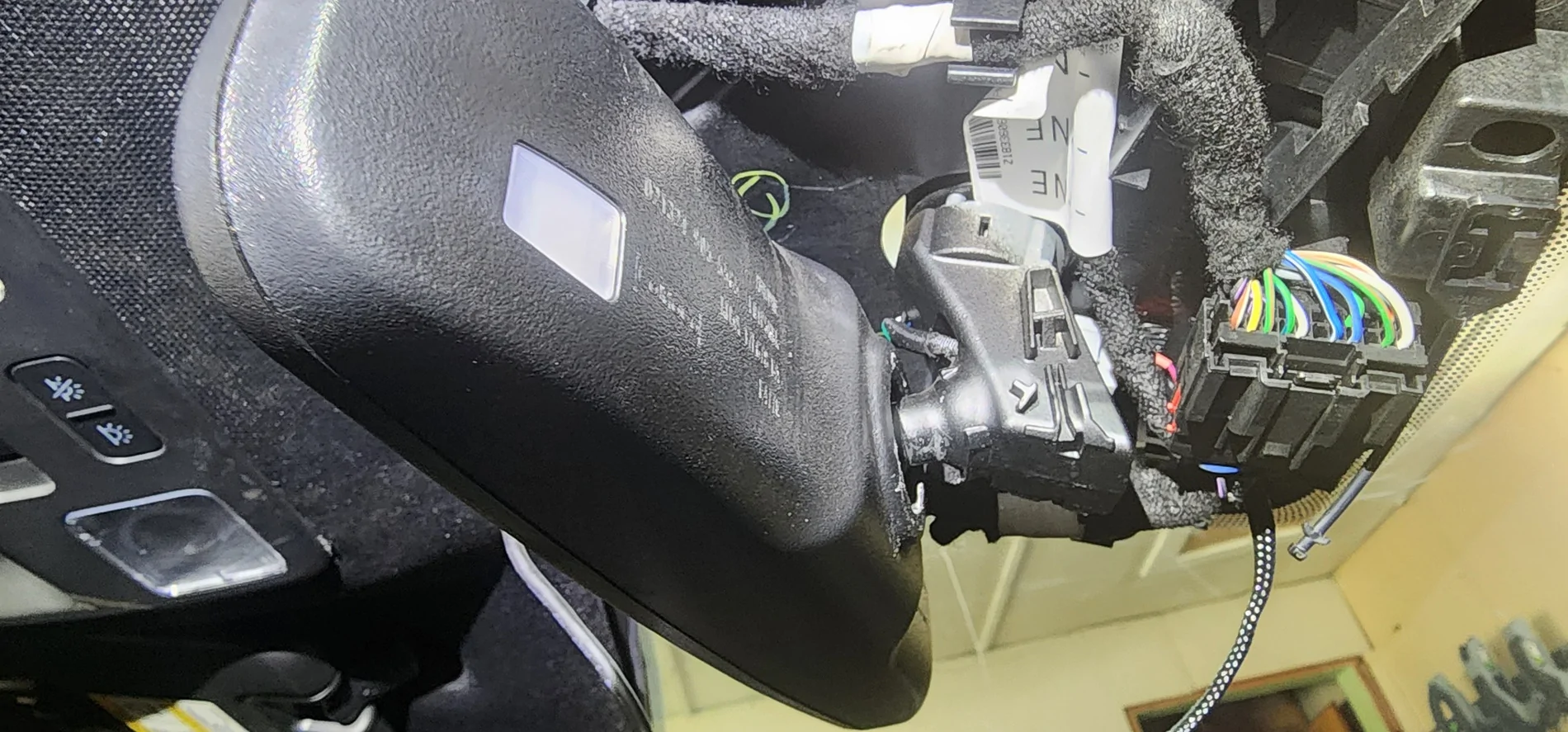
The optional mirror stalk dies not fit the 6G Ranger.
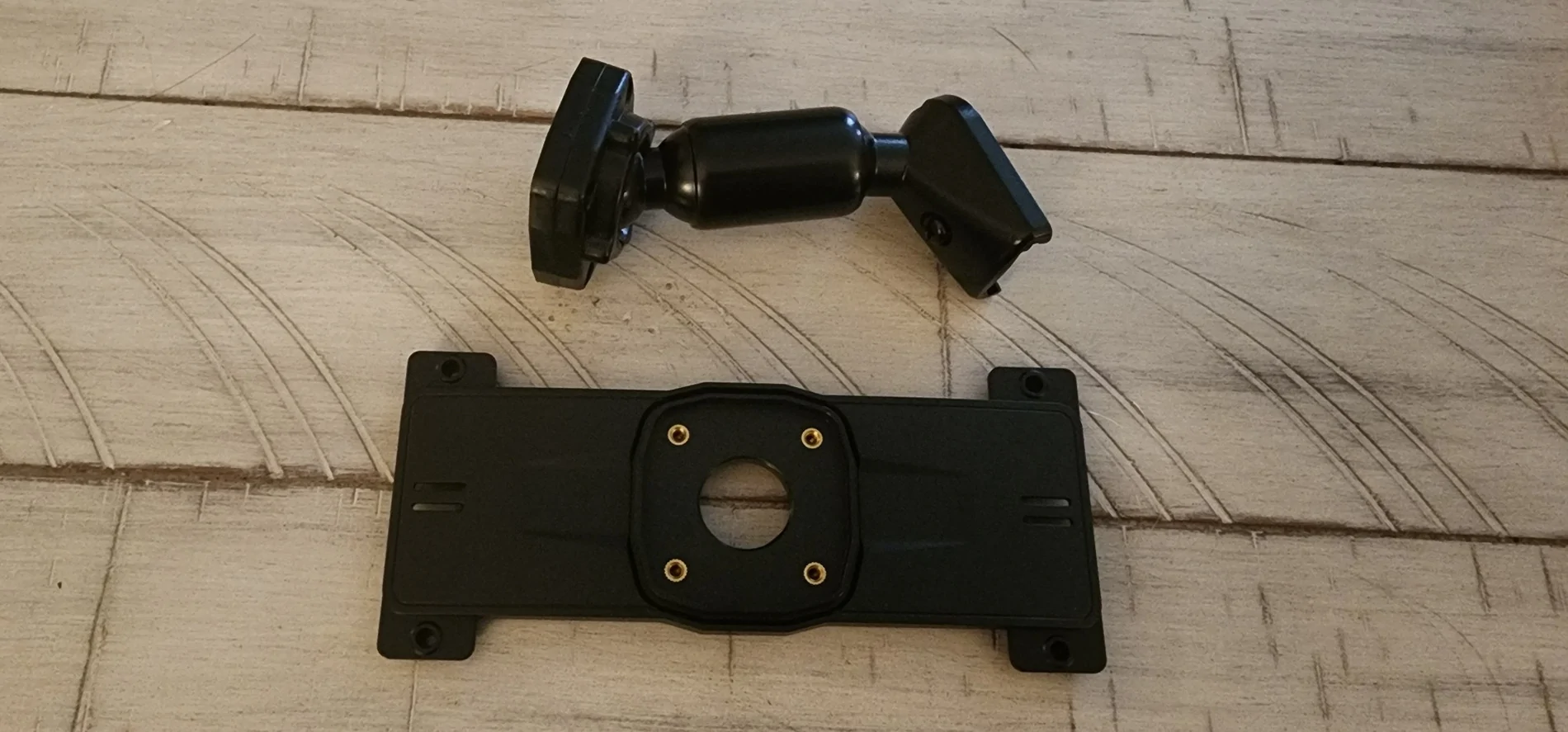
There is another Wolfbox thread where someone found the correct aftermarket mirror mount so I believe it can be done. I will look into trying that method to see if I can reduce the blocked view in the camera. One alternative method I am considering is to use the dash mount for action cameras. The Wolfbox could theoretically be mounted on the dash while the stock mirror is retained. This would make the Wolfbox a better off-road cam as well as a dash cam with alternate views.
The two cameras provided look identical but one is 2.5K and the other is 1080. They are both weather/water resistant. They have specific plugs for plugging into the main unit. The 2.5K is for rear-view, and the 1080 camera is for front bumper view. Routing the wires for the rear camera isn't too much of a chore. There are multiple rubber feed plugs in the back of the rear cab that are easily accessible once you remove enough trim to gain access.
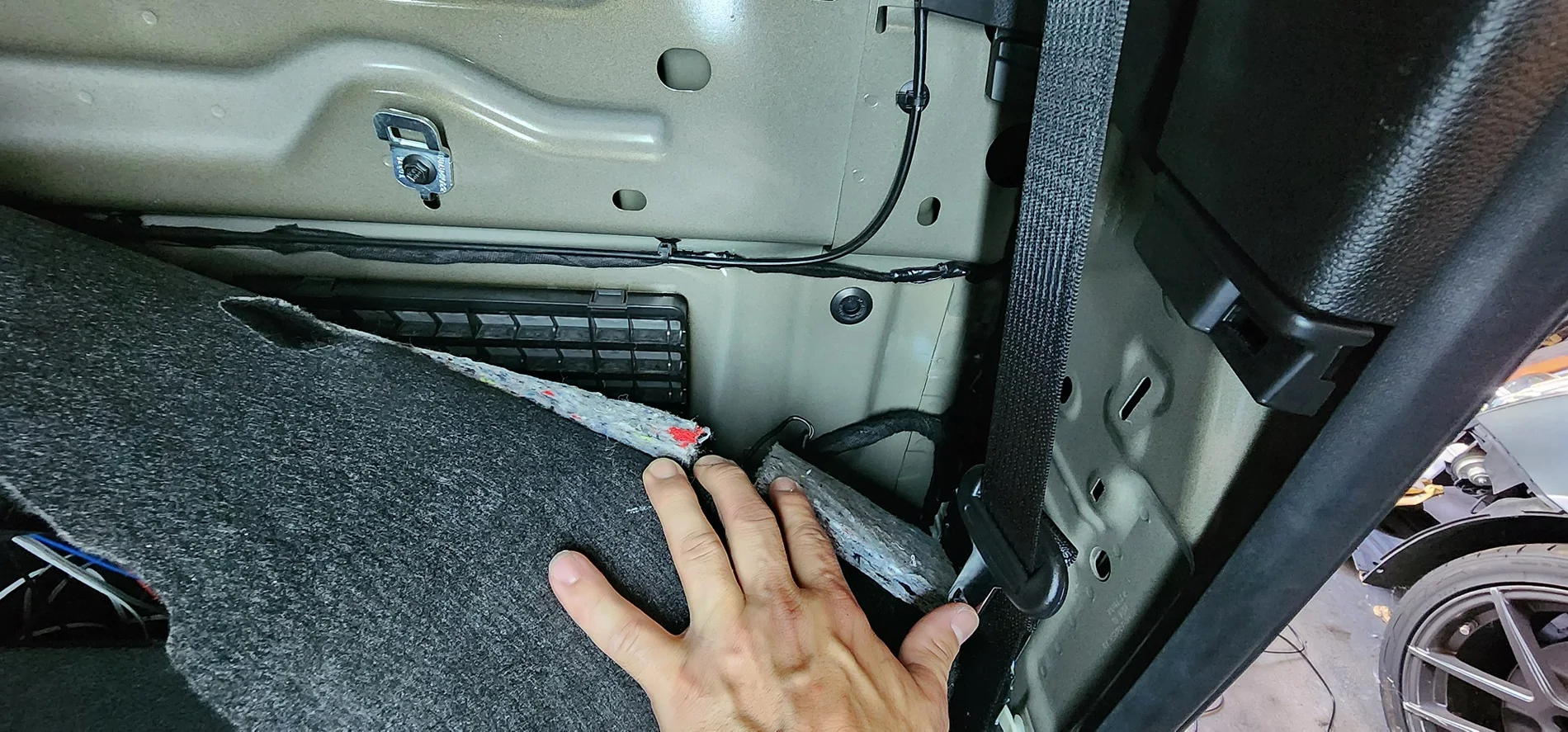
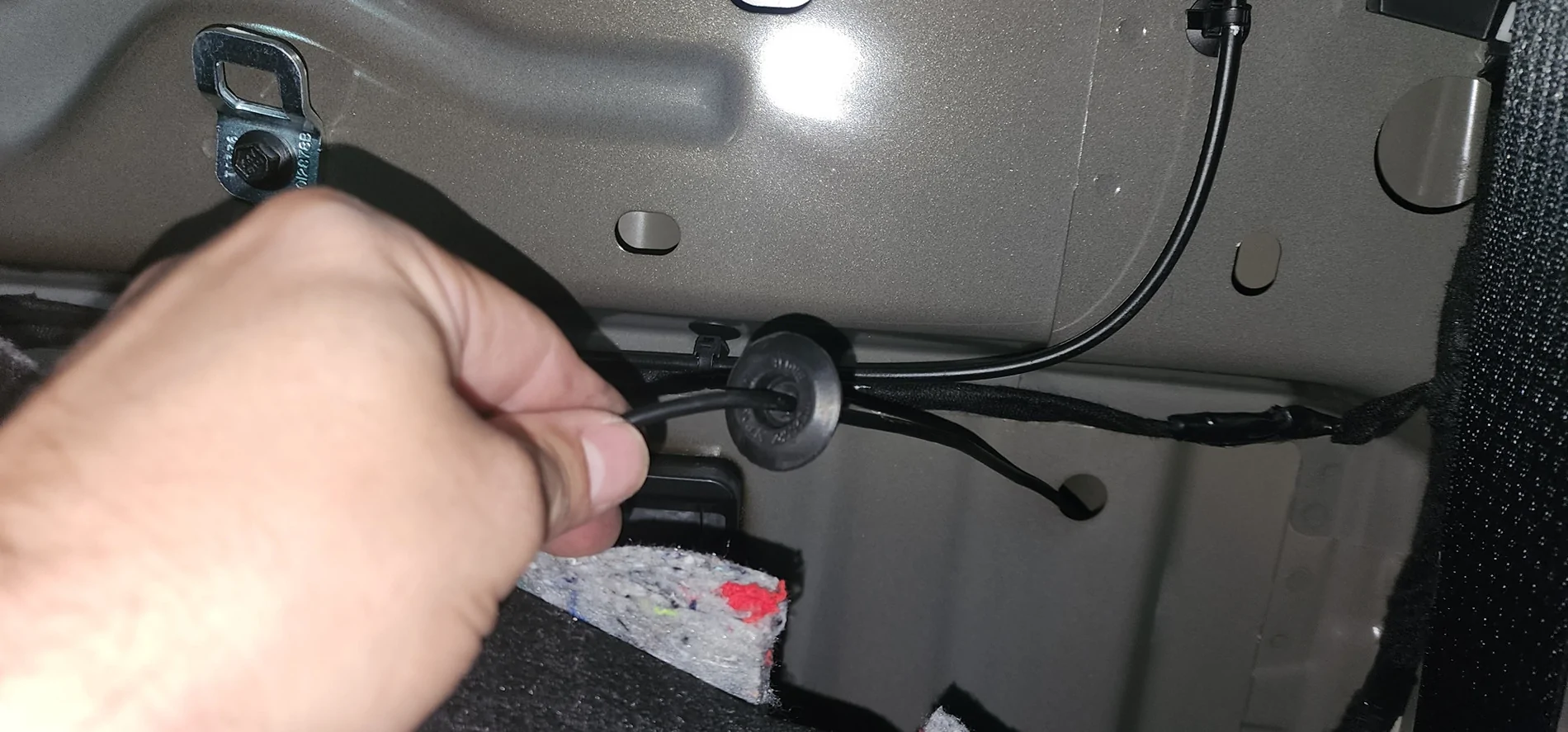
I initially mounted the rear-view camera on my license plate utilizing the provided plate bracket. However, the tailgate ends up contacting and moving the camera as there is not enough clearance. I even flipped the camera but there is still not enough clearance.
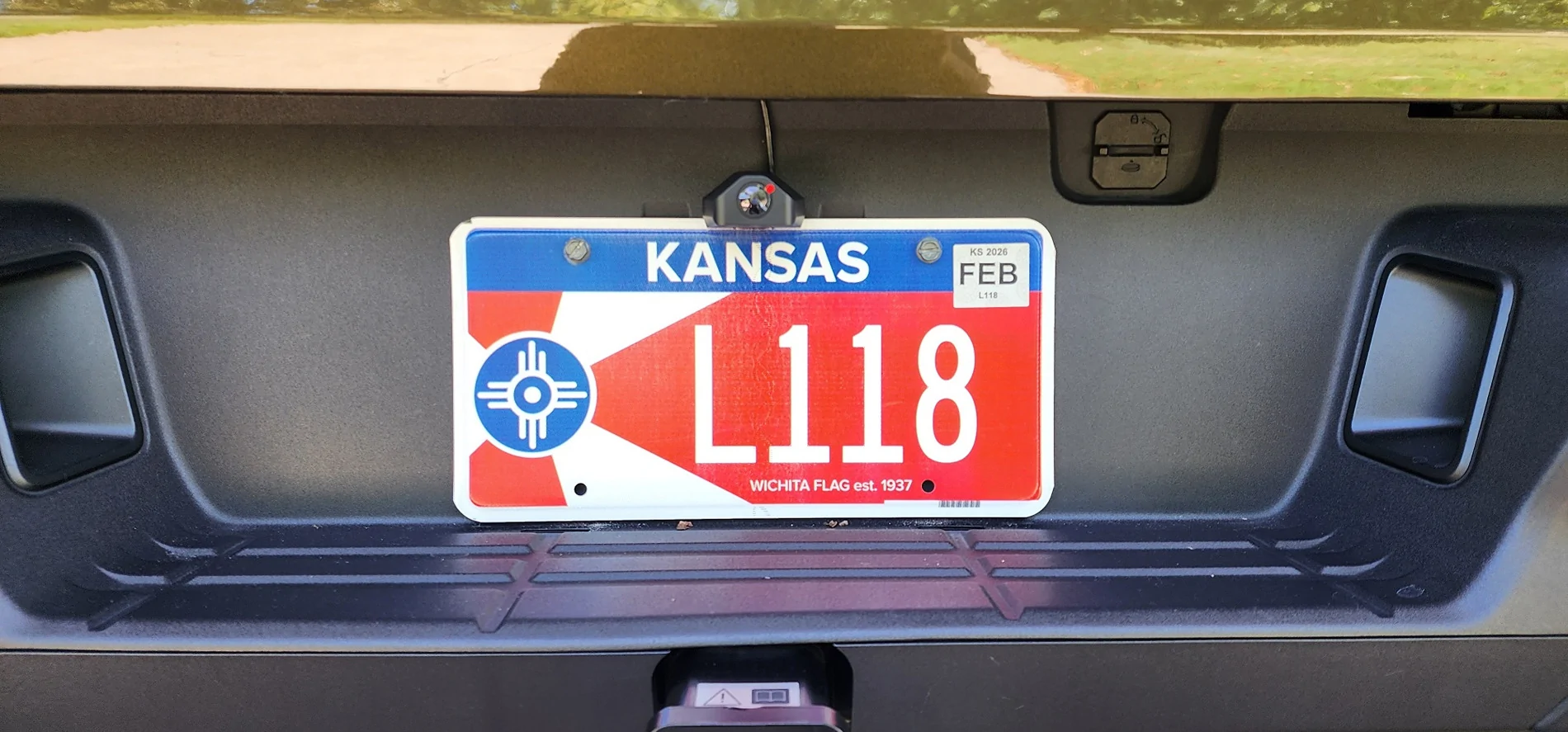
So, if placed in the very rear of the Ranger, an alternate mounting method will be needed. I am considering placing the camera inside the cab at the top of the rear window, much like you would in a car. It is where I have my Blackvue rear camera and it gives a broader view, but anything directly behind the tailgate is hidden from view. The advantage here is the higher broader view, and obviously not having clearance issues from the tailgate.
The bumper camera is intended for viewing down to see the trail in front of you. I initially placed the bumper camera inside the FORD lettering of the front grille. However, I didn't see much of gain as I feel the Ranger’s front camera already does a decent job for this view. What the Ranger lacks is an under-body camera. So, I felt this was the perfect opportunity for the Wolfbox to fill that gap. There’s not a lot of great places underneath, especially if you want to protect the camera from obstacles you’d likely encounter on the trails. You also need to decide what view you want to capture – either forward facing to get a better view of tire placement, or a rearward facing view to get a better view of where your rear tires are going. Forward facing has the added benefit of being able to see your tire placement and having better control of your steering, but at the cost of exposing the lens to road debris. Rearward facing allows you to view and control your rear tire placement and better protects the lens from debris coming in from the front. A major consideration for any under-body camera is of course placement with the best amount of protection from any rock bashes and slides. The more protected the camera likely means the more obstructed the view so there’s a delicate balance needed. I currently have the camera pointed towards the front as I feel like front tire placement without the need for a spotter will be a bit more important. The awesome thing about this entire setup in general though is that it can be changed fairly easily if you change your mind.
Wiring power is pretty standard and straight forward. There is a DC plug you can plug into the center console. But I used the optional hard wire kit and tapped into the fuse box. The provided fuse tap pig tails have female connectors and the long wires that plug into the dash cam main unit have male connectors so everything is pretty much plug and play. I used fuse #28 for constant BATT and fuse #35 for switched ACC. The ground wire is ran to the right side of the fuse panel and held in place by a structural bracket and bolt. All wires are then ran up the A-pillar trim and above the headliner and to the mirror.
The GPS was really easy to run. I just wedged mine in between the windshield and dash and ran up the A-pillar to the main unit. Instructions are to use adhesive strips to mount to dash but this method seems to work just fine. I don't like to make anything too permanent, I mean even my wedding ring isn't glued to my finger (kidding honey)!
How is the G900 TriPro as a dash cam?
The dash cam portion works very well and captures forward video in decent 4K clarity. The rear-view camera also captures decent video. And utilizing the rear-view camera's reverse view feature by tapping into revers lights force the camera to show the back up view and superimposes the parking aid lines.
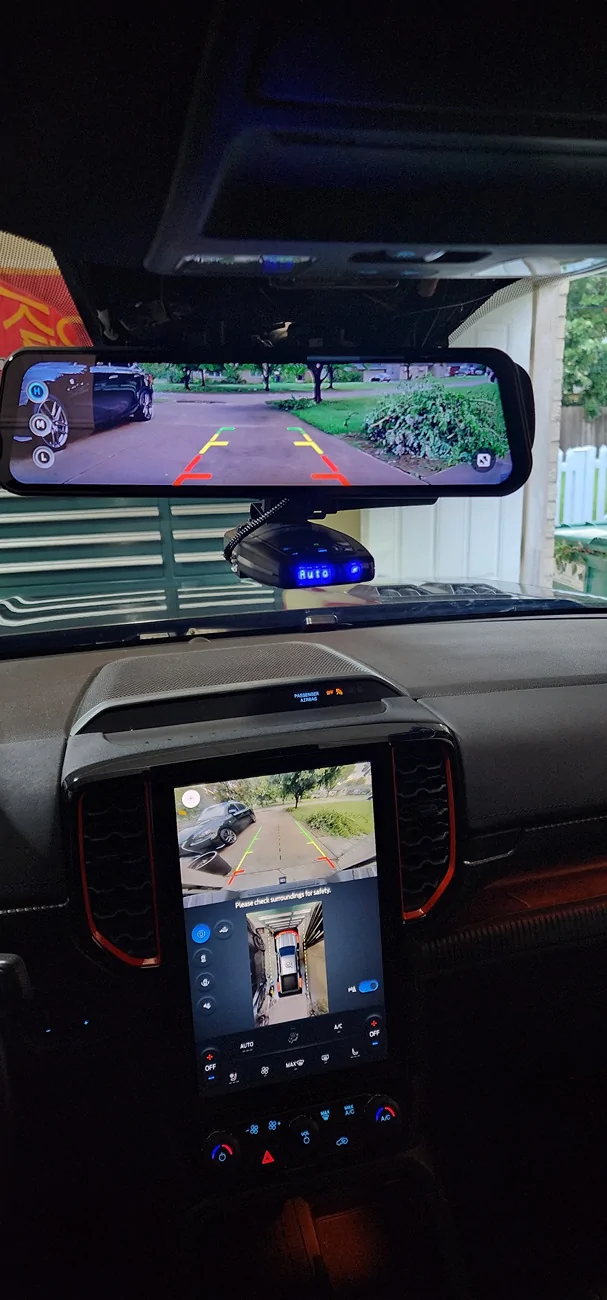
Video playback in day and night are pretty clear due to the Sony Starvis sensors, and it is comparable to the Blackvue dash cam I also use. There are situations in which each is superior to the other. Admittedly, it has taken some getting used to adapting to a camera fed rear-view mirror. A lot of newer SUV’s and trucks and even cars like the c8 Corvette are starting to use rear-view mirrors with video feed, and the concept is not new for the aftermarket. Be that as it may, I am not used to it, and I am not sure I like it. I also noticed the rear-view video feed shows a more zoomed out view, so the cars look much further away than the stock rear view. It seems like the video feed should state “VEHICLES IN MIRROR ARE MUCH CLOSER THAN THEY APPEAR”.
So, I turned it off and use the mirror’s glossy screen for live rear view. But the mirror does not have the typical stock chrome backing and results in a much darker view, almost like you have a dark window tint over the mirror. The rear-view function does take it a step further by allowing you to tap into a reverse signal to force the rear-view mirror to display the rear camera with parking lane lines. This is helpful for backing up, although the parking lane lines don’t feel as integrated as the stock back up camera. You can change the lines in only 3 positions – high, mid, and low. I think Wolfbox could make these lines more adjustable, perhaps with the ability to adjust width and more height adjustment, to make the parking lines more helpful and in sync with the vehicle. The Wolfbox camera feed is superior in clarity to the stock backup video feed but with a much narrower view. I tapped the trailer harness reverse light wire, and this worked perfectly for signaling the reverse feed. As stated earlier, the front camera does suffer from a slightly obstructed view because of the rain sensor. This is because the stock mirror is mounted directly over this spot, and you don’t need to see through it. Luckily, in a truck that sits higher, the obstructed portion is likely not critical, but it is something to be aware of. The rear camera has decent 2K quality video feed and a lot will depend on where the camera is mounted. For both views, I would personally like a wider field of view, but these cameras do what is intended and get enough of the picture (or video) should you need it. The one positive about not having a wider field of view is less distortion, especially at the edge of frame. The bumper camera has decent quality 1080 feed, and that’s what you’d normally get for a typical rear-view camera. So, for bumper feed, I think it’s perfect.As soon and I've gotten a decent amount of run time and save some video files, I'll insert some video feeds and see if I can set up the Blackvue to get some side by side videos. Or at least upload some videos of each camera showing the same times at day and night for some good comparsons. You'll have to forgive me on the lack of video, I've been pretty busy latey. I'll get them as soon as I can!
How is the G900 TriPro as an off-road camera?
I’ve found it quite useful so far. The Ranger Raptor already has quite a few cameras for the trails, but the video quality is not the best and there are views that are a bit lacking. The GS900 TriPro fills a few gaps nicely, especially the bumper camera with flexible placement. With specific camera placement getting the correct views, it can ease the need for a spotter on some of the more challenging trail lines. The neat thing is the ability to display all 3 views at once.
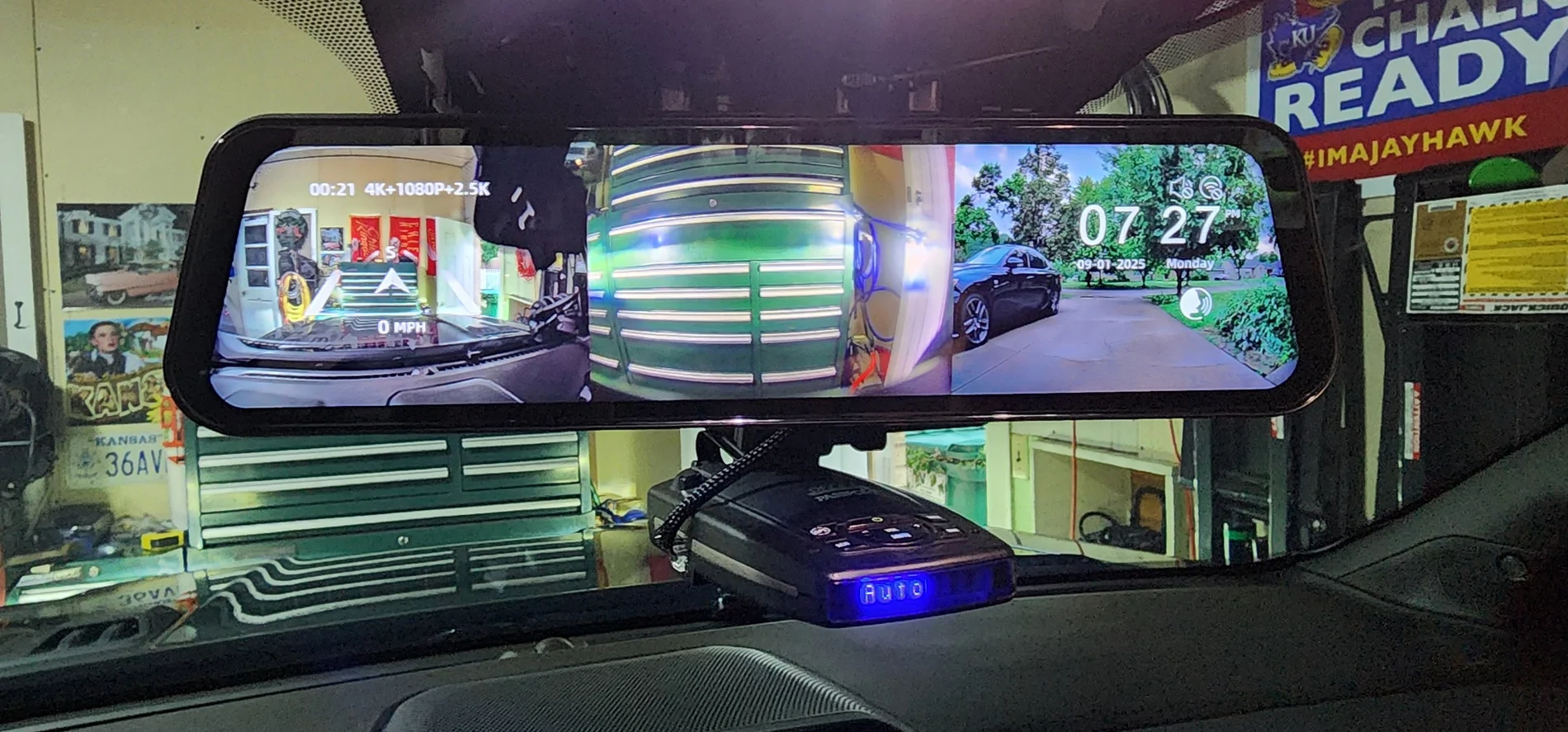
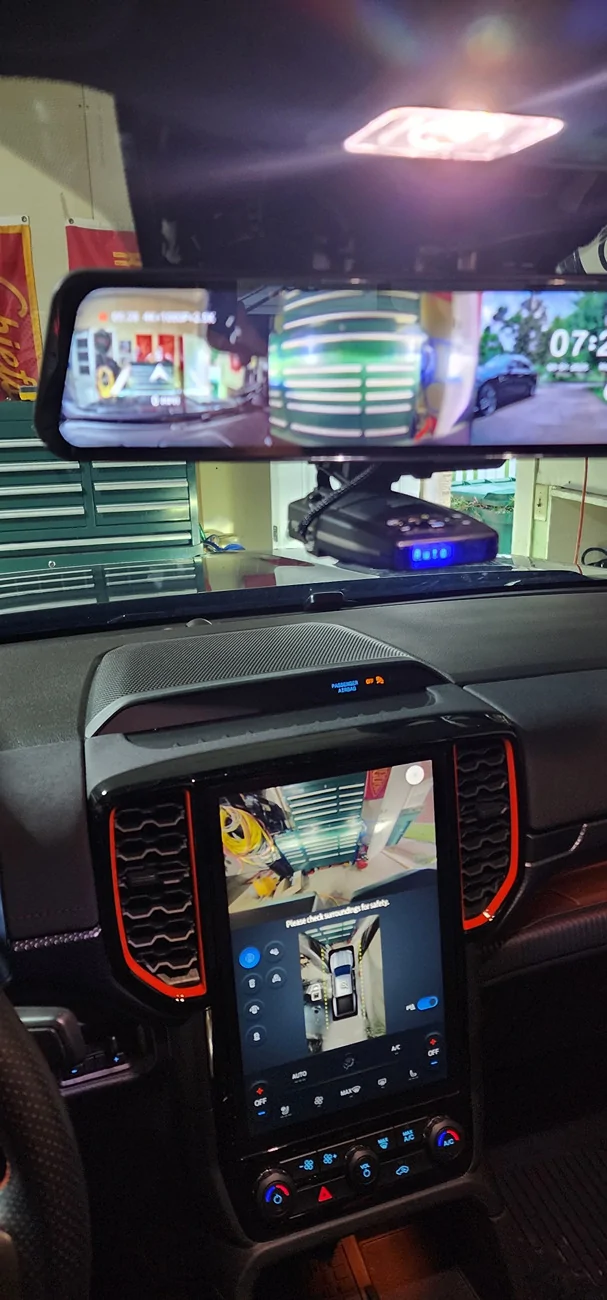
I haven't yet found myself off-raoding in anything that requires a spotter or the underbody view but I think it will make an excellent off-road camera solution, perhaps much better than a dash camera. But the G900 Tripro is an all-in-one solution that does everything pretty good with some limitations. If you have a Ranger without any of the camera’s then this is a camera to consider!
Can you turn the camera off and just use the Wolfbox as a regular mirror?
Yes, and it’s quite easy to do, just press the orange button on the bottom of the mirror and the video screen turns off – but… as I pointed out earlier, the backing behind the glass is not a typical chrome finish. It is glossy but very dark; your view will be much darker – much like an auto dimming mirror when lights are shined at you. So even in sunlight, the view is quite dark. The view is likely much worse if you have dark tinted windows like I do. The intent is to use the rear-view camera video feed as your rear-view mirror. But I found that the gloss finish ends up with a reflection that makes the video feed difficult to see without cranking up the brightness. What I may try is a matte screen protector overlay that reduces glare, much like what I used for my infotainment screen. The glare, reflections, and fingerprints on the stock screen were pretty bad, and the matte overlay made things so much better, so I think this would make the video feed on the Wolfbox much better.
Pros
- 3 available views right on the display in front of you, can choose single view, or tile all 3 views
- Flexible placement for the bumper camera and rear camera
- Parking mode
- Camera views have better clarity than the stock Ranger cameras
- Easy installation, and pretty much everything needed is included depending on mounting method
- All-in-one dash camera and off-road camera
- Settings and adjustments can be made on the mirror screen instead of through an app on your mobile device
- User interface is very intuitive making menu navigation easy to manipulate and adjust on the fly
- Can tap into reverse light signal to enable back-up mode with parking aid lines
- GPS captures speed, location, date and time
- Voice commands - pretty basic but useful
- Screen capture
- Excellent build quality
- Gaining a huge following in the off-road community
- Partial blocked view (in the 6G Ranger and likely any vehicle with rain sense behind stock rear-view mirror)
- 30fps and no 60fps or better may cause some blur when trying to read license plate numbers
- Quite a bit of reflective glare over the mirror screen making video feed difficult to see. Adjusting brightness mitigates the issue somewhat but takes a lot of getting used to
- Rear-view mirror height is much narrower than the actual video feed. But you can scroll up and down to adjust what you see. Basically, the camera is capturing more than you can see on the mirrors screen
- Narrow field of view (left to right)
- As a rear-view mirror, the image is further away than an actual rear-view mirror
- Depending on mounting method, there may be a distracting amount of vibration
I was very eager to try out a different dash camera, especially with the recent troubles I’ve had with my Blackview. I wanted to stay with a 2-channel setup with 4K front camera. I also needed something easy to mount. With a tinted front windshield, a window adhesive mount isn’t an option for me. I have LTE for live view on my Blackvue but don’t find the need to use it as much as I had hoped. Plus, a subscription is needed to really reap any true benefit. So, I found no need for LTE in my next camera. I dislike the Blackvue app, especially when it comes to changing any of the dash cam settings and trying to view videos. It can be a long and tedious ordeal, and I wanted something simpler. The Wolfbox G900 TriPro checked all the boxes and gave a few extras I was not looking for. It has 4K and gave me an extra channel I could use for off-roading. It allowed me to mount over the stock mirror (for now) making it a simple install. Settings can be done on the mirror’s touchscreen, and I found the user interface to be exceptional. The dash cam video is excellent, and I think it will work just fine for any insurance disputes or CYA situations. I will say I’m not fond of the video feed vs a regular rear-view mirror, but the option of turning the camera off works for me. I don’t think I would like that feature in any of the new vehicles that provide it in an OEM feature. I do like the back up camera feed but wish it had a wider field of view. The added bumper camera gives me a view under the truck I think will help in any off-roading endeavors making the Raptor even more off-road capable. The biggest drawbacks I find are the zoomed-out view making cars behind me harder to see, and the glare from the glossy screen. The other shortcomings are minuscule and easier to work around. I plan to try different mountings and placements to get the best out of this dash cam.
Let me know what you think or if you have any questions or general statements. I know there are things I am forgetting and certainly some things I wanted to include so I'll try to continually update this thread as I get anything worthy to update. I do plan to try some different mounting methods and views when time allows.
Sponsored
Last edited: