
Sponsored
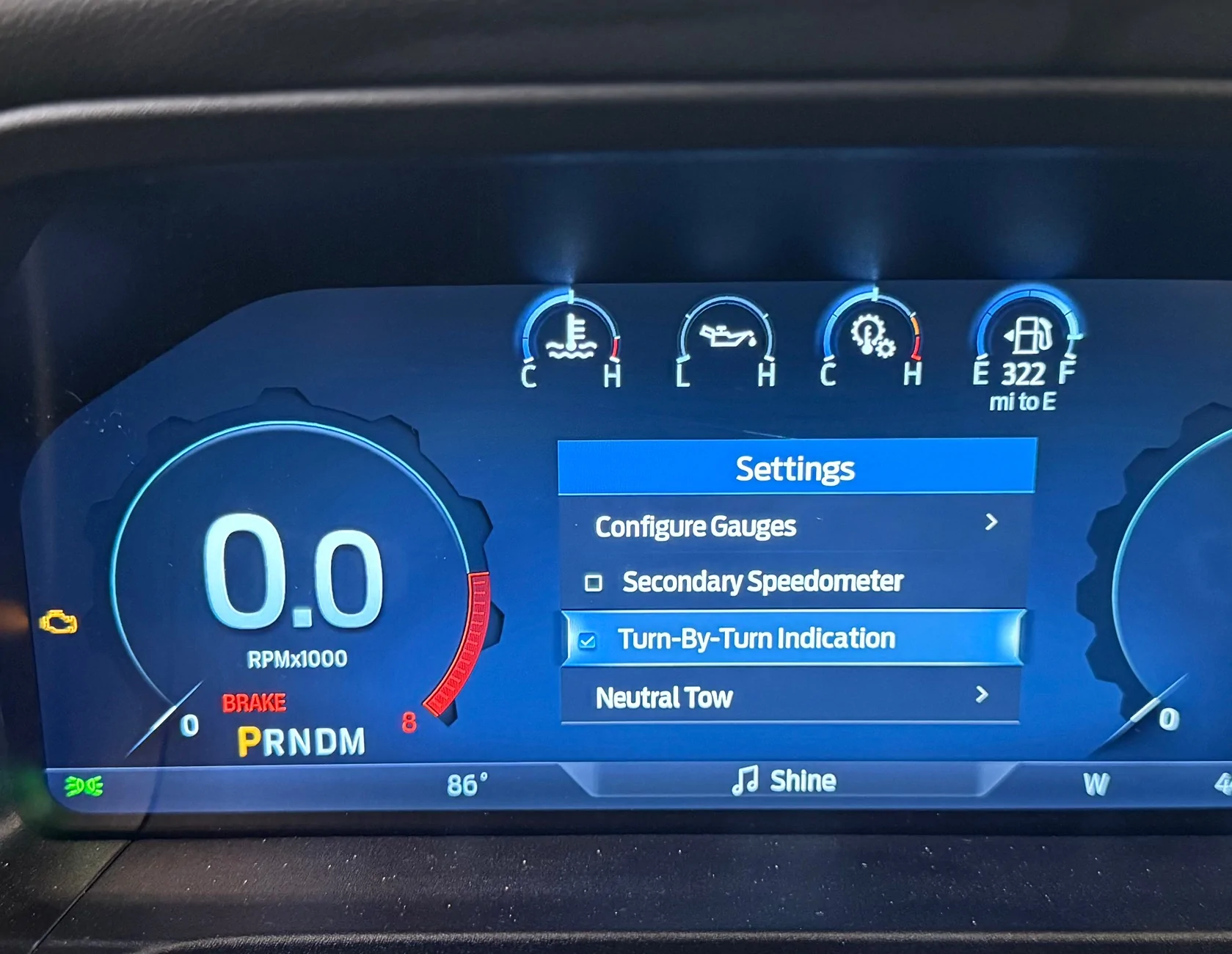
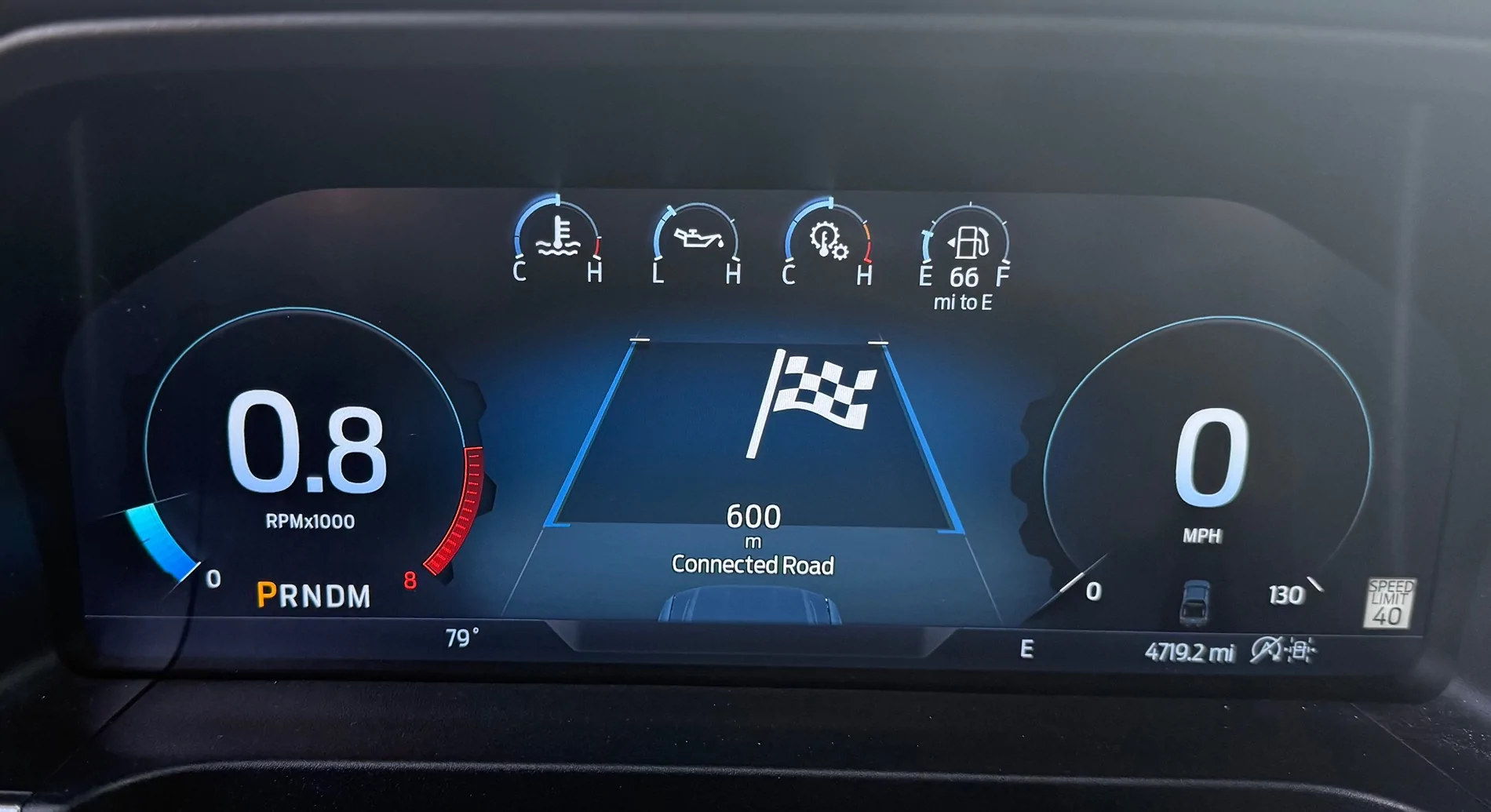
How do I display the navigation screen as shown in the picture?
Loading
OP
OP
Kazumi
Active Member
- Thread starter
- #17
Thank you very much. This was very helpful. Currently, I am able to display the Turn-by-Turn menu in Forscan. However, I cannot select Turn-by-Turn yet, so I will use Forscan.It’s under settings turn by turn navigation.
Edit: And for me with CarPlay itworksdoes not work with google maps But does with Apple Maps
Edit: ill have to play around with it some more and pay attention
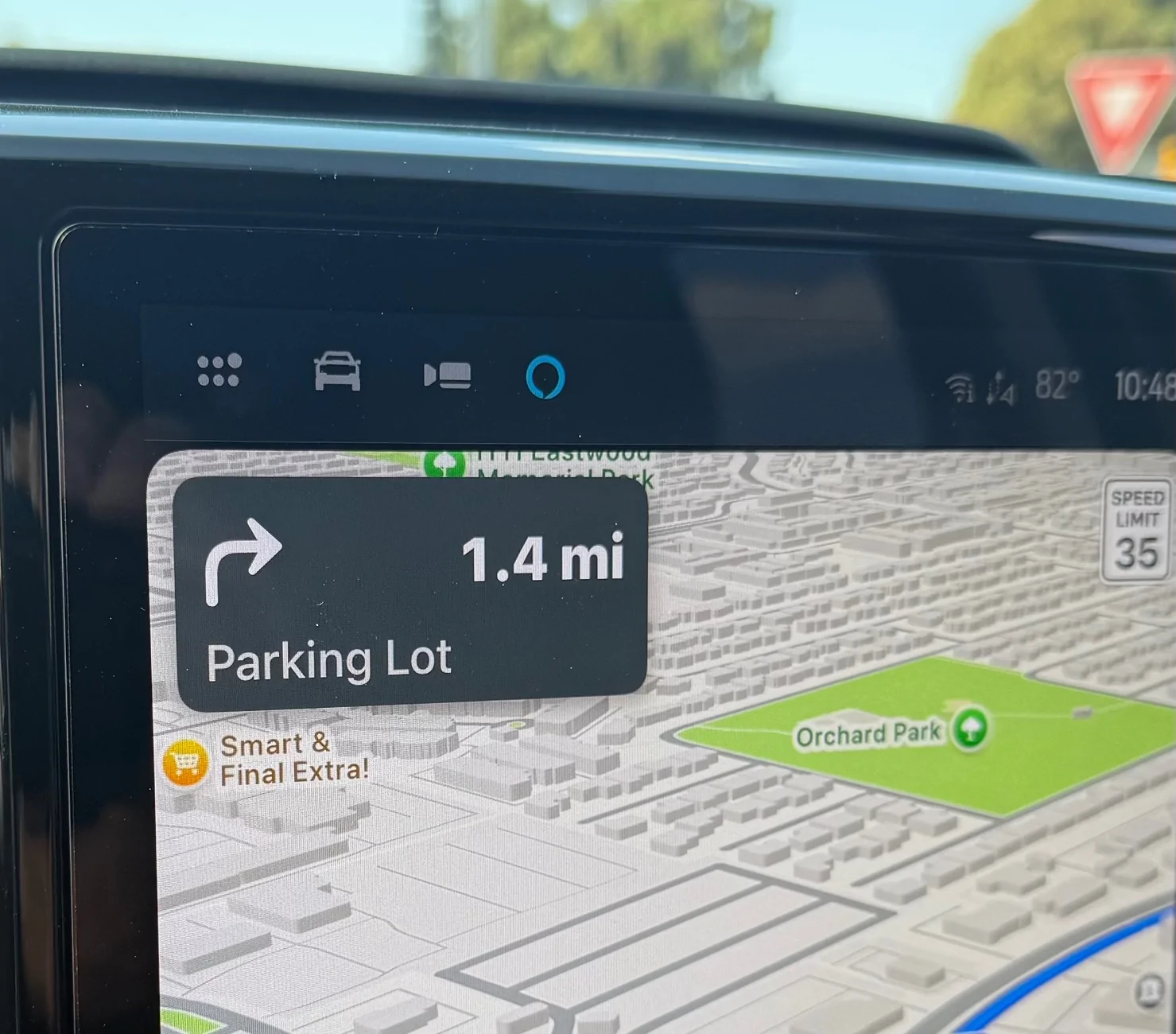
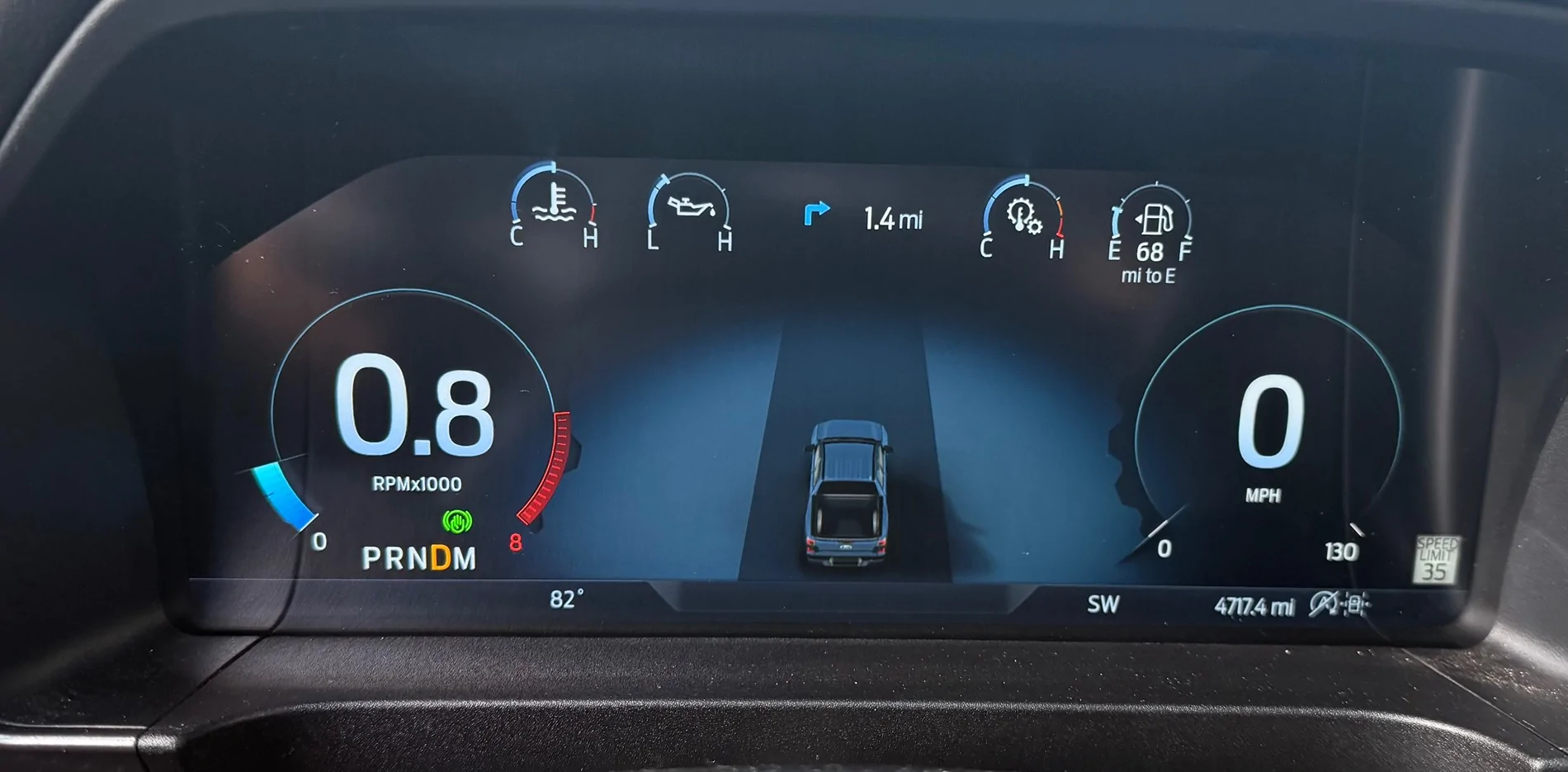
When the next turn is far away it puts a little prompt between the top four gauges.
When the turn is imminent it displays the larger version in the center.

Ag3ntC00p3r
Well-Known Member
CarPlay or Android Auto? I run wired CarPlay for more stability, and to use my truck Wi-Fi. Waze has never displayed turn by turn in the instrument cluster. I only found out about it after my GF used Apple Maps one day instead.Waze does for me when I get within a half a mile of a turn it'll pop up automatically in the center display.
Then it's just a small arrow at the top of my dash when it's farther away
TBone4Eva
Well-Known Member
- First Name
- Tyrone
- Joined
- Nov 9, 2024
- Threads
- 1
- Messages
- 51
- Reaction score
- 86
- Location
- Maryland (DC Metro)
- Vehicle(s)
- 2024 Ranger Raptor
- Occupation
- IT
Waze works for me with the turn-by-turn indicator. I use Android Auto.CarPlay or Android Auto? I run wired CarPlay for more stability, and to use my truck Wi-Fi. Waze has never displayed turn by turn in the instrument cluster. I only found out about it after my GF used Apple Maps one day instead.
Ag3ntC00p3r
Well-Known Member
Thanks. I'm assuming since Google owns Waze, it has better integrations with Android which is why it works with Android Auto and not CarPlay.Waze works for me with the turn-by-turn indicator. I use Android Auto.
Just to make sure it isn't a setting I'm missing, has anyone been able to get turn-by-turn to work with Waze on iOS/CarPlay?
Sponsored
Boosted6G
Well-Known Member
Then I have some magical version of a Ranger Raptor. Works fine with Android Auto.Only works with Apple Maps with me not google or waze

Clark.W.Griswold
Active Member
- First Name
- Sparky
- Joined
- Jul 13, 2024
- Threads
- 3
- Messages
- 31
- Reaction score
- 64
- Location
- Las Vegas, NV
- Vehicle(s)
- '24 Ranger Raptor, '25 Explorer ST, '19 GMC Yukon XL
My guess is that it works with whatever native navigation app you use on your phone. For example, if you use CarPlay (Apple) and Apple Maps, it will show up in the center display. If you used Android Auto (Google) and Waze or Google Maps, it will show up in the center display... but, if you use CarPlay with Waze or Google Maps, it will not show up in the center display.
That is my guess. I could be wrong, but I would guess that Ford only coded the native navigations apps to work in the center display for the platform you are using (CarPlay and Apple maps or Android Auto and Google Maps/Waze).
That is my guess. I could be wrong, but I would guess that Ford only coded the native navigations apps to work in the center display for the platform you are using (CarPlay and Apple maps or Android Auto and Google Maps/Waze).
purdyd
Well-Known Member
- Joined
- Apr 28, 2025
- Threads
- 32
- Messages
- 1,068
- Reaction score
- 1,502
- Location
- california
- Vehicle(s)
- 2025 Ford Ranger Lariat
I think it is more of an apple Google thing.My guess is that it works with whatever native navigation app you use on your phone. For example, if you use CarPlay (Apple) and Apple Maps, it will show up in the center display. If you used Android Auto (Google) and Waze or Google Maps, it will show up in the center display... but, if you use CarPlay with Waze or Google Maps, it will not show up in the center display.
That is my guess. I could be wrong, but I would guess that Ford only coded the native navigations apps to work in the center display for the platform you are using (CarPlay and Apple maps or Android Auto and Google Maps/Waze).
other car companies have issues with this as well
smokinjoe64
Well-Known Member
'Turn-by-Turn' Function - Confirming works well with CarPlay. To-date only Google & Apple map apps are compatible.
Sponsored
Raptortugal
Well-Known Member
For me Waze and Maps work well from an Android smartphone.
DIYPSCM
Well-Known Member
- Joined
- Oct 13, 2024
- Threads
- 2
- Messages
- 90
- Reaction score
- 110
- Location
- SF Bay area
- Vehicle(s)
- 2024 Ranger 2.7 Lariat
- Occupation
- Engineer
Same.Waze works for me with the turn-by-turn indicator. I use Android Auto.
purdyd
Well-Known Member
- Joined
- Apr 28, 2025
- Threads
- 32
- Messages
- 1,068
- Reaction score
- 1,502
- Location
- california
- Vehicle(s)
- 2025 Ford Ranger Lariat
Well today I noticed with Apple CarPlay that Google maps was giving me turn by turn naviation.
so Apple maps and Google maps both work


so Apple maps and Google maps both work
Ranger XLT Fan
Well-Known Member
- First Name
- Fred
- Joined
- Aug 28, 2025
- Threads
- 2
- Messages
- 60
- Reaction score
- 86
- Location
- Fort Worth, Texas
- Vehicle(s)
- 2025 Ford Ranger XLT
How do I get the top 4 gauges to show up like that? Mine does RPM and Temp as linear slides. I want your display.It’s under settings turn by turn navigation.
Edit: And for me with CarPlay itworksdoes not work with google maps But does with Apple Maps
Edit: ill have to play around with it some more and pay attention
When the next turn is far away it puts a little prompt between the top four gauges.
When the turn is imminent it displays the larger version in the center.
purdyd
Well-Known Member
- Joined
- Apr 28, 2025
- Threads
- 32
- Messages
- 1,068
- Reaction score
- 1,502
- Location
- california
- Vehicle(s)
- 2025 Ford Ranger Lariat
you might need a lariat or raptor…they have larger screens.How do I get the top 4 gauges to show up like that? Mine does RPM and Temp as linear slides. I want your display.
I’m not sure.
and Google with the upgrade to iOS 26 is not displaying navigation prompts again, at least for me…
Sponsored


