Sponsored

Kossibeibe

Member
Joined
May 27, 2025
Threads
0
Messages
10
Reaction score
4
Location
Finland
Vehicle(s)
Ford ranger 2024 EU tremor
Great post!

Just a little confused about “almost co-pilot 2.0” did you upgrade the factory copilot, or just install the 360 cameras and adjust the software?

also, would love to know more about your approach for installing pro power onboard!
Well all is now allmost done, life came little bit between hobby but iam finishing interrior with pantone ambientlight in custom spots and every where where Light is needed.

Co-pilot 2.0 allmost I mean I didint program features that I didint need or use. Mayby these will be added later to get "fully packed rangerf150 superduty" :D

Pro power, that was a tricky one at first. Ford wants to communocate only by its own language which means that you cannot just wire any acdc inverter with Ford wiring. I made some changes there ade finded dismantled pp inverter (that was from powerboost f150 but I think it could be from any car because the logic boards should be same) and only salvaged the intelligent Ford part from there. (I need inverter to communicate with the car and that part is doing that) Then finded deacent 3kw aircooled inverter what I will control with that salvaged Ford controller. After that wire diagrams and color chdcking wires, chdcking all pinouts of required tdrminals and then pulling everything together. After that you need to make some forscanning in few modules. That took while because, I want to say that salvaged part is now called "propower inverter controller", the controller was from powerboost and we have in eu 2.0 rangers that intelligent alternator which is limiting the actual dc generator capacity. Well damn me and my mind, I dont want any features to go away so I decided to install (was In task list anyway but little bit smaller) the most expenvieve part by far at this whole project car the redarc alpha 1 bcdc charger and 200ah lifepo4 battery as a second. That changed the whole game In same line what powerboost has stedy powerfull dc current. Without needing to take the intelligent alternator feature away.

Finally I needed to find oem interrior socets exterrior bed outlet/fuse panel and separate hitch outlet to our 13pin hitch. I have now outlets in both rear seat door panels, allmost at bottom on front where the socet is very easy to use but hidden from sights. One in passanger footwell, in passanger dash compartment and in oem location in centerconsole. Wired all socets from inside and out together and used victron L and N rails connected to that victron inverter what helped me to make proper connections.

Thats pretty much it, fully control able and you can followup the currents etc. Overrated feature, you can do same thing without the sync and Ford If you want to go easy way. But If you want to have something only because somebody said it cannot be done then its pretty neat stuff to see :)
Sponsored


superj

Well-Known Member
First Name
Jason
Joined
Feb 8, 2025
Threads
40
Messages
3,481
Reaction score
3,201
Location
Corpus christi texas
Vehicle(s)
2004 ford ranger, 2024 ford ranger
Occupation
Aircraft examiner
And an update for the hill descent on the 2wd stx. It shows on the screen and the slider slides but it returns to off on its own after a second or two so it doesnt actually work on my truck
 

CaptAngry

Well-Known Member
Joined
Oct 4, 2022
Threads
12
Messages
243
Reaction score
365
Location
Denver, CO
Vehicle(s)
2026 RRaptor
Occupation
Space Engineer
Anyone successfully get FORScan to work on a 2026 yet? I can't for the life of me get it to connect and recognize the truck. Tried the Motorcraft service xml download "trick" but no dice.

[edit] And if the paid version (and access to the 2.4.xx betas) would help I'd get a license. But don't want to buy it yet until I can confirm it will even work [/edit]
 
Last edited:

Peter949

Well-Known Member
First Name
Peter
Joined
Mar 20, 2019
Threads
16
Messages
487
Reaction score
586
Location
Irvine, CA
Vehicle(s)
2024 Ranger Raptor
Anyone successfully get FORscan to work on a 2026 yet? I can't for the life of me get it to connect and recognize the truck. Tried the motorcraft service xml download "trick" but no dice.
Maybe try a beta version? That's what I had to do for my 2024 when they first came out.
 

CaptAngry

Well-Known Member
Joined
Oct 4, 2022
Threads
12
Messages
243
Reaction score
365
Location
Denver, CO
Vehicle(s)
2026 RRaptor
Occupation
Space Engineer
I haven't been able to find download links to the beta version. Per the forums it looks like only paid peeps get access to those? Or does anyone have a link? I'll happily pay IF I can confirm it works

I found a download link and installed it, but it still says a paid subscription is required to use version 2.4.xx

Can anyone confirm they have FORScan working on a 2026?
 
Last edited:

Sponsored

ag02m5

Well-Known Member
Joined
Jun 5, 2023
Threads
5
Messages
193
Reaction score
146
Location
Texas
Vehicle(s)
Google
Hi all.

I'm guessing no but does anyone know of a way to have the rear under seat vents open with the dash air only? It appears they only come on when you have the lower footwell air selected. Considering there are no vents in the back of the center console, I think this design choice is poor, among a few others.

Thanks.
 
Last edited:

CaptAngry

Well-Known Member
Joined
Oct 4, 2022
Threads
12
Messages
243
Reaction score
365
Location
Denver, CO
Vehicle(s)
2026 RRaptor
Occupation
Space Engineer
I think those rear vents are tied directly into the floor vents, with no mixing door or actuator. So nothing that can be done computer-wise. If you want rear air, you need to enable floor vents
 

ag02m5

Well-Known Member
Joined
Jun 5, 2023
Threads
5
Messages
193
Reaction score
146
Location
Texas
Vehicle(s)
Google
I think those rear vents are tied directly into the floor vents, with no mixing door or actuator. So nothing that can be done computer-wise. If you want rear air, you need to enable floor vents
Yeah that makes sense. Probably the rear console vents everyone else got are tied to the dash vents. :(
 

CaptAngry

Well-Known Member
Joined
Oct 4, 2022
Threads
12
Messages
243
Reaction score
365
Location
Denver, CO
Vehicle(s)
2026 RRaptor
Occupation
Space Engineer
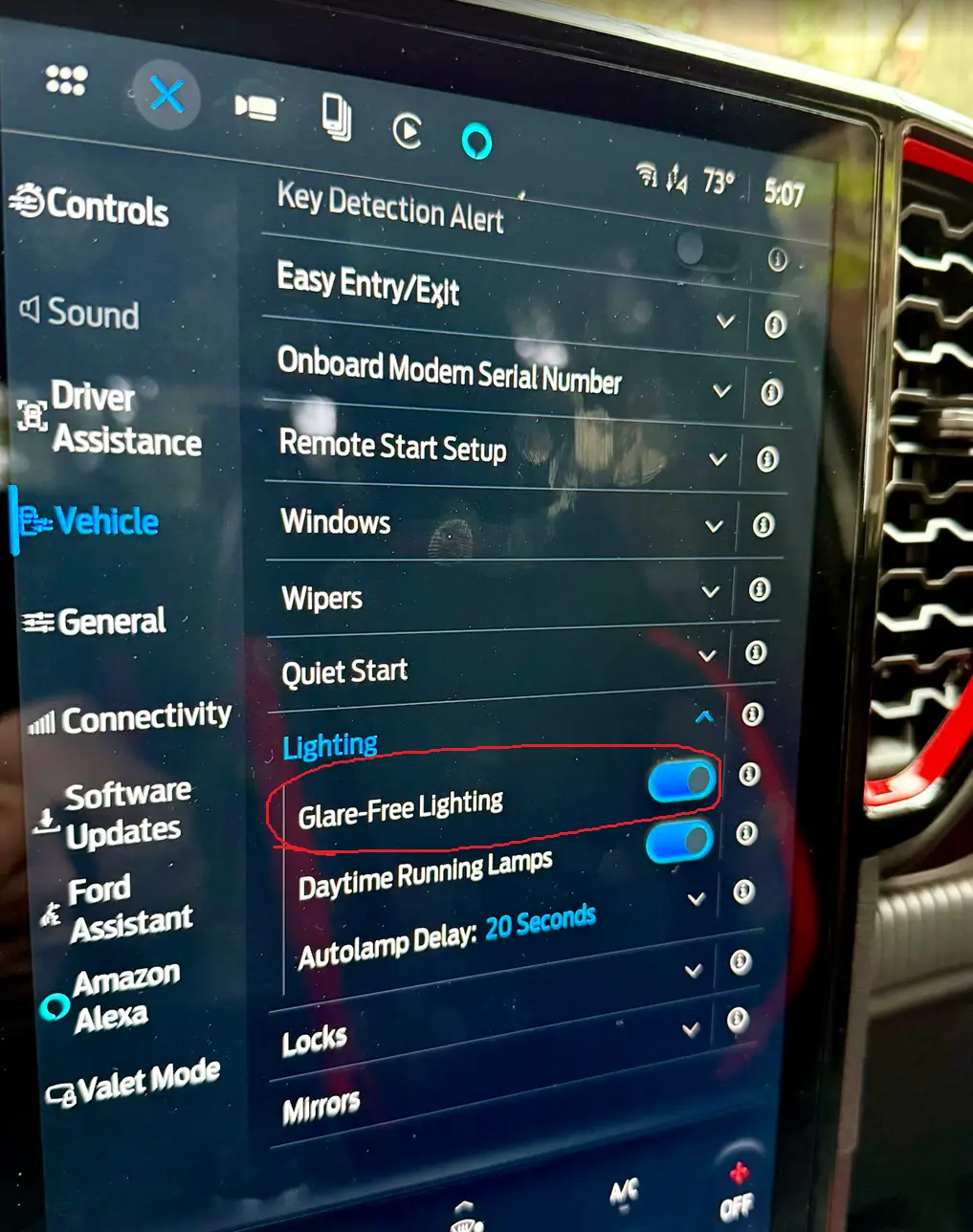
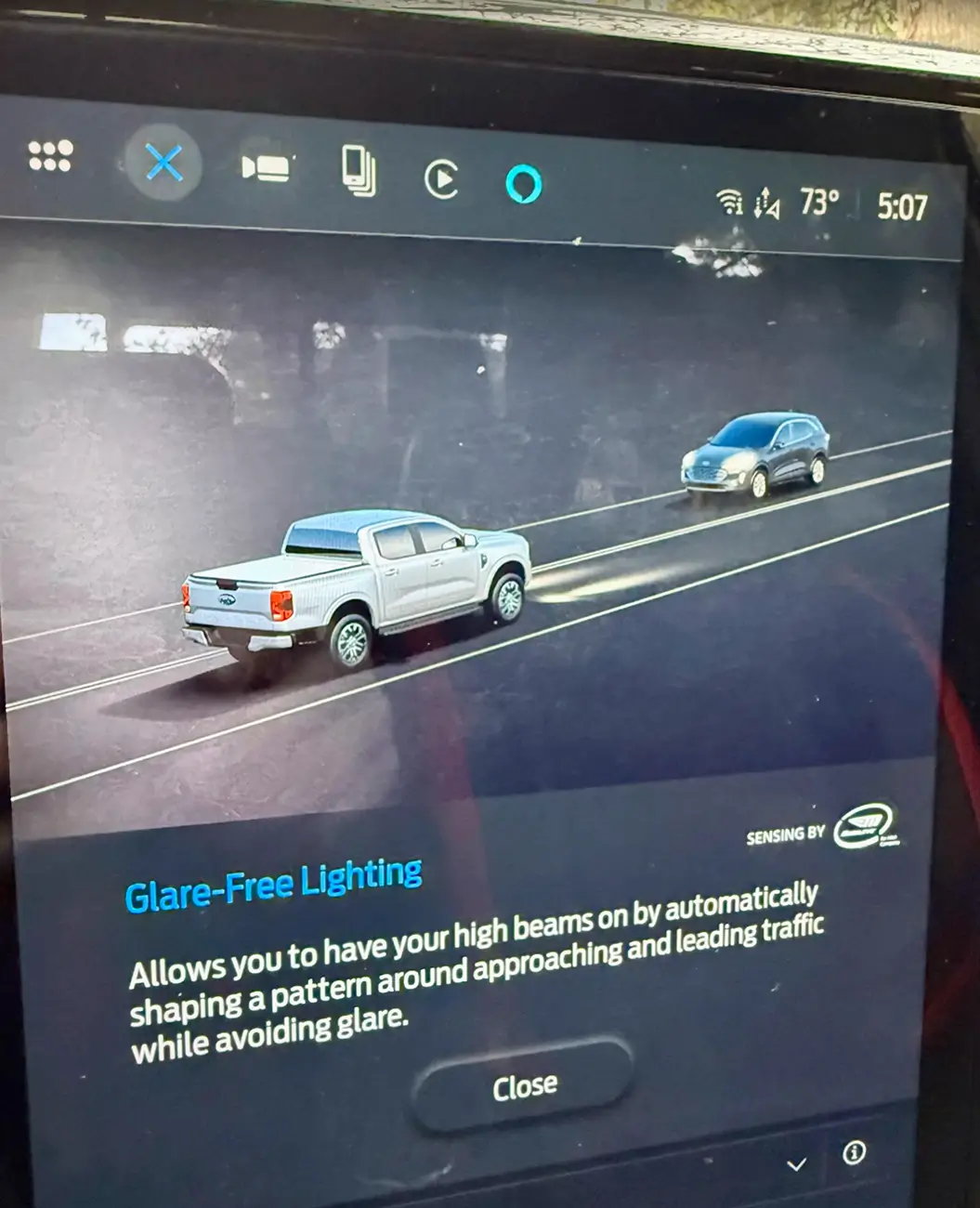
So now that I have FORScan up and running, I've been going through the spreadsheet and enabling/disabling items I wanted. I'll make a list here shortly. I do have a question about the glare-free/matrix headlights. I changed all of the modules per the spreadsheet but I don't see the option (shown by previous posts) in the center screen settings menu.

[edit] So after waiting a bit and restarting the truck, I noticed that I do indeed have an option w/ an info screen. It just doesn't look like what I'd seen before, with the option for LH or RH drive

Ford Ranger FORScan NA Ranger 6th Gen (2024+) Crowdsourced Spreadsheet rraptor_glare_free_lighting_1
Ford Ranger FORScan NA Ranger 6th Gen (2024+) Crowdsourced Spreadsheet rraptor_glare_free_lighting_2

[/edit]
 
Last edited:

mircea77

New Member
First Name
Mircea
Joined
Nov 10, 2024
Threads
0
Messages
4
Reaction score
4
Location
Romania
Vehicle(s)
Ford Ranger Raptor 2024
If anyone interested I did managed to disable speed limit warning, TSR, on 2024 RR EU.
IPMA :
706-05-01 1C0C 0000 → 1C00 0000
706-37-01: 0800 → 0000
706-37-02: 00F8 → 0000
These changes also disable Driver Alert.
You can enable them from Sync 4 if you wish, but when you start your engine these are off.
 

Sponsored

Beeplok

New Member
Joined
Jan 20, 2026
Threads
0
Messages
4
Reaction score
0
Location
KZ
Vehicle(s)
Ranger Raptor 6G
There have been several threads about FORScan, but would like to consolidate into one place like was done for the 5G Ranger.

The below document will be updated as people give confirmation as to what works and what does not. I am hoping to find GUI changes as Asbuilt changes together if possible, like you will see on the Confirmed tab for the Chimes and Bambi mode

Web version: FORScan NA Ranger 6G
Actual Gsheet: FORScan NA Ranger 6G - Gsheet

The 3 most useful tabs:
  1. Features Confirmed - these are options that are proven to work on the Ranger
  2. Features TBD - these were collected from F150, Ranger5G, and Bronco and need to be confirmed
  3. FORScan GUI - this is a dump of all the options for all NON-ASBUILT module pages in FORScan while connected to a 6G Ranger

IF YOU CAN CONFIRM a configuration change works, if you could post to this thread with this information:
  • Feature name from the Feature Tab
  • What value you changed from -> to (asbuilt only, or GUI)
  • Ranger trim level tested on
  • Any side effects or gotchas when making the change
  • Any other details of what the feature actually does (in layman terms)

Please PM me if you would like to be an editor for this sheet or request access from within the Gsheet.

** NOTE ** The sheet may take some time for changes to get entered after there are posts with confirmations. So be patient please :)
Hey guys, hey everyone.
Today I tried disabling the Start-Stop function on my 2024 Ranger Raptor using Forscan.
I changed the value in the block from Enabled to Disabled and saved the changes.
After finishing the coding, the battery icon on the dashboard lit up and a U0131 error message - Lost Communication With Power Steering Control Module 'A'. Status - was stored in the memory.
The error won't clear. What can I do?
 

superj

Well-Known Member
First Name
Jason
Joined
Feb 8, 2025
Threads
40
Messages
3,481
Reaction score
3,201
Location
Corpus christi texas
Vehicle(s)
2004 ford ranger, 2024 ford ranger
Occupation
Aircraft examiner
Hey guys, hey everyone.
Today I tried disabling the Start-Stop function on my 2024 Ranger Raptor using Forscan.
I changed the value in the block from Enabled to Disabled and saved the changes.
After finishing the coding, the battery icon on the dashboard lit up and a U0131 error message - Lost Communication With Power Steering Control Module 'A'. Status - was stored in the memory.
The error won't clear. What can I do?
did you go in and re-enable what you disabled? after done, you may have to disconnect the battery for a few minutes and see if that fixes the issue.

also, make sure that is not one of the modules that you have to do a relearn, or whatever its called, with the other module. there is a note on the spreadsheet about having to also relearn another module if you do certain things.
 

Beeplok

New Member
Joined
Jan 20, 2026
Threads
0
Messages
4
Reaction score
0
Location
KZ
Vehicle(s)
Ranger Raptor 6G
did you go in and re-enable what you disabled? after done, you may have to disconnect the battery for a few minutes and see if that fixes the issue.

also, make sure that is not one of the modules that you have to do a relearn, or whatever its called, with the other module. there is a note on the spreadsheet about having to also relearn another module if you do certain things.
Yes, I tried to revert to the mode I had before encoding, but my adapter stopped communicating. Perhaps it's damaged.
If I find a different adapter, is it possible to reset it to factory settings after encoding?


Top